One stop ticketing solution for bus and coach operators

Author: Mark Ellison

  • Bus Disruption Management: 5 Practical Steps From First Alert to Recovery

    Bus Disruption Management: 5 Practical Steps From First Alert to Recovery

    Bus disruption management is the habit of handling a delay, a breakdown or a cancellation the same way every time. Without it, each incident becomes a scramble of phone calls and guesses. With it, your team knows who decides, what changes and who tells the passengers.

    This guide is for owners and operations managers. It joins several single-issue topics into one flow, from the first alert to the review afterwards. We quote no figures, because results depend on your routes and your team.

    Where we mention United Bus Tech (UBT), we rely only on what its website states. Anything else is a question to put to your vendor, not a promise we can make for them.

    Why Bus Disruption Management Needs a Single Flow

    Disruptions rarely come alone, which is why bus disruption management starts with the whole timetable. A late arrival makes the next departure late, and a breakdown can affect two or three trips in one afternoon. Treating each as a separate emergency wastes the first ten minutes.

    Good bus disruption management gives you one sequence that fits every case. Detect, decide, change the schedule, inform passengers, recover and review. Whether the cause is weather, a mechanical fault or a blocked road, the steps stay the same.

    Our article on a bus breakdown response plan covers one cause in depth. This guide sits above it and shows how the pieces connect when anything goes wrong.
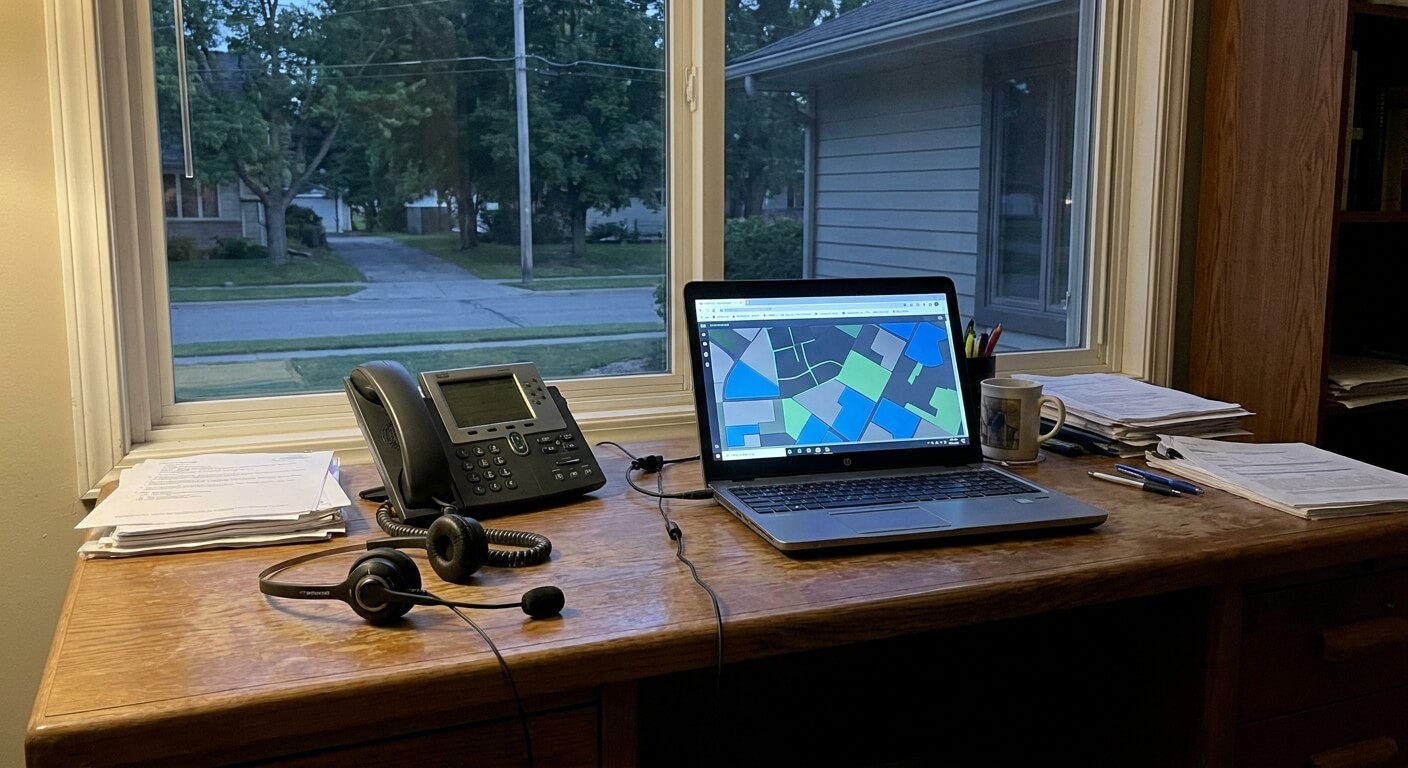
    bus-disruption-management-dispatch-desk

    Step One in Bus Disruption Management: Detect Early

    You cannot manage what you learn about late. The first requirement is a way to know that a trip is in trouble before the passenger calls to tell you. Drivers, dispatchers and tracking data can all raise the flag.

    UBT’s website mentions real time fleet tracking for passengers and management, along with ETA tracking. Those tools can help a dispatcher see a slipping trip sooner, although you should confirm exactly what the system shows in a demo.

    Agree on a trigger. For example, a driver reports any delay beyond a set threshold to dispatch, and dispatch logs it. A simple rule everyone follows beats a clever one nobody remembers.

    Step Two: Decide What Kind of Disruption It Is

    In bus disruption management, not every problem needs the same response. Sort the event into three groups: a short delay, a partial change such as a new departure time, or a full cancellation. The group decides the next move.

    A short delay may need only a passenger message. A moved departure needs a schedule edit and a message. A cancellation needs a schedule edit, a message and a refund or rebooking offer.

    For the hardest group, our guide on when to cancel a bus route lists the signals worth weighing. Decide quickly, because waiting rarely makes the picture clearer, and a late decision costs passengers their plans.

    Step Three in Bus Disruption Management: Change the Schedule

    Once you decide, the schedule must change in the system, not only in a phone call. If the sales system still shows the old time, new buyers will arrive for a trip that no longer leaves then.

    UBT’s site puts the scenario plainly: need to cancel a busline, or move it an hour later due to mechanical issues, and UBT allows you to move your schedule around. Moving a trip by an hour is exactly the kind of change this step covers.

    When you test any system, practice this edit. How many screens does it take? Does the change reach every sales channel? Our guide to changing a bus schedule at the last minute lists the checks worth running.

    Make one person responsible for the edit during an incident. Two people changing the same trip at once is a quiet source of errors.

    Step Four: Tell Passengers Quickly and Plainly

    Passengers forgive a delay more readily than silence, so bus disruption management must include a message. Tell them what happened, what is changing and what they should do next, in two or three plain sentences. Avoid jargon and avoid guessing a new time you cannot guarantee.

    UBT mentions automated SMS boarding reminders and ETA tracking as part of its passenger experience. For bus disruption management, ask whether the same messaging can carry a change notice to everyone booked on the affected trip.

    Counter staff need the same information at the same moment. A passenger who hears one story from the app and another from the desk loses trust in both. Our piece on notifying passengers of a bus delay gives a short template.

    bus-disruption-management-tracking-data-feed

    Step Five: Protect the Passenger With a Clear Remedy

    Every disruption leaves some passengers worse off, so bus disruption management needs a remedy ready. Decide the remedy before you need it. Typical choices are a move to the next departure, a credit or a refund. Which one applies should depend on the cause and the length of the delay.

    Write the options down so that staff can offer them without calling a manager. A fast, consistent remedy turns an angry passenger into a patient one, and it limits the number of exceptions you must approve by hand.

    Keep a record of what you offered and what each passenger chose. That record feeds your accounts, and it shows later whether your remedies are too generous or too thin.

    Step Six: Recover the Rest of the Day

    A single disruption can ripple through the timetable. A bus that returns late may be late again on its next run, and a driver who exceeded a shift limit cannot simply carry on. Look ahead at the next few departures and adjust.

    Ask whether a spare vehicle or driver can cover. Ask which trips can safely absorb a delay, and which must leave on time. Bus disruption management at this stage is about protecting the trips you can still save.

    Bad weather deserves its own plan because it hits many trips together. Prepare a checklist you can adapt to storms, floods or heat, and rehearse it before the season starts.

    Review Every Incident for Better Bus Disruption Management

    Within a day or two, review each incident with the people involved. What happened, how long did detection take, and which step was slow? Keep the meeting short and the notes shorter.

    Look for patterns across incidents. The same route, the same vehicle or the same time of day often shows up more than once. A pattern is a problem you can fix, while a single incident is just an unlucky day.

    Over time, these reviews become your own handbook for bus disruption management. New staff learn from real cases rather than theory, and your response improves without any new equipment.

    What to Check in Your Ticketing Software

    Use this guide as a test script when you review ticketing tools. Can you move or cancel a trip in a few steps? Does the change appear on every channel at the same moment? Can you message everyone on the affected trip?

    UBT states that its shared APIs sync instantaneously across all sales channels, including third party websites. That is the right claim to test during a pilot, using a real schedule change on a trip with bookings on more than one channel.

    Write down what you see rather than what you were told. Notes from a hands-on test are worth more than any brochure when you finally make the decision.

    A Simple Start for Your Team

    You can improve bus disruption management this week without buying anything. Draft a one-page flow with the six steps, name an owner for each one and run a practice drill on an imaginary delay. Fix what feels awkward.

    If you would like to see how UBT could help you move schedules and keep passengers informed, request a conversation with United Bus Tech and bring one recent disruption from your own operation to work through.


  • Bus Ticket Refund Process for Operators: 6 Essential Steps From Request to Ledger

    Bus Ticket Refund Process for Operators: 6 Essential Steps From Request to Ledger

    A clear bus ticket refund process for operators saves more than money. It saves the argument at the counter, the guesswork in the back office and the awkward call with a passenger who was promised something nobody can find in writing. This guide lays out the process as six steps.

    It is written for owners and operations managers. Our article on the rules to write down in a refund policy covers what you promise. This one covers how you carry it out, who does what and how the money is recorded.

    We quote no figures, because refund rules and volumes differ by company. Where we mention United Bus Tech (UBT), we rely only on what its website states. Any feature not stated there is a question to put to your vendor.

    Why a Bus Ticket Refund Process for Operators Needs Owners

    Most refund trouble does not come from the policy. It comes from the gap between the policy and the day-to-day handling. One agent approves a refund on a whim, another refuses the same case, and the ledger no longer matches.

    A bus ticket refund process for operators fixes this by giving every case the same path. Each step has an owner, each decision has a rule, and each outcome leaves a record. That consistency is what customers feel as fairness.

    Start by naming roles. Who may approve a refund at the counter? Who handles online requests? Who signs off on exceptions? Write the answers on one page and keep it where staff can see it.

    bus-ticket-refund-process-for-operators-desk-review

    Step One: Log the Request in One Place

    In any bus ticket refund process for operators, every refund begins with a request, and requests arrive by phone, email, counter visit and chat. If each channel keeps its own notes, cases get lost and the same passenger gets three different answers.

    Pick one place where every request is recorded, even if the first contact happens elsewhere. Capture the ticket reference, the trip, the reason and the time of the request. Those four fields answer most later questions.

    The time matters because many rules depend on how long before departure a request was made. If you do not record it, you cannot prove which rule applied.

    Step Two: Check the Ticket and the Trip

    Before deciding anything, confirm that the ticket is real, paid and still unused. A bus ticket refund process for operators must check that the ticket was not already scanned at boarding, or the same seat can be refunded after the passenger traveled.

    Then check the trip. Was it cancelled by you, moved to another time, or run as scheduled? A cancelled trip usually calls for a full refund or a free move, while a passenger who simply changed their mind falls under your standard policy.

    Our guide to refunding passengers when a bus trip is cancelled covers that second case in detail. Keep the two cases apart in your records, because they have different causes and different costs.

    Step Three: Apply the Rule and Approve

    Now apply the written rule. If the request fits the policy, approve it without further debate. The point of the bus ticket refund process for operators is that routine cases need no manager, so queues stay short.

    Reserve manager approval for exceptions: a missed bus with a documented reason, a duplicate purchase, or a request outside the window. Define in advance what an exception is, and who may grant it.

    Give staff a short script for the answer. It should state the decision, the amount and the timeline in plain words. Passengers accept a firm no more easily when it comes with a clear reason.

    Step Four: Return the Money the Right Way

    In a sound bus ticket refund process for operators, the refund should normally go back the way the payment came in. Cash purchases are refunded in cash at the counter, and card purchases return to the same card. This keeps the trail clean and reduces fraud risk.

    We explain the reasoning in refunding to the original payment method. Refunds to a different method deserve extra checks, because that is a common pattern in fraud attempts.

    Tell the passenger how long the money takes to arrive. Card networks have their own timing, so avoid promising a specific number of days unless your payment provider confirms it in writing.

    Step Five: Release the Seat and Record the Change

    A bus ticket refund process for operators is not finished until the seat goes back on sale. If the trip is still ahead, the seat should return to inventory straight away so another passenger can buy it. Otherwise you have refunded revenue and also lost the resale.

    This is where a shared inventory matters. UBT states that its shared APIs sync instantaneously across all sales channels, including third party websites. When a seat is freed, every channel should see it the same moment, which is something to verify in a demo.

    Record the change in your sales ledger with the original sale, the refund amount and the reason. Never overwrite the original entry. Your accountant and your auditor both prefer a trail of events to a single edited number.

    bus-ticket-refund-process-for-operators-ledger-check

    Step Six: Reconcile at the End of the Day

    Close each day of the bus ticket refund process for operators by matching refunds against the ledger and the cash drawer. Does every refund approved today have a matching entry? Does the money paid out equal the amount the system shows?

    Differences are rare when the bus ticket refund process for operators is followed, and obvious when it is not. A weekly review of refund reasons also tells you where the real problems are, such as a confusing booking page or a route with chronic delays.

    If you want a deeper look at matching sales to money, read our guide to bus ticket reconciliation. It shows how to close the books without chasing small differences for hours.

    Common Mistakes in a Bus Ticket Refund Process for Operators

    The first mistake in a bus ticket refund process for operators is letting policy live in people’s heads. When a rule is unwritten, every agent invents their own version. Write it down, date it and review it twice a year.

    The second mistake is skipping the scan check. Always confirm that a ticket has not been used before you pay it back. The third is forgetting the seat, so a refunded trip runs with an empty seat that could have been sold.

    The fourth mistake is no feedback loop. If you never read the reasons behind refunds, you cannot fix what causes them. Count the top three reasons each month and assign someone to address each one.

    What to Ask a Vendor About Refunds

    When you review ticketing software, ask how it supports the bus ticket refund process for operators described above, step by step. Can staff log the reason? Is the original sale preserved? Does the seat return to inventory automatically? Does the report show refunds by reason and channel?

    UBT’s website does not describe a refund workflow in detail, so we make no claim about it here. Ask any vendor, including UBT, to demonstrate a full refund on a test ticket and show you the resulting ledger entry.

    Pay attention to how the demo handles the awkward case, such as a partial refund or a ticket paid through a third party. Easy cases look good in every product, but hard cases show the real quality.

    Putting the Process Into Practice

    You can launch a bus ticket refund process for operators without any new tool. Write the six steps on a single page, assign the roles and run a week of cases through it. Note where staff hesitated.

    Then adjust the page and train the rest of the team. A short, practiced process beats a long manual nobody reads.

    If you would like to see how UBT could support your refund and ticketing workflow, request a conversation with United Bus Tech and bring one real refund case from your own operation to walk through.

  • Bus Technology for Small Bus Operators: 4 Essential Layers to Add First

    Bus Technology for Small Bus Operators: 4 Essential Layers to Add First

    Choosing bus technology for small bus operators is mostly a question of order. You cannot buy everything at once, and a small team cannot absorb five new tools in one quarter. This guide shows which pieces to add first, which can wait, and how to judge each one.

    It is written for owners and operations managers, not for passengers. We quote no figures, because results depend on your routes, your staff and your sales mix. Where we mention United Bus Tech (UBT), we rely only on what its website states.

    Many readers search for bus technology for small bus operators after a bad week: a double-sold seat, a missed reconciliation or a counter queue that never ends. Start from that pain. The right first purchase is the one that removes your most expensive daily problem.

    Why Bus Technology for Small Bus Operators Starts With Sales

    Selling tickets is where money enters the business, so it is the first layer of bus technology for small bus operators to get right. A single system that sells at the counter, online and through partners keeps every channel looking at the same seats.

    UBT describes four capabilities side by side: Point-of-Sale, Ticket Validation, Inventory Control and Real-time Reporting. We use those four as a simple framework, because they map neatly onto how a small operator actually works from morning to night.

    Sales comes first because every other layer depends on it. Validation needs tickets to check, reporting needs sales to count, and inventory control needs a single place where seats are held. If sales data is scattered, nothing downstream can be trusted.

    bus-technology-for-small-bus-operators-pos-terminal

    Layer One: Point of Sale and Seat Inventory

    Point-of-sale is the counter and the checkout page. It records who bought which seat, on which trip, through which channel. For a small operator, the biggest win is usually one shared view of inventory rather than a feature-rich interface.

    Overselling is the classic failure when inventory lives in two places. UBT states that its shared APIs sync instantaneously across all sales channels, including third party websites. Our guide to how to stop overselling bus seats walks through the checkpoints in more detail.

    When you evaluate this layer, ask simple questions. What happens if two people try to buy the last seat at the same moment? Can staff see the same seat map that online customers see? Test both with a real trip, not a slide.

    In bus technology for small bus operators, keep the interface boring on purpose. Counter staff work under time pressure, so the screen they use all day matters more than any advanced option they will touch once a month.

    Layer Two: Ticket Validation at Boarding

    Validation is how you prove that the person boarding paid for the seat they are standing in. Without it, tickets can be reused, shared or forged, and your manifest drifts away from reality.

    UBT states that it offers flexible ticketing validation options to meet your needs. Flexible is a useful word for a small operator, because your drivers may check tickets on a phone one day and from a printed list the next.

    For bus technology for small bus operators, think about the worst boarding scenario you face, such as a rainy curb with forty people and one driver. Then ask whether the validation method still works there. If a method needs perfect signal or a quiet environment, treat it with caution.

    Whatever method you pick, the test of bus technology for small bus operators is the same: does it still work at the curb on your busiest day? If the answer is uncertain, keep looking.

    Layer Three: Real-Time Reporting for Daily Decisions

    In bus technology for small bus operators, reporting turns sales and boarding into decisions. Which departures are filling? Which are running half empty? Which channel is sending the most customers? A small operator who sees those answers by nine each morning can adjust before the day is lost.

    UBT lists real-time reporting as the fourth part of its point-of-sale offer. The word real-time matters here. A report that arrives next week describes history, while a report that updates as tickets sell lets you act on today.

    Start with a short list of numbers you will actually read. Our article on real-time bus reporting and the numbers to check every morning suggests a minimal set. Resist the urge to build a dashboard with forty tiles.

    A rule of thumb helps: if you would not change a decision based on a number, remove it from the screen. Fewer numbers, read daily, beat many numbers that nobody opens.

    bus-technology-for-small-bus-operators-reporting-dashboard

    Layer Four: Passenger Communication and Tracking

    Once sales, validation and reporting work, bus technology for small bus operators should turn to the passenger experience. UBT mentions automated SMS boarding reminders, ETA tracking and real time fleet tracking for passengers and management.

    These tools reduce the calls your staff answer all day. A passenger who receives a reminder knows when to arrive, and one who can see an ETA does not need to phone the office. For a small team, fewer calls means more time for real problems.

    Automated SMS boarding reminders and real-time tracking should be introduced gradually so passengers are not overwhelmed. Add them after the first three layers are stable, not before.

    A Sensible Order for Bus Technology for Small Bus Operators

    Putting the layers together, a practical sequence looks like this. First fix sales and inventory so every channel shares one set of seats. Second add validation so boarding matches the manifest.

    Third, add reporting so you see the result each morning. Fourth, add passenger communication so fewer calls reach the office. This order follows the flow of a ticket, and each step builds on the data created by the one before.

    Your order may differ. If you already sell through one channel and never oversell, you might jump straight to reporting. The point is to choose on purpose, based on your own costliest problem, not on whichever demo looked most impressive.

    For a wider checklist of what to digitize, see bus technology for operators and the areas to digitize in order. It covers the same ground from a slightly different angle.

    How to Judge Bus Technology for Small Bus Operators Before Buying

    Evaluate every layer of bus technology for small bus operators with the same short test. Can your least technical employee learn it in a morning? Does it work when the connection is poor? Can you get your data out if you leave? These questions cost nothing and reveal a lot.

    Ask what the pricing looks like in practice. UBT states that its service is free with no obligations at all, and that if you do not like it there will be no cost. The site does not state a trial length, so confirm the details with the vendor.

    Run a pilot on one route before you commit the whole network. Our bus ticketing trial checklist lists seven tests to run during that period. Write down what staff struggled with, because that list becomes your training plan.

    Finally, compare vendors on the same criteria. A written scorecard keeps the decision fair and protects you from choosing on charm alone.

    Mistakes to Avoid With Bus Technology for Small Bus Operators

    The most common mistake with bus technology for small bus operators is buying for the company you hope to become. A small operator with three routes does not need the tooling of a national network. Buy for the next twelve months and keep the option to grow.

    The second mistake is digitizing a broken process. If your refund rules are unclear on paper, software will only make the confusion faster. Settle the rule first, then configure the tool to follow it.

    The third mistake is skipping staff training. The best system fails if the counter team works around it. Plan an hour of practice on real scenarios before launch day, and repeat it after the first busy weekend.

    The fourth mistake is ignoring exit terms. Ask how you would export your sales history and customer records if you ever switched. A vendor who answers clearly is easier to trust than one who changes the subject.

    Next Step for Your Operation

    Bus technology for small bus operators does not need a grand plan to begin. Pick the single layer that fixes your costliest daily problem, test it on one route, and review the result after a few weeks. Small, deliberate steps are how small operators build reliable systems.

    If you would like to see how UBT could fit your routes, request a conversation with United Bus Tech and bring one real scenario from your own operation to work through together.

  • What Is a Bus Ticketing System? 6 Essential Parts Explained

    What Is a Bus Ticketing System? 6 Essential Parts Explained

    If you are asking what is a bus ticketing system, the short answer is this: it is the software that sells your seats, keeps track of who has bought them, and checks those passengers at the door. It connects the counter, the website and the driver to one shared record of every departure.

    This guide is for bus company owners and operations managers who are comparing options or replacing spreadsheets. It breaks the system into six parts and explains what each one does. We quote no figures, because the right setup depends on your routes and your size.

    Where we mention United Bus Tech (UBT), we rely only on what its site states. Anything else is a question to put to a vendor before you rely on it.

    What Is a Bus Ticketing System in Plain Words

    Think of what is a bus ticketing system as a question about the memory of your business. It remembers every schedule, every seat, every sale and every change. When a passenger asks whether a seat is free, the system answers from that memory rather than from someone’s notes.

    So when people ask what is a bus ticketing system, they are really asking about a shared record. Without one, the counter keeps a book, the website keeps another, and a partner site keeps a third. The three drift apart, and you find out on the day.

    What is a bus ticketing system at its best? One that keeps those records together and updates them as things happen. That is the difference between a bus ticketing system and a simple online form that emails you an order.

    The next sections answer what is a bus ticketing system made of, part by part, so you can judge which ones your business needs first.

    what-is-a-bus-ticketing-system-overview-screen

    Part One of a Bus Ticketing System: The Schedule and Route Setup

    Every system starts with the timetable. You define routes, stops, departure times, vehicles and seat counts. This is the foundation, because every sale refers back to a departure that exists in this setup.

    Schedules change. A bus breaks down, a road closes, a driver is out. UBT states on its site that you can cancel a bus line or move it an hour later due to mechanical issues, and that its system lets you move your schedule around.

    When you look at what is a bus ticketing system in practice, ask how painful a change is. If moving a departure means editing ten places, you will make mistakes under pressure.

    Part Two of a Bus Ticketing System: Inventory and Seat Control

    Inventory is the count of what you can sell. A bus ticketing system tracks every seat, and marks it as free, held or sold. That count must be right at all times, or you will oversell.

    Overselling usually happens when two channels sell the same seat before they learn about each other. UBT states that its shared APIs sync instantaneously across all sales channels, including third party websites. That addresses exactly this gap.

    Inventory control is also where you decide how many seats each channel may sell. Some operators reserve a block for the counter, others let every channel draw from one pool. Choose the approach that suits your demand.

    If you want to compare how terminals and stations handle this, our article on a bus terminal ticketing system looks at the setup from the counter side.

    Part Three of a Bus Ticketing System: Point of Sale and Payments

    The point of sale is where a ticket is actually sold, whether at a window, on a phone or on a website. UBT lists Point-of-Sale, Ticket Validation, Inventory Control and Real-time Reporting as its four core capabilities.

    For a busy counter, the point of sale must be fast, because a queue at the window is lost goodwill. That is a practical answer to what is a bus ticketing system for your window. It should also handle the awkward cases, such as a split payment, a refund or a ticket for a group.

    Online sales add payments and receipts. Ask which payment methods the system supports and how a failed payment is handled. A seat held for a payment that never arrives should be released automatically.

    Our bus point of sale checklist lists the questions to ask when you assess the counter side of a system.

    Part Four of a Bus Ticketing System: Validation at Boarding

    Validation, the fourth part in what is a bus ticketing system, is the check that a passenger holds a real ticket for this departure. It protects your revenue, because a ticket that cannot be checked can be copied or reused.

    UBT states that it offers flexible ticketing validation options to meet your needs. When you ask what is a bus ticketing system capable of at the door, look at what the driver or agent actually uses and how quickly it responds.

    Think about the worst case. If the signal drops in a tunnel or at a rural stop, can the check still happen? A validation step that stops the line is worse than no step at all.

    what-is-a-bus-ticketing-system-boarding-check

    Part Five: Reporting and Reconciliation

    In any bus ticketing system, reporting turns your sales into decisions. Which routes fill up, which departures run half empty, which channel brings the most passengers. Without it you are guessing.

    UBT lists real-time reporting as part of its core offer. Real time matters because a report that arrives next week cannot help you add a bus on Friday.

    Reporting also supports your finance team. Matching sales to boardings to payments at the end of the day should be a short task. If it takes hours, something in the setup is leaking.

    Our guide to bus station ticketing software shows how reporting fits into a station routine.

    Part Six: Passenger Communication and Extras

    The last part is everything around the sale. UBT mentions automated SMS boarding reminders, ETA tracking and real time fleet tracking for passengers and management on its site.

    It also lists a loyalty and reward program, described as a way to encourage repeat purchases and retain customers by rewarding existing passengers.

    These extras are not what makes a bus ticketing system, but they affect how your passengers feel about you. Decide which ones matter for your market and ignore the rest until the basics work.

    How the Parts Fit Together

    The six parts of a bus ticketing system are not separate tools. They share one record. A schedule change updates inventory, which updates every sales channel, which changes what validation expects at the door.

    That connection is the answer to what is a bus ticketing system when someone asks you to explain it to a colleague. It is not a collection of features. It is one record that every part reads and writes.

    If any part keeps its own copy, you are back to reconciling by hand. Ask a vendor to show a single change flowing through all the parts, from the timetable to the boarding check.

    What Is a Bus Ticketing System Not?

    A bus ticketing system is not a website builder, and that is the first thing to know about what is a bus ticketing system. You can have a lovely site and still oversell, because the site is only one channel.

    It is not a fleet management tool either, although some vendors combine the two. Keep the questions separate. One answers who is on the bus. The other answers where the bus is and what it needs.

    And it is not a guarantee of better results. A system reflects the rules you give it. If your refund rules are unclear, the software will faithfully apply unclear rules.

    How to Decide What You Need First

    Before you buy, ask yourself what is a bus ticketing system supposed to fix for you? Start with your biggest daily pain. If you oversell, begin with inventory and channel sync. If your queues are long, begin with the point of sale. If your accounts take hours, begin with reporting.

    When you test what is a bus ticketing system for your business, write down five situations from last month where your current process failed. Ask each vendor to walk through them live. A demo that only shows the happy path teaches you nothing.

    Ask about the cost of trying. UBT states that its service is free with no obligations, and that if you do not like it there will be no cost to you. Confirm the current terms before you plan around it.

    Involve the people who will use it. A counter agent and a dispatcher will notice problems that an owner will not, so let them test the system before you decide.

    Common Questions After What Is a Bus Ticketing System

    Do you need a bus ticketing system for a small operation? If you run a handful of departures and sell in one place, a simple tool may be enough. The need grows when you add channels or routes.

    Can you add parts of a bus ticketing system later? Often yes, but check whether new modules share the same record. A bolt-on that keeps its own data brings back the problem you wanted to solve.

    What about your existing data? Ask how schedules and passenger records can be imported, and whether you can run both systems side by side for a short period.

    Understanding what is a bus ticketing system helps you ask sharper questions, and sharper questions get honest answers from every vendor you meet.

    If you would like to see how UBT handles these six parts for your routes, request a conversation with United Bus Tech and bring a real week of your timetable to work through.

  • Bus Fare Validation Software: 7 Key Checks Before You Buy

    Bus Fare Validation Software: 7 Key Checks Before You Buy

    Bus fare validation software is the part of your ticketing setup that decides, at the door, whether a passenger has paid the right fare for this ride. It reads the ticket, checks it against your records and tells the driver or agent to let the passenger on or to stop and ask.

    This guide is for bus company owners and operations managers who are choosing or replacing the tool at the door. It sets out seven checks to run before you buy. We quote no figures or results, because every operation is different.

    Where we mention United Bus Tech (UBT), we rely only on what its site states. Anything else is a question to put to a vendor before you rely on it.

    What Bus Fare Validation Software Actually Does

    At its simplest, bus fare validation software answers one question: is this ticket good for this boarding? To answer it, the software has to know the ticket, the departure and the rules that connect them.

    It also does a second job that owners often forget. Every check leaves a record, and that record is what your finance team later uses to match sales to boardings.

    UBT lists ticket validation alongside point of sale, inventory control and real-time reporting as part of its core capabilities. That pairing is deliberate, because validation only works well when it shares data with the other three.

    Our guide to bus ticket validation options for operators compares the ways a ticket can be checked. This article focuses on the software side of the decision.

    bus-fare-validation-software-scan-at-the-door

    Check One for Bus Fare Validation Software: Which Tickets It Can Read

    Start with the media your bus fare validation software must read. Can the software read a printed code, a code on a phone, a booking reference typed by hand? List every form of ticket your passengers actually carry today, including the awkward ones.

    A tool that reads only one format will push your staff back to manual checks on a busy day. Ask to see each format scanned live, not described on a slide.

    UBT states that it offers flexible ticketing validation options to meet your needs. When you evaluate any bus fare validation software, ask which options are included and which ones need extra hardware.

    Check Two of Bus Fare Validation Software: Fare, Not Just Ticket

    A ticket can be genuine and still wrong for the ride. It may be for another date, another route or another stop. Good bus fare validation software compares the ticket to the specific departure.

    Fares can differ by passenger type, by stop pair or by date. Ask how the software handles each case and what the driver sees when the fare does not match.

    The driver needs a clear, short message, not a code to decode. A red screen that nobody understands at the door slows the whole queue.

    Test an upgrade case too. A passenger who boards at a different stop than the one on the ticket is common. See what your staff would be able to do in the software.

    Check Three of Bus Fare Validation Software: When the Signal Drops

    Buses travel through tunnels, valleys and rural stops. Validation that needs a live connection for every scan will fail exactly where you cannot afford it.

    Ask what the software does when it cannot reach the back office. Can it check against a recent copy of the manifest, and does it sync later? Ask for the behaviour in writing, not in a sales call.

    Ask also how conflicts are resolved afterwards. If the same ticket is scanned twice while offline, who finds out, and when?

    A short pilot on your most remote route will answer this faster than any specification sheet.

    Check Four: Duplicate and Reused Tickets

    A ticket that can be used twice is a leak in your revenue. Bus fare validation software should mark a ticket as used the moment it is scanned, and all devices should learn about it quickly.

    Ask how fast that update travels between devices, and what the device shows if it sees a ticket that was already used. The answer should be plain enough for a driver to act on.

    Also ask about screenshots and shared codes. A passenger might send a screenshot to a friend. Your software needs a rule for the second scan.

    This is also where sales channels matter. UBT states that its shared APIs sync instantaneously across all sales channels, including third party websites. A ticket sold on a partner site should validate the same way as one sold at your counter.

    bus-fare-validation-software-offline-check

    Check Five for Bus Fare Validation Software: Speed at the Door

    Boarding is a race against the clock. Every extra second per passenger adds up across a full coach. Watch a real scan from start to finish, including the time it takes for the result to appear.

    Test with a full queue, not a single passenger. Try bright sun and a dim terminal as well, because cameras and screens behave differently outdoors.

    Ask what the device does when the battery is low. A dead scanner at 6 a.m. is a bigger problem than a slow one.

    Also ask how staff correct a mistaken scan. A wrong tap should be easy to reverse, with a note saved for later review.

    Check Six of Bus Fare Validation Software: Reconciliation and Reports

    Every scan is data. Good bus fare validation software passes that data to your reports, so you can match tickets sold to passengers boarded without a spreadsheet.

    UBT lists real-time reporting as part of its core offer. Ask which validation figures appear in those reports, and how soon after a scan they show up.

    Think about your end of day with bus fare validation software in place. If your counter closes and you can see sold, validated and no-show tickets in one place, the reconciliation takes minutes. Our guide to bus ticket reconciliation explains the routine.

    If the software keeps scans in a separate silo, someone has to copy numbers across. That is where errors and arguments begin.

    Check Seven: Who Can Override, and How Is It Logged

    Staff will sometimes let someone on without a clean scan. A child with a lost code, a passenger whose phone died, a driver who knows the regular. The question is whether the override is recorded.

    Ask who can approve an override in the bus fare validation software, and what is saved. A reason, a time and a name make a pattern visible. An unlogged override is invisible revenue loss.

    Be wary of any tool where overrides are easy but unrecorded. The kindness of one driver becomes a hole in your numbers across a season.

    Our article on common bus ticket scanning problems lists the situations that most often lead to overrides, so you can plan the rules in advance.

    How to Compare Bus Fare Validation Software Fairly

    Build a scorecard with the seven checks above. Score each vendor on the same scale, and write down the evidence, not the impression. A table with seven rows will keep the discussion honest.

    Run the same five scenarios with every vendor: a clean scan, a wrong date, a used ticket, an offline scan and an override. Watch the driver’s side of the screen, not the manager’s.

    Avoid long lists of features. The question is whether the tool handles your worst morning. A shorter list that works on that morning beats a long one that fails.

    Do not compare on price alone. A cheaper tool that adds ten seconds to every boarding costs you in delays across the whole timetable.

    Start With a Trial, Not a Contract

    UBT states on its site that its service is free and with no obligations, and that if you do not like it there will be no cost and no obligations. Confirm the current terms with the vendor before you plan around them.

    Whatever the terms, insist on a trial on a real route with real staff. Pick a route with a mix of channels and at least one awkward stop.

    Agree beforehand what success looks like. For example, whether staff can validate a full coach without help, and whether the evening report matches the manifest.

    Keep your old process for the first weeks, so a failed trial does no damage to passengers.

    Choosing bus fare validation software is a small decision with large effects on your revenue and your queues. Run the seven checks, keep the evidence and let the results guide the choice.

    If you would like to see how UBT handles validation on your own routes, request a conversation with United Bus Tech and bring your five most awkward boarding cases to test.

  • How Account Based Ticketing Works: 5 Key Steps Operators Should Know

    How Account Based Ticketing Works: 5 Key Steps Operators Should Know

    Understanding how account based ticketing works starts with one idea: the ticket lives in an account, not on the thing the passenger carries. A card, a phone or a printed code is only a key that points to that account. The fares, the rules and the history all sit in your back office.

    This guide explains how account based ticketing works for bus company owners and operations managers. It covers the moving parts, the order of events on a trip, and the questions to ask a vendor. We quote no figures, because results depend on your routes.

    Where we mention United Bus Tech (UBT), we rely only on what its site states. Anything else is a question to put to your vendor before you rely on it.

    How Account Based Ticketing Works in One Minute

    In a traditional setup, the ticket is the product. A paper ticket or a stored-value card carries the value, and the validator at the door reads that value. If the card is lost, the value goes with it.

    To see how account based ticketing works, flip that around. The passenger has an account, and the account holds what they are entitled to. The card or phone simply identifies who is boarding, and the system looks up the rest.

    That shift sounds small, but it changes what you can do. Because the logic lives in the back office, you can change a rule once and every channel follows. You are no longer rewriting what is stored on thousands of cards.

    If you want the wider context first, our overview of account based ticketing for bus operators covers the concept at a higher level. This article goes one level deeper into the mechanics.

    how-account-based-ticketing-works-across-sales-channels

    Step One in How Account Based Ticketing Works: Creating the Passenger Account

    Everything begins with an account. It may be created when a passenger first buys online, at the counter, or through a corporate sign-up. The account gets a unique identifier, and that identifier is what the system uses from then on.

    The account can hold contact details, payment methods and a record of past trips. Keep the data to what you genuinely need. The less personal information you store, the less you have to protect.

    Some operators also allow guest purchases that do not need a full account. In that case the system still creates a lightweight record behind the scenes, so the rest of the process works the same way.

    Step Two in How Account Based Ticketing Works: Linking a Medium

    Next, in how account based ticketing works, the account is linked to one or more media. A medium is anything the passenger can present at boarding, such as a QR code on a phone, a printed code, a card or a booking reference.

    This is the part many people misunderstand when they ask how account based ticketing works. The medium does not store the fare. It stores, at most, a reference that lets the validator find the account.

    Because several media can point to the same account, a passenger who loses a card can switch to a phone code without losing a purchase. For you, that means fewer replacement tickets and fewer arguments at the counter.

    Decide early which media you will accept. A short list that staff can verify quickly is better than a long list that creates confusion at the door.

    Step Three in How Account Based Ticketing Works: Storing Entitlements

    When a passenger buys, the system does not write a value onto a medium. It records an entitlement in the account: this person may travel on this departure, or on any departure within these rules.

    Entitlements can be as simple as a single seat on a single trip. They can also be more flexible, such as a bundle of rides or a pass that applies to a route. The structure is yours to design, within what your software supports.

    Since entitlements are stored centrally, they are visible to every sales channel at once. UBT states that its shared APIs sync instantaneously across all sales channels, including third party websites. That is the kind of capability this model depends on.

    A passenger who buys through a partner site and a passenger who buys at your counter end up in the same inventory. That is how overselling is avoided.

    how-account-based-ticketing-works-at-boarding-validation

    Step Four in How Account Based Ticketing Works: Validation at Boarding

    At the door, the validator reads the medium and asks the back office a question: does this account have a valid entitlement for this departure? The answer comes back, and the driver or agent sees a clear result.

    This is the moment where how account based ticketing works becomes visible to the passenger. They tap or scan, and the system does the checking. Nobody has to read a paper ticket or compare names by hand.

    UBT lists flexible ticketing validation options on its site. When you evaluate any product, ask exactly which media it can read and what happens when the connection to the back office is slow or unavailable.

    That last question matters on rural routes and in underground terminals. A validation process that fails when the signal drops will cost you more than it saves.

    Step Five in How Account Based Ticketing Works: Reporting and Review

    After the trip, how account based ticketing works means the system records that the entitlement was used. That record feeds your reports, your reconciliation and any revenue sharing you do with partners.

    Because every boarding is tied to an account, you can see patterns that anonymous paper tickets hide. You can tell which passengers travel often, which routes they combine and where they stop travelling.

    UBT lists real-time reporting alongside point of sale, ticket validation and inventory control. Ask any vendor which of those reports you can see by account and by route, and how quickly they update.

    Finance teams benefit too. Matching a boarding to an entitlement is far simpler than matching a pile of paper stubs to a sales log, a topic we cover in the practical benefits of account based ticketing.

    What Changes for Staff and Passengers When You See How Account Based Ticketing Works

    For staff, the biggest change is that the screen answers questions that used to need judgement. Is this ticket valid? Has it been used? Can it be moved? The system shows the answer, so training focuses on exceptions.

    For passengers, the change is mostly invisible when it works. They carry one thing, they tap or scan, and they board. If something goes wrong, staff can look up the account rather than ask for proof.

    There is a catch. When everything depends on the account, a problem with the account blocks the journey. Make sure your team knows how to find an account quickly and how to override in a documented case.

    Plan a clear fallback for the day the system is slow. A printed manifest and a manual check are still worth keeping, even in a modern setup.

    How Account Based Ticketing Works Compared With Card Based Systems

    In a card based system, the card holds the value and the rules travel with it. Changing a fare structure can mean updating every card in circulation, which is slow and expensive.

    In a setup where you see how account based ticketing works, the rules sit in the back office. You change them once. The same card keeps working because it was never carrying the rules in the first place.

    Neither approach is right for everyone. A small operator with a single route may be well served by a simple setup. Our comparison of account based versus card based ticketing sets out the trade-offs in more detail.

    The decision usually comes down to how many channels you sell through, how often your fares change and how much reporting you need.

    Questions to Ask About How Account Based Ticketing Works in a Product

    Ask the vendor how the account is identified at boarding, and what happens if the medium is lost. Ask whether a passenger can hold more than one medium, and how you would revoke one.

    Ask where the account data is stored and who can see it. A passenger record is personal data, and you are responsible for it. Do not accept a vague answer.

    Ask what happens during an outage. If validators cannot reach the back office, can they still check a recent cache, or do they stop? Ask for the answer in writing.

    Finally, ask for a limited trial. UBT states on its site that its service is free with no obligations, and that if you do not like it there is no cost to you. A trial on one route will teach you more than any brochure.

    A Simple Example With Conditional Numbers

    Imagine a company that sells tickets online, at a counter and through one partner site. A passenger buys a seat through the partner and later asks the counter to move it to another departure.

    In a paper world, the counter needs the original ticket and must check with the partner by phone. Under how account based ticketing works, the agent looks up the account, sees the entitlement and moves it in one step.

    The partner site sees the change at once, because the entitlement is stored centrally. Nobody sells the vacated seat twice, and the passenger leaves with a new code on the same phone.

    This is only an illustration of how account based ticketing works. The exact steps depend on your software and your rules, so test any scenario like it in a demo before you commit.

    How to Start Without Taking a Big Risk

    Pick one route and one type of passenger. Run the new process alongside your current one for a short period and compare what staff and passengers actually experienced.

    Our guide to an account based ticketing pilot programme describes how to scope a trial, what to measure and when to stop. Keep the scope small so that a failure is cheap.

    Document what you learn. Write down every case where staff had to improvise, and every question passengers asked. Those notes become your training material when you extend the process.

    Do not rush to remove the old process. Keep it available until you are confident that the new one handles your busiest days.

    The goal of understanding how account based ticketing works is not to adopt it for its own sake. It is to decide, with facts, whether it solves a problem you actually have.

    If you would like to see how UBT could fit your routes, request a conversation with United Bus Tech and bring one real scenario from your own operation to work through.

  • Event Shuttle Return Trips: 5 Essential Planning Steps

    Event Shuttle Return Trips: 5 Essential Planning Steps

    Event shuttle return trips are the hardest part of any event transport job. Getting people to a venue is spread over an hour or more. Getting them home happens all at once, when the event ends and everyone wants a seat at the same moment.

    This guide is for bus operators and managers who run shuttles for concerts, festivals or sports. It sets out five steps for planning event shuttle return trips, from the first estimate to the last empty bus. We quote no demand figures, because only your own records can supply them.

    Where we mention United Bus Tech (UBT), we rely only on what its site states. Anything beyond that is a question to ask your vendor.

    Why Event Shuttle Return Trips Fail More Often Than Arrivals

    Arrivals are forgiving. People trickle in, the first bus fills slowly, and a late bus costs little. Event shuttle return trips have none of that slack. A crowd stands at one pickup point, and every minute of delay feels long.

    The second difference is uncertainty. You know when the gates open, but the end time moves. Encores, delays and extra time can push the finish later than planned, while buses and drivers are already waiting.

    The third difference is mood. Passengers heading out are tired, and some have waited a long time already. A confusing queue at the pickup zone turns into complaints faster than any problem on the way in.

    That is why event shuttle return trips deserve their own plan, not a copy of the outbound schedule with the times reversed.

    event-shuttle-return-trips-venue-entrance

    Step One: Estimate Demand for Event Shuttle Return Trips

    Begin with what you know. How many seats did you sell or reserve for the outbound journey? Do those passengers hold return tickets as well, or do they decide on the night?

    If return seats are sold in advance, the job is simpler. You know how many people to expect and where they are going. Our guide to event shuttle booking system explains how to structure that sale.

    If return seats are not sold in advance, plan for a range. Ask yourself: if a quarter of the crowd arrives at once, or half, how many buses do I need? Choose a plan that holds up in the busy case.

    Look at past events of the same kind when sizing event shuttle return trips. Records of earlier nights, with the number of passengers per departure, are worth more than any rule of thumb. If you have no history yet, treat the first event as a test and record everything.

    Step Two: Design the Pickup Zone for Event Shuttle Return Trips

    The pickup zone decides how smoothly event shuttle return trips run. A single curb with one sign and a crowd is a recipe for pushing and confusion. Several clearly marked bays are far easier to manage.

    Group passengers by destination. Put each route or stop on its own bay, with a sign visible from a distance. Staff in high-visibility clothing should point people to the right line before they reach the front.

    Leave room for the buses to enter and leave. A queue of passengers that blocks the lane stops the loading it was meant to speed up. Walk the layout with your drivers before the event.

    Check the route between the venue exit and the pickup zone. If it is long, dark or confusing, signs and staff on the way help more than extra buses. Talk to the venue about where your zone can sit.

    Step Three: Build the Departure Schedule Around the End Time

    Do not tie departures to a fixed clock time alone. The event may end earlier or later than planned. Tie the first wave to the actual end, and give dispatch a simple rule: the first buses leave as soon as they are full, and the rest follow in a steady stream.

    Plan event shuttle return trips in waves. The first wave takes the people who leave early. The main wave follows the final act or whistle. A last wave clears stragglers. Each wave needs its own number of buses and its own staff.

    Keep spare capacity near the venue but out of the way. A few buses on standby let you respond if the crowd is larger than expected. Our piece on event shuttle scheduling software looks at the planning side in more detail.

    Agree a latest departure time with drivers in advance. Hours rules and rest breaks apply to your team, and a late event can cause trouble if you have not planned for it.

    event-shuttle-return-trips-pickup-zone

    Step Four: Communicate During Event Shuttle Return Trips

    Passengers cope with queues on event shuttle return trips when they know what is happening. They do not cope well with silence. Tell people where to go, how long the wait might be and what to do if their bus is full.

    Use signs, staff with radios and, where you can, messages to phones. UBT mentions automated SMS boarding reminders and ETA tracking on its site. Ask your vendor how these could support a crowd leaving an event, and test the answer before the night.

    If a bus is delayed, say so quickly. Our article on how to notify passengers of a bus delay lists the points to cover in a short, calm message.

    Give your staff one voice. A supervisor should be able to tell the whole team what changed, so that passengers hear the same answer from every uniform.

    Step Five: Check the Manifest Before Each Departure

    Even in a hurry, event shuttle return trips need a count. Know how many people are on each bus before it leaves. It keeps you safe, and it keeps your numbers honest for the next event.

    If you scan tickets, scan at the door of the bus. UBT lists flexible ticketing validation options on its site, so ask how scanning works with a fast-moving crowd. Our guide to the bus boarding check-in process describes a simple routine that can be adapted to events.

    If you do not scan, use a hand count and a short manifest. A shorter check is better than none. The key is that every bus leaves with a recorded number.

    Close each departure with a quick note: time left, passengers loaded, anything unusual. These notes make the review after the event much easier.

    Common Mistakes in Event Shuttle Return Trips

    The first mistake is planning return capacity from the outbound schedule. The two flows look nothing alike, and the return peak is sharper. Plan them as separate jobs.

    The second mistake is leaving drivers without clear instructions. A driver who does not know where to wait or when to go will make a guess, and guesses cause blocked lanes.

    The third mistake is ignoring the weather. Rain or cold makes crowds more impatient and more likely to crowd the first bus. Have a plan for shelter and extra staff.

    The fourth mistake is forgetting accessibility. Passengers who need extra time or space should have a clear place to wait and board, with staff who know how to help.

    The fifth mistake is skipping the review. If you do not look back at the night, the same problems return at the next event.

    Review Your Event Shuttle Return Trips Afterwards

    Within a few days of the event, gather your team and your numbers. How long did the main wave take to clear? Where did queues build? Which bays worked, and which did not?

    Compare your estimate with the real demand. If you planned for a large crowd and a smaller one came, note why. If you were short of buses, note when it happened and how it felt on the ground.

    Keep the review short and write it down. A single page, stored with the event file, saves you from starting again each time. Our guide to event shuttle management software covers the wider job of keeping event records together.

    UBT lists real-time reporting beside its point of sale, ticket validation and inventory control. Ask in a demo how those reports could show departures and loads for an event night.

    A Simple Checklist for Event Shuttle Return Trips

    Before the event: confirm the end time, the number of return seats, the pickup zone and the staff roster. Brief drivers and give them a map. Make sure signs, radios and cones are in place.

    During the event: watch the end time, bring the first wave of buses forward and keep the standby buses ready. Let supervisors adjust the plan as the crowd builds.

    After the event: close the last departure, count the buses and staff, and record what happened. Hold a short review while memories are fresh.

    Good event shuttle return trips are mostly preparation. When the plan is clear, the night itself feels calm, and passengers go home remembering the event, not the queue.

    If you want to see how UBT could help you sell, check and report on event shuttle return trips, request a conversation with United Bus Tech and bring one real event as the example to work through.

  • Missed Bus Policy: 6 Essential Rules for Operators

    Missed Bus Policy: 6 Essential Rules for Operators

    A missed bus policy is the written rule that tells your staff and your passengers what happens when someone arrives after a bus has left. Without one, every missed departure becomes a negotiation at the counter, and the answer depends on who happens to be working.

    This guide is for bus company owners and operations managers. It sets out six rules to put into a missed bus policy, and how to apply them consistently. We quote no fees or percentages, because the right figures depend on your own routes, costs and local rules.

    Where we mention United Bus Tech (UBT), we rely only on what its site states. Anything beyond that is a question to put to your vendor before you rely on it.

    Why Every Operator Needs a Missed Bus Policy

    A bus leaves on time, and a passenger is still in the parking lot. It happens on busy routes, week after week. The only question is whether your team handles it by a rule or by mood.

    When there is no missed bus policy, two agents give two answers. One rebooks the passenger for free, the other refuses. The passenger remembers the kind answer and tells friends about the unkind one.

    A clear missed bus policy protects three things at once. It protects the passenger, who knows what to expect. It protects your staff, who can point to a rule rather than defend a decision. And it protects your seats, because empty seats left by late passengers can be resold.

    It also keeps your records clean. If every missed departure is coded the same way, your reports show how often it happens and on which routes. That is a pattern you can fix, not a surprise you keep absorbing.

    missed-bus-policy-queue-at-boarding-gate

    Rule One: Define What Counts as Missed in Your Missed Bus Policy

    Start with the moment a passenger counts as missed. Is it when the bus pulls away, or when boarding closes? Many operators use the boarding close time, because the bus may wait at the curb while the driver finishes paperwork.

    Write the definition in plain words and print it on the ticket or confirmation. A passenger who reads the closing time before travelling is far less likely to argue about it later.

    Decide who owns the clock. If the driver, the dispatcher and the counter each use their own watch, the definition falls apart. Pick one source of time for every departure and tell staff which one it is.

    If you scan tickets at the door, the scan record can settle disputes. UBT lists flexible ticketing validation options on its site, so ask how a boarding scan is stored and who can see it.

    Rule Two: Separate Late Arrivals From No-Shows in the Missed Bus Policy

    A late passenger and a no-show are different cases. The late passenger turned up and missed the bus. The no-show never appeared at all. A good missed bus policy treats them separately, because the cost to you is different.

    The late passenger can often be helped on the next departure if a seat is free. The no-show usually cannot, because nobody told you in advance. Our guide to bus no-show handling for operators covers the second case in detail.

    Create two codes in your system, one for late and one for no-show. When you review the month, you will see whether lateness is a passenger habit or a sign that your boarding times are unclear.

    Keep the wording kind. A passenger who arrived late already feels foolish. The policy should explain the options calmly rather than scold.

    Rule Three: Offer Clear Options After a Missed Departure

    Every missed bus policy should list what a passenger can do next. The usual options are to travel on the next departure if seats remain, to move the ticket to another date, to take a credit, or to request a refund where your rules allow it.

    You do not have to offer all four. Choose the ones that fit your business and state them in order. A short list that staff can recite beats a long list that nobody remembers.

    Be explicit about conditions. Does a move to the next bus depend on a free seat? Is there a change fee? Is the ticket valid for a set number of days? Write each answer down, and mark any figure as yours to decide.

    This is where your rebooking rules and your missed bus policy meet. If you already have one, link them. Our article on how to write a bus ticket rebooking policy shows how to frame change rules without confusing passengers.

    missed-bus-policy-empty-departure-board

    Rule Four: Set a Cut-Off for Asking in a Missed Bus Policy

    A passenger who calls an hour after the bus left is in a different position from one who is standing at the gate. Your missed bus policy should say how long after departure a request can still be made.

    Some operators allow a short window after departure for a move to a later trip. Others require the request before departure. Both can work, as long as the rule is stated and applied the same way.

    Link this cut-off to your general sales rules. We cover the idea in our guide to bus ticket cut-off time policy. The two documents should never contradict each other.

    If your cut-off differs by route or by season, say so. A long-distance morning service might have a different rule from an hourly commuter line. Keep the exceptions short and list them in one table.

    Rule Five: Train Staff to Apply the Missed Bus Policy the Same Way

    A written policy only works if the team follows it. Hold a short session where staff practise three scenarios: a passenger who is two minutes late, one who is much later, and one who never appears.

    Give staff a script for the first sentence. Something like: here is what I can offer you on the next departure. Starting with options changes the tone of the whole conversation.

    Decide who may make exceptions. Most operators allow a supervisor to override the rule in a documented case, such as a breakdown on the way to the station. Staff should know the override exists and who holds it.

    Log every exception with a reason. A pattern of exceptions is a sign that the rule needs changing, not that staff are breaking it.

    Rule Six: Review Your Missed Bus Policy Using Real Data

    Once a quarter, look at how many passengers missed a departure, which routes they were on, and what you offered them. If one stop accounts for most cases, the problem may be the stop, not the passengers.

    Check whether the policy is costing you seats. If late passengers are moved to later buses that then run full, you may be displacing paying customers. Our guide to how to reduce bus boarding delays looks at the front end of this problem.

    UBT lists real-time reporting alongside its point of sale, ticket validation and inventory control. Reports like these are the natural place to see missed departures by route, though you should confirm in a demo exactly what each report shows.

    Share the results with your team. When staff see that the policy is reviewed, they are more willing to apply it as written.

    What a Good Missed Bus Policy Looks Like in Practice

    Imagine a passenger arrives after boarding has closed. The agent checks the manifest, finds the ticket and sees that the next departure has seats. The agent explains the options, moves the ticket and codes the case as late arrival.

    The whole exchange takes a couple of minutes, nobody raises their voice, and the record is clean. That is the outcome a missed bus policy is designed to produce.

    Now imagine the same passenger on a full bus the next day. The agent explains that no seat is available, offers the next date or a credit under the policy, and records it. The answer is different, but the process is the same.

    A missed bus policy does not remove judgement. It gives judgement a frame, so that the same facts lead to the same result no matter who is on shift.

    Common Missed Bus Policy Mistakes to Avoid

    The first mistake is hiding the policy. If it appears only in small print, passengers will feel ambushed. Put the key points on the ticket, the confirmation message and the booking page.

    The second mistake is writing rules the system cannot enforce. If the policy says tickets may be moved within a window but your tools cannot do it, staff will improvise. Check the rule against the software before you publish it.

    The third mistake is promising too much. Never guarantee a seat on the next bus unless you can hold one. Say that you will move the ticket subject to availability.

    The fourth mistake is ignoring communication. A passenger who is stuck in traffic would prefer to call you before the bus leaves. Tell them how to reach you and what you can do.

    UBT mentions automated SMS boarding reminders on its site. Our piece on automated sms boarding reminders for bus passengers explains why a timely reminder can prevent some missed departures in the first place.

    The fifth mistake is treating every case as an exception. If more than a few passengers each week ask for special treatment, the missed bus policy itself needs fixing.

    How to Roll Out a Missed Bus Policy Step by Step

    Draft the policy in one page. Include the definition of missed, the two codes, the options, the cut-off, the exception process and the review schedule. If it does not fit on a page, simplify it.

    Test it on your own staff first. Ask a supervisor to read it and answer five real situations from last month. Wherever they hesitate, the wording needs work.

    Then update your tickets, website and confirmation messages. Make sure the language matches in every place, and that the printed version and the online version say the same thing.

    Finally, set a date to review it. A missed bus policy that is never revisited slowly drifts away from how your operation really runs. Put the review in the calendar when you publish.

    A good policy also helps when you add new routes or channels. The same rules apply from day one, and your team does not have to invent answers under pressure.

    The best missed bus policy is the one your staff can explain from memory and your passengers can read in under a minute. If yours takes longer than that, trim it until it does.

    If you want to see how UBT could support your own rules for missed departures, request a conversation with United Bus Tech and bring your current policy as the example to work through.

  • Bus Ticket Scanning Problems: 6 Practical Fixes for Boarding Staff

    Bus Ticket Scanning Problems: 6 Practical Fixes for Boarding Staff

    Bus ticket scanning problems show up at the worst moment, with a queue at the door and a departure time ticking. A code that will not read, a screen that is too dim or a device that loses signal can all hold up a full coach.

    This guide is for the owner or operations lead who writes the boarding rules. It explains the most common bus ticket scanning problems, how to separate a ticket fault from a device fault, and what staff should do next without improvising.

    Why Bus Ticket Scanning Problems Slow Boarding

    Scanning is meant to be the fastest part of boarding. When it fails, staff fall back on guesswork, and every second of doubt is multiplied by the number of people waiting behind.

    Most bus ticket scanning problems are predictable. They come from a handful of causes, and a short written routine handles nearly all of them. The aim is for any agent to resolve a failed scan in a calm, consistent way.

    A Failed Scan Is Not Always a Bad Ticket

    A red result can mean several things: the ticket is for another trip, it was already used, it was replaced, or the device simply could not read it. Staff must tell these apart before turning anyone away.

    Treating every failure as fraud upsets honest passengers. Treating every failure as a glitch lets bad tickets through. A routine avoids both mistakes.

    Plan for It Before Departure Day

    Boarding is the wrong time to find out what your staff do when a scan fails. Decide the steps in advance, put them on a card, and practice them. The notes on reducing bus boarding delays show how small habits keep the line moving.

    bus-ticket-scanning-problems-scanner

    Common Bus Ticket Scanning Problems on the Passenger Side

    Many bus ticket scanning problems begin with the ticket itself. The code may be on a cracked phone screen, too small, too faint or hidden behind glare. Paper tickets can be creased, wet or printed too light.

    None of this means the sale is invalid. It means the code cannot be read in this moment, and staff need another way to confirm the booking.

    Screen and Glare Issues

    Ask the passenger to raise screen brightness and tilt the phone away from direct light. A quick request often solves it. Make it the first thing staff try, before anything more complicated.

    Damaged or Poorly Printed Tickets

    For paper, check the print quality and the fold. A smudged code may still be matched by looking up the booking manually. Our guide to bus ticket format explains how layout choices affect how well a code reads.

    Wrong Trip or Already Used

    If the system says the ticket belongs to a different departure, show the passenger the details and let them check. If it says used, do not argue at the door. Follow your reissue and fraud routine, which our guide to bus ticket fraud prevention lays out.

    Bus Ticket Scanning Problems on the Device Side

    Sometimes the ticket is fine and the equipment is the problem. A low battery, a dirty lens, a lost connection or an out-of-date app can all produce failed scans that have nothing to do with the passenger.

    The quickest test is to try the same ticket on a second device. If it scans there, the first device is the problem.

    Keep a Spare and Check It Early

    Have a backup scanner or a second phone at every boarding point, charged and ready. Check the device before the first departure of the day, not during it.

    Connectivity and Signal

    Depots and curbsides can have weak signal. Ask your vendor how validation behaves when the connection drops. UBT describes flexible ticketing validation options, so confirm what your setup does in that case instead of assuming.

    Clean and Update

    A smudged lens is an easy fix that is often overlooked. Wipe it as part of your opening checklist, and keep the app updated according to your vendor’s guidance.

    bus-ticket-scanning-problems-scanning-device

    Brief Staff Before the First Departure

    A few minutes at the start of the day make a difference. Remind agents of the common bus ticket scanning problems, show them where the spare device is kept and confirm who they call when a case needs a supervisor.

    Short briefings beat long manuals. Staff remember what they heard that morning far better than a page they read at induction. Repeat the briefing when the routine changes or a new agent joins.

    A Six-Step Routine for Failed Scans

    A fixed order keeps staff calm. Give agents the same sequence every time, and they will resolve most bus ticket scanning problems in seconds. Adjust the wording to match your own system.

    • Ask the passenger to brighten the screen or hold the paper flat, then scan again.
    • Try a second device to rule out the scanner.
    • Check the result message: wrong trip, used or unreadable.
    • Look the booking up manually by name or confirmation detail.
    • Compare with the manifest to confirm the seat is reserved for this person.
    • If still unclear, call a supervisor and log the case.

    Why Manual Lookup Needs a Rule

    A manual check is only safe if it is recorded. Note who was admitted without a scan, and why. Our guide to the bus passenger manifest shows how to keep that record usable.

    Do Not Block the Door

    If one passenger needs extra time, step them aside so the line keeps moving. A courteous handoff to a second agent is better than a standoff at the front.

    Tell Passengers What to Expect

    Many bus ticket scanning problems can be avoided before the passenger reaches the door. Add a line to your confirmation message suggesting they keep the ticket easy to find and the screen bright. Our notes on automated SMS boarding reminders show how a reminder can carry that message.

    A passenger who arrives prepared is a passenger who scans in one try. That small habit removes a surprising share of delays at the gate.

    Learning From Bus Ticket Scanning Problems

    Every failed scan is data. If you log the cause each time, patterns appear within a few weeks. One device that fails often, one route with weak signal or one ticket layout that does not read well all become visible.

    Review the log with your team on a regular rhythm. You are not looking for blame, only for the fixes that make the next boarding smoother.

    What to Log

    Record the date, the departure, the cause as best you know it, and what was done. Keep it to a line. A log that takes a minute to fill in will actually be filled in.

    Turn Patterns Into Changes

    If many failures come from glare, change the ticket design or add a reminder to the confirmation message. If a device keeps failing, replace it. The log is only useful when it leads to action.

    Final Thoughts on Bus Ticket Scanning Problems

    Bus ticket scanning problems are normal and mostly fixable. Separate ticket faults from device faults, follow a fixed routine, record manual admissions and review the log so the same issue does not return.

    Start with the six steps above, practice them with your staff, and refine them after real boardings. A calm, consistent response at the door protects both your schedule and your passengers’ trust.

    If you want to see how a ticketing system handles validation, manifests and reporting together, request a walkthrough of UBT’s ticketing platform and bring your own boarding questions. UBT is free with no obligations: if you do not like it, there is no cost.

  • Bus Counter Closing Procedure: 6 Practical End-of-Shift Steps

    Bus Counter Closing Procedure: 6 Practical End-of-Shift Steps

    A bus counter closing procedure is the checklist your agent follows when a shift ends and the window shuts. It decides whether tomorrow starts with clean numbers or with a mystery from tonight.

    This guide is for the owner or operations lead who sets the routine. It walks through a practical bus counter closing procedure, from the last sale to the handover note, without inventing any figures or promising what your own system may not do.

    Why a Bus Counter Closing Procedure Matters

    Most cash and ticket problems are found at closing, not at the moment they happen. If nobody checks at the end of a shift, an error stays hidden until a month-end report shows a gap nobody can trace.

    A written bus counter closing procedure makes the check routine. Every agent does the same things in the same order, so the difference between counters tells you something real instead of reflecting personal habits.

    Closing Is a Control, Not Paperwork

    Treat the closing routine as part of your cash and inventory controls. It confirms that what the system says was sold matches what is in the drawer and what is on the buses.

    That is also why it should not be skipped on a busy night. The busier the shift, the more likely an error slipped in.

    Who Should Own It

    Name one person per shift who is responsible for closing. If everyone is responsible, nobody is, and the checklist gets done from memory or not at all.

    At a small station this may be the same agent who opened. A second person should still review the totals if you can arrange it.

    bus-counter-closing-procedure-pos-counter

    Step 1 and 2: Stop Sales and Reconcile the Queue

    Close the window to new sales first. Selling while counting is how totals drift. Pin a note on the window so late passengers know where to go, such as another sales channel.

    Then finish anything half done. An open transaction, a held seat or a pending payment should be completed or cancelled before you count.

    Finish Open Transactions

    Check for sales that were started but not completed. Decide for each whether it becomes a sale or is released. Leaving them open creates phantom seats in the next day’s inventory.

    Our notes on a bus seat hold timer explain why held seats should not hang around.

    Post a Clear Closed Sign

    Tell passengers how to buy after closing. Point to your online channel or the next open window. A bus counter closing procedure that includes this saves staff from the awkward conversations at the glass.

    Step 3 and 4: Count the Drawer and Pull the Report

    Count the cash in the drawer without looking at the system total first. Counting blind avoids the temptation to nudge a number to match. Record the count, then compare.

    Next, pull the sales report for the shift. UBT lists point-of-sale, ticket validation, inventory control and real-time reporting together, so ask your vendor which report best fits a shift close.

    Blind Count First, Then Compare

    Write down the cash amount before opening the report. Any difference should be noted with the time and the likely cause, not silently fixed.

    A small difference found today is far easier to trace than the same difference found a month later, when nobody remembers the shift.

    Match Cash, Card and Other Payments

    Compare each payment type against its own total. Cash against the drawer, card against the terminal batch, and any other method against its own record.

    If you do this every shift, the monthly job described in the guide to bus ticket reconciliation becomes a quick confirmation rather than a hunt.

    Keep the Routine Short Enough to Finish

    If the bus counter closing procedure takes too long, people skip parts of it at the end of a tiring shift. Aim for a routine that a trained agent can complete without rushing, and cut anything that does not catch a real error.

    Review it with the people who use it. Agents usually know which step is redundant and which one has saved them from a mistake. Their feedback keeps the bus counter closing procedure practical rather than theoretical.

    Step 5: Check Voids, Refunds and Reissues

    Review every void, refund and reissue made during the shift. Each should have a reason and an approver. Anything without one is the first thing to question.

    This review takes a few minutes and catches most of the strange entries. It pairs well with your daily sales report, which lists the same activity for the day.

    Look for Patterns Within the Shift

    Several refunds in a row, or a cluster of voids near the end of the shift, may point to a staffing or training issue. A good bus counter closing procedure makes those patterns visible.

    Escalate What You Cannot Explain

    If something does not add up, do not guess. Flag it to the supervisor with the facts you have. An honest note is worth more than a number that was adjusted to look right.

    bus-counter-closing-procedure-cash-drawer

    Step 6: Secure the Cash and Write the Handover

    Move the cash to the place your policy sets, whether that is a safe or a deposit bag. Record who handled it and when. The count, the report total and the difference should all appear on one handover sheet.

    Then write a short note for the next shift. Mention anything unfinished, any passenger waiting for a callback, and any equipment that misbehaved.

    What the Handover Note Should Say

    Keep it to a few lines. Unusual events, open items and the status of the drawer are enough. Long notes are not read, and short ones are.

    Hand Over the Equipment

    Check the terminal, printer and scanner before leaving. A device that is low on paper or battery is a problem for the next person unless you flag it now.

    If you have rules for boarding, tie them in with your bus boarding check-in process so the sales side and the gate side use the same records.

    Adjust for Peak Days

    Holidays and event days bring more sales, more exceptions and more tired staff. On those days, consider adding a mid-shift cash drop and a second person at closing. Our notes on managing staffing during ticket spikes cover the planning side.

    The same bus counter closing procedure still applies on peak days. It simply needs more hands to finish on time.

    A Starter Bus Counter Closing Procedure to Adapt

    The six steps below are a draft. Confirm every line against your own system, cash policy and staffing before you adopt it.

    • Stop new sales and post a closed sign with other ways to buy.
    • Finish or release every open transaction.
    • Count the drawer blind, then compare with the system total.
    • Match cash, card and other payments to their own totals.
    • Review voids, refunds and reissues for reasons and approvers.
    • Secure the cash and write a short handover note.

    Test It for a Week

    Run the bus counter closing procedure for one week and note where staff slow down or skip steps. Fix the wording rather than blaming the person.

    After that, review a sample of handover sheets once in a while. A routine nobody reads becomes a routine nobody follows.

    Final Thoughts on Your Bus Counter Closing Procedure

    A solid bus counter closing procedure is short, ordered and owned by a named person. It stops sales, finishes open items, counts blind, matches every payment type, reviews exceptions and hands over cleanly.

    Write your version, try it for a week and adjust it. The reward is a set of numbers you can trust, which makes every later decision about staffing, pricing and schedules easier.

    If you want to see how a ticketing system brings sales, validation, inventory and reporting together, request a walkthrough of UBT’s ticketing platform and bring your own closing routine. UBT is free with no obligations: if you do not like it, there is no cost.