One stop ticketing solution for bus and coach operators

Author: Mark Ellison

  • Check If a Bus Ticket Was Used: 7 Essential Checks for Operators

    Check If a Bus Ticket Was Used: 7 Essential Checks for Operators

    Check if a bus ticket was used is a question every counter agent and driver faces sooner or later. A passenger shows a code, and you need to know in seconds whether it has already carried someone on board.

    This guide is for operators who want a repeatable answer. We cover the ways a ticket gets reused, the checks that catch it and the records you need. We do not quote fraud rates or losses, because we have no verified figures to give.

    Why a Used Ticket Can Look Valid

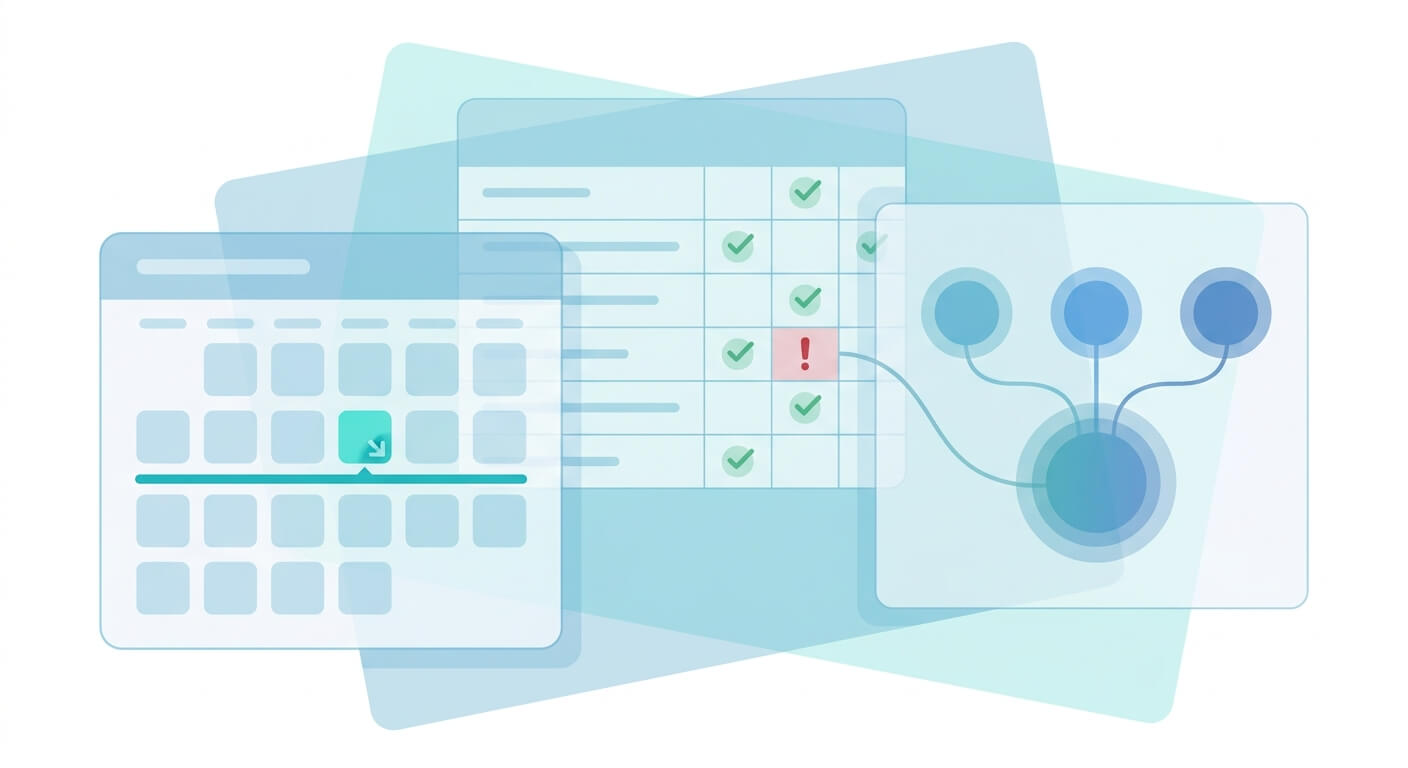
    check-if-a-bus-ticket-was-used-ticket-scanner

    A ticket is just a promise: one seat, one departure. If nothing records that the promise was kept, the same ticket looks fresh every time you scan it.

    Reuse takes simple forms. A passenger shares a screenshot of a QR code with a friend. A printed ticket is photocopied. A refunded ticket is shown anyway. A ticket for yesterday is offered today.

    None of these needs special skill, and each one defeats a check that ignores the record. They work when the check at the door looks only at the code and not at the record behind it. To check if a bus ticket was used, you must ask the system, not just read the paper.

    Check If a Bus Ticket Was Used: The Core Principle

    The core rule is one ticket, one use, recorded at the moment of boarding. The record must be shared by every person and device that can check tickets for that departure.

    Think of it as a single line in a ledger. When the ticket is accepted, the line is marked. If the same ticket arrives again, the line is already marked and the check fails.

    This only works when the check reads live data. A reader that holds a stale copy of the list cannot see a scan that happened ten minutes earlier on another device. Our guide on bus ticket validation options compares the methods and what each one records.

    Seven Checks That Catch a Reused Ticket

    Use these in order. Each is quick, and together they cover most reuse cases that an operator meets.

    • Is the ticket for this route, this date and this departure?
    • Does the ticket status show unused, or already boarded?
    • Has the ticket been refunded, voided or reissued since it was sold?
    • Does the passenger name match, where your policy asks for a name?
    • Is the seat assigned to this ticket free, or already taken by another passenger?
    • Was the ticket scanned on another device a moment earlier?
    • Does the manifest count agree with the people on board?

    If any answer is wrong, stop and look at the record before you decide. Do not argue with the passenger at the door; step aside and check.

    Notice that four of the seven checks need a system that stores status, not a piece of paper. That is the practical argument for recording each boarding.

    What the Record Needs to Hold to Check If a Bus Ticket Was Used

    check-if-a-bus-ticket-was-used-scanning-device

    To check if a bus ticket was used from one screen, each ticket record should hold a few plain fields. Nothing here is exotic, and most operators already have the data somewhere.

    First, the ticket status: sold, boarded, refunded, voided, reissued. Second, the time and place of the last scan. Third, the departure and seat. Fourth, the channel where it was sold.

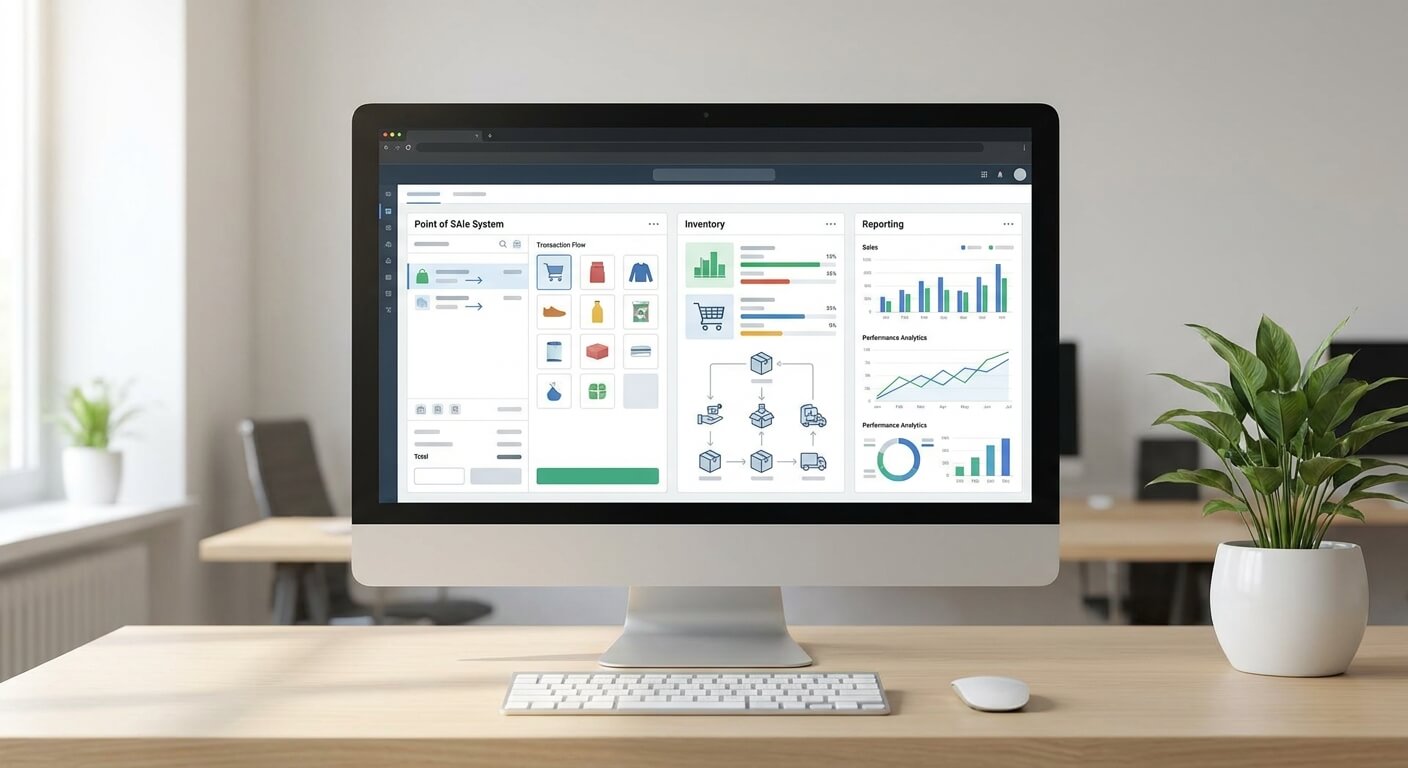
    With those four, an agent can answer “was this used?” from one screen. The UBT site lists point-of-sale, ticket validation, inventory control and real-time reporting together, which is the combination this question needs.

    If your reports show a ticket as sold but your driver says it was never scanned, you have a gap to investigate. Our notes on the bus passenger manifest show how to compare the two lists.

    Check If a Bus Ticket Was Used After a Refund or Reissue

    When you check if a bus ticket was used, a refunded one should also fail. It should stop working the moment the refund is approved. If your validation checks only the code, a refunded ticket can still be accepted at the door.

    The same applies to a reissued ticket. When you change a date or a name, the old code must be retired so that only one version remains. Otherwise both the original and the new one can be used.

    Read our explanation of the bus ticket reissue policy for the rules operators put in writing. A clear policy and a clear record work together.

    When a customer disputes a refund, the scan history becomes your evidence. It shows whether the ticket was used before the refund was requested.

    Offline Moments and Weak Signals

    Some stops have poor reception. If the reader cannot reach the shared record, it cannot see scans made elsewhere. That is the weak point in every design.

    Decide in advance what your drivers do in that case. Some operators accept the first scan offline and reconcile later. Others fall back to a printed manifest. Either choice is valid if it is written down.

    The key is to know the risk you accept. One shared ticket accepted twice on a weak signal is a small, bounded loss. A policy of accepting everything when the signal drops is not.

    When your readers fail altogether, see our guide on bus ticket scanning problems for the first things to check.

    Training Staff to Respond Calmly

    Most cases where staff check if a bus ticket was used turn out to be honest mistakes. A passenger forwards the wrong email, or shows a ticket from a previous trip. The way your staff respond sets the tone for your whole operation.

    Give your team a simple script. Greet the passenger, explain that the system shows this ticket as already used, and offer to look up the booking by name or phone number.

    Keep the tone neutral and never accuse. If the lookup shows that the ticket was used by a companion, the passenger often solves the problem on the spot.

    Record the outcome each time. Over a few weeks the notes show you where tickets are being shared, and you can fix the cause rather than the symptom.

    Audit How You Check If a Bus Ticket Was Used

    You can test how your team checks if a bus ticket was used in an afternoon without any tool purchase. Choose one departure and run these steps with your own team:

    • Sell a test ticket, scan it once and note the status.
    • Scan the same ticket again on a second device.
    • Refund the ticket and scan it a third time.
    • Reissue a ticket and scan the original code.

    If any scan is accepted when it should fail, you have found a gap. Write it down with the date and the device, and raise it with your vendor or your own developers.

    This kind of audit costs little and tells you more than a general promise of security. Repeat it whenever you change your system or add a sales channel.

    Final Thoughts on How to Check If a Bus Ticket Was Used

    To check if a bus ticket was used, you need one shared record that marks each ticket the moment it boards. Paper and screenshots can be copied, but a status in a live ledger cannot be copied.

    Start with the seven checks, fix the gaps your audit finds and train your team to respond calmly. The result is a boarding process your passengers and drivers can both trust.

    UBT offers its technology as a service, and its site says that if you do not like it, there is no cost and no obligation. If you want to see how ticket validation and real-time records could work at your own doors, request a UBT demo and bring a sample of tickets to test.


  • Shuttle Reservation Software for Bus Operators: 6 Essential Checks

    Shuttle Reservation Software for Bus Operators: 6 Essential Checks

    Shuttle reservation software for bus operators solves a problem that starts small and grows fast. A hotel contract, a campus loop or an airport link begins with a spreadsheet, and soon nobody is sure who has a seat on the 7:40 run.

    This guide is for owners who run or want to win shuttle work alongside their regular routes. We stay with what an operator can check, and we do not quote ridership figures, savings or results.

    What Shuttle Reservation Software Has to Do

    shuttle-reservation-software-curbside-loading-area

    A shuttle is a short, repeated trip with a fixed capacity. Passengers want to know that a seat exists, when the vehicle comes and where to stand. Your office wants the same facts, plus a count of who is actually on board.

    Shuttle reservation software for bus operators turns those needs into one record. Each departure has a number of seats, each seat is either held, sold or free, and every change shows up everywhere at once.

    This differs from event work, where one crowd moves at one time. If your shuttle runs all day, every day, you need a plain, steady process, not a one-off plan. For the event version, see our guide to an event shuttle reservation system.

    Who Needs It: Four Common Shuttle Jobs

    Operators usually meet shuttle work in one of four forms. Each one puts weight on a different part of the software.

    • Airport and hotel links, where passengers book ahead and arrive with luggage.
    • Campus and employer loops, where the same people ride at the same times.
    • Park and ride routes feeding a bigger network.
    • Contract shuttles for a single customer, such as a resort or a venue.

    Shuttle Reservation Software for Bus Operators: The Core Features

    Start from the work, not from the feature list. These are the jobs the software must do well, written the way an operator would say them.

    First, inventory control. Every seat on every departure must be counted once. UBT’s site lists inventory control alongside point-of-sale, ticket validation and real-time reporting, which is the base set a shuttle needs.

    Second, booking and payment on every channel you use: counter, website and partner sites. Overselling a shuttle is worse than overselling a long route, because the next vehicle may be twenty minutes away, or an hour.

    Third, validation at the door. A shuttle loads quickly and drivers cannot read long manifests. The site describes flexible ticketing validation options, so ask which method fits your vehicles.

    Fourth, reporting you can read in real time. You need to see load by departure while the day is still running, not the next morning.

    Keeping Seats Honest Across Channels

    shuttle-reservation-software-operations-desk

    The most common shuttle failure is the same seat sold twice. It happens when a counter, a website and a partner each keep their own count.

    UBT’s site says it offers shared APIs that sync instantaneously across all sales channels, including third party websites. For a shuttle, that sentence matters more than almost any other feature.

    When you evaluate any tool, test it with two people booking the last seat at the same moment. Watch what the second person sees. Do not accept an answer in words.

    Our guide on how to stop overselling bus seats goes through the checks one by one, and most of them apply to shuttles without change.

    Telling Passengers Where and When

    Shuttle passengers are often first-time riders in an unfamiliar place. They need a clear pickup point and a reminder before departure.

    The UBT site mentions automated SMS boarding reminders and ETA tracking as part of the passenger experience. Those two features reduce the questions that reach your phone line.

    Pickup points deserve their own care. A hotel with three doors or a venue with four lots creates confusion that software cannot fix alone. Our notes on bus pickup point management show how operators name and describe stops clearly.

    Keep each pickup instruction short and specific. Name the door, the sign and the colour of the vehicle if you can. A passenger who finds the vehicle in thirty seconds is one fewer call for your dispatcher.

    When the Plan Changes

    Shuttles run on tight cycles, so one late departure moves everything behind it. A bus that breaks down or a road that closes needs a quick decision.

    The UBT site gives the example of moving a schedule an hour later because of mechanical issues, and says the system allows you to move your schedule around. For a shuttle, that matters because every booked passenger must hear about the change.

    Ask any vendor how a changed departure reaches passengers, how a cancelled one is refunded, and how long that takes in your own office. Try the steps yourself during the demo.

    If a vehicle runs late, clear information beats a quick fix. Passengers forgive a delay faster than silence.

    Counting Who Actually Boarded

    Reservations tell you who planned to ride. Boarding records tell you who did. The gap between them is your no-show rate, and on a small vehicle each empty seat is visible.

    A good record also helps with the return leg. If you run a loop, you need to know who is still out there before you decide to close the day. Our guide to bus no-show handling explains how operators set simple rules.

    Keep a manifest that your driver can read at a glance. The software should produce it from the same seat records, not from a second list typed by hand.

    How to Test a Tool Before You Buy

    A short trial teaches more than a long brochure. Pick one shuttle route and run a real week of bookings through the tool, or as close as the vendor allows.

    Use a checklist you wrote before the demo, and give every vendor the same one:

    • Can two channels sell the last seat at the same time?
    • Can I move a departure and notify the booked passengers?
    • Can my driver validate a passenger quickly at the door?
    • Can I see load by departure while the day is running?
    • Can I export what I need for my own accounting?

    UBT says its technology is provided as a service and that if you do not like it, there is no cost and no obligation. The site does not state a trial length, so confirm the terms when you speak to the team.

    Final Thoughts on Shuttle Reservation Software for Bus Operators

    Shuttle reservation software for bus operators earns its place by keeping one honest count of seats across every channel, then helping you tell passengers what changed. Everything else is secondary.

    Write down your own shuttle jobs first, then test each tool on the same short list. You will learn more from one real booking test than from any feature table.

    If you want to see how seat inventory, validation and reporting could work for your shuttle routes, request a UBT demo and bring your busiest departure as the example.

  • Open Loop vs Account Based Ticketing: 5 Key Questions for Bus Operators

    Open Loop vs Account Based Ticketing: 5 Key Questions for Bus Operators

    Open loop vs account based ticketing is a question more bus operators are asking as riders expect to pay with the card already in their wallet. The two terms are often mixed up, even though they describe different things.

    This guide explains the difference in plain language, so you can talk to vendors without guessing. We keep to concepts and buying questions. We do not quote adoption numbers, savings or compliance claims, because none of them help you decide.

    What Open Loop Means for a Bus Operator

    open-loop-vs-account-based-ticketing-boarding-gate

    In an open loop system, the passenger pays with a bank-issued payment card or phone wallet. The card belongs to the bank, not to you. The same card works on many other services, which is why people call the loop “open”.

    A closed loop system works the other way round. The operator issues its own ticket, pass or card, and it only works inside that operator’s network. Paper tickets and stored-value cards are the familiar examples.

    So when you compare open loop vs account based ticketing, remember that open loop describes who owns the payment medium. It says nothing about where the fare is calculated or how the passenger record is kept.

    For a longer look at the card side, read our comparison of account based and card based ticketing before you continue.

    What Account Based Ticketing Means

    Account based ticketing moves the intelligence from the ticket to the back office. The passenger has an account. A card, phone or code is only a key that points to that account.

    Your system then records the journey against the account, applies the fare rules and takes payment. The medium in the passenger’s hand does not store the balance or the ticket.

    That is the main point to hold on to in the open loop vs account based ticketing debate: one idea is about the payment medium, the other is about where the record lives. If you want the mechanics step by step, our guide on how account based ticketing works walks through it.

    Open Loop vs Account Based Ticketing: Where They Overlap

    The two ideas are not rivals. An open loop payment can be tied to an account in the back office. The bank card then acts as the key, and your system builds the rider history behind it.

    This is why many public transit projects combine them. The card is open loop, the processing is account based. The passenger taps a familiar card and the system does the rest later.

    open-loop-vs-account-based-ticketing-planning-desk

    It also works the other way. An account based system can use your own closed loop media, such as a QR code in an app or a pass you issue. Nothing forces you to accept bank cards just because you choose accounts.

    When a vendor says “we do open loop vs account based ticketing”, ask which half they mean. They may offer one, the other or a combination, and each answer changes your project.

    Five Questions to Ask Before You Choose

    A fair comparison starts with your own operation. Here are five questions an owner can answer before any sales call.

    • Who are my riders: commuters who travel daily, or leisure travellers who book once or twice a year?
    • Do my vehicles have gates, or does a driver check each person at the door?
    • How many sales channels do I run: counter, website, partner sites, phone?
    • Do I need to know who a passenger is across several trips?
    • What does my current validation process cost me in minutes at the door?

    Open loop suits fixed-price, tap-and-go travel, where speed at the reader matters most. Account based thinking suits operators who want one passenger record across channels.

    Most intercity operators sell reserved seats on fixed departures. That makes the account question usually more relevant than the tap question. You can still answer both, but start from the account.

    What Changes at the Door

    Boarding is where the difference becomes visible. With an open loop approach, the reader must recognise the bank card, check the fare and decide quickly. That asks more of the reader hardware and of the connection behind it.

    With a seat-based ticket, the check is simpler. The driver or agent confirms that the passenger holds a valid booking for this departure. A QR code, a printed ticket or a name on a manifest can all do that.

    UBT’s site describes this part of its offer as flexible ticketing validation options to meet your needs. That wording tells you the validation method is a choice, not a fixed rule. It does not tell you that bank card readers are included, so do not assume they are.

    If boarding speed is your real problem, start with our notes on bus ticket validation options. They cover the methods an operator can compare.

    What Changes in the Back Office

    Behind the door, an account based record helps you answer questions that paper tickets cannot. Who travelled twice this month? Which channel did that passenger use? Which fares were refunded?

    Open loop on its own does not give you that. A bank card payment tells you an amount was charged, but not who the passenger is in your terms. You still need an account or booking record to attach it to.

    For a deeper look at what a joined-up record gives an operator, see our piece on the benefits of account based ticketing.

    Here is a simple way to remember the split. Open loop answers how the passenger pays. Account based ticketing answers what you know about the passenger afterwards.

    Risks and Limits to Plan For

    Any option has costs that brochures leave out. We cannot give figures, because they depend on your routes, your processor and your contract. We can name the areas to check.

    • Reader hardware: which devices are needed, who supplies them and who repairs them.
    • Connectivity: what happens at the door when the signal drops on a rural stop.
    • Fare rules: whether your fares can be calculated from a tap or need a booking first.
    • Refunds: how a refund reaches a bank card, a stored balance or an account.
    • Support: who answers when a passenger says their card did not work.

    Write these down and ask every vendor the same list. The comparison becomes honest when the questions are identical.

    Do not accept a general promise on any of these. Ask to see the step on screen, with your own example fare.

    A Practical Way to Decide

    Start small and keep the decision reversible. Pick one route or one station, define what you want to learn, and run it for a fixed period.

    Measure things you can count yourself: minutes spent at the door, number of manual checks, number of disputes about tickets. Compare them with your current baseline, not with a number from a brochure.

    If your riders are mostly booking in advance, strengthen the account and booking record first. If you later see demand for tap-and-go travel, an open loop layer can be added on top of a clean account record.

    That order protects you. A clean record is useful with or without bank card payments, while a tap reader without a record leaves you blind.

    Final Thoughts on Open Loop vs Account Based Ticketing

    Open loop vs account based ticketing is not an either-or choice. One describes the payment medium and the other describes where the passenger record lives, and many systems combine them.

    Decide which problem you have first: speed at the door, knowledge of your passengers, or both. Then ask vendors to show you, on screen, how they solve exactly that.

    UBT offers its technology as a service, and its site says that if you do not like it, there is no cost and no obligation. If you want to see how a single passenger record could work across your counters and channels, request a UBT demo and bring your own questions.

  • Account Based Ticketing for Intercity Bus Operators: 5 Practical Shifts to Expect

    Account Based Ticketing for Intercity Bus Operators: 5 Practical Shifts to Expect

    Account based ticketing for intercity bus operators looks different from the version built for city transit. A private intercity operator sells long-distance seats on fixed departures, often across several channels, and rarely has gates that read a card.

    This guide explains what changes when your passengers hold an account instead of just a ticket.

    We keep to what an operator can verify and we do not quote adoption figures or savings. If you want the buying checklist first, read our guide to the account based ticketing system and return here for the intercity view.

    account-based-ticketing-for-intercity-bus-operators-route-network

    Why Intercity Operators Read Account Based Ticketing Differently

    Most writing on account based ticketing comes from public transport, where the idea is to let a rider tap in and out and be charged later. Account based ticketing for intercity bus operators solves a different problem: how to know who holds a seat, on which departure, bought where.

    Your passengers book in advance, travel once or twice a year and pick between your counter, your website and partner sites. They are not tapping through a turnstile. So the benefit lies in joining records, not in speeding up a gate.

    For the wider case for accounts, see our overview of account based ticketing benefits. Here we stay on the intercity setting.

    Shift 1: The Ticket Becomes One Part of a Passenger History

    On a paper or single-use ticket model, each sale stands alone. Account based ticketing for intercity bus operators links a passenger’s trips together, so you can see that the same person booked three times across different routes. That history is something a lone ticket can never give you.

    For an owner, the value is practical. Support staff can find a booking by passenger instead of hunting through trip lists, and you can answer “did this person already change their ticket” in seconds.

    If a company sold 500 tickets a day, as a purely illustrative figure, even a small saving in lookup time per call would add up across a week of shifts.

    Shift 2: Several Channels Write to the Same Account

    Intercity operators rarely sell in only one place. A seat may be sold at the counter, on your site or through a third party site, and each sale must land on the right account and reduce the same inventory.

    UBT describes shared APIs that sync instantaneously across all sales channels, including third party websites.

    Without that sync, account based ticketing for intercity bus operators breaks down into several separate lists. Passengers show up with a ticket your system cannot find, or two people hold the same seat.

    Our note on bus ticket sales by channel explains how to read each channel once the data is joined.

    Shift 3: Boarding Is a Lookup, Not a Tap

    City transit builds account based ticketing around readers at gates. Intercity coaches board at curbs, terminals and roadside stops, so account based ticketing for intercity bus operators depends on flexible validation.

    UBT lists flexible ticketing validation options to meet an operator’s needs, which suits mixed boarding points.

    In practice the driver or agent confirms a passenger against the account, whether by scanning a ticket, looking up a name or checking a manifest. What matters is that every method points at the same record.

    Test your weakest boarding point first. A rural stop with poor signal shows quickly whether the approach holds up outside the terminal.

    Shift 4: Schedule Changes Reach the Passenger Through the Account

    Long-distance trips change. A bus breaks down, a departure moves an hour later, a route is cancelled for a day. UBT lets operators move a schedule around in those cases, and an account gives you a clean list of who is affected.

    Instead of searching for tickets one by one, you can notify the passengers attached to that departure and offer a change or refund. For intercity travelers who planned around a connection, an early message matters a great deal.

    This is where account based ticketing for intercity bus operators earns its keep. The account turns a service problem into a contact list you can act on quickly.

    Shift 5: Repeat Travelers Become Visible

    Intercity passengers often travel the same corridor again, for family visits, school terms or work. When tickets sit inside accounts, you can see who returns. UBT offers a loyalty and reward program designed to retain customers by rewarding existing passengers.

    That does not require a complicated scheme. Decide what a returning passenger earns, how they see it and when it expires, then check that your system can track it from the account without manual sheets.

    A loyalty approach built on accounts gives you the data to ask a simple question: which routes bring people back, and which only sell once?

    What an Intercity Operator Should Check First

    Before you commit, list the situations unique to your network. Do you sell round trips, group blocks, multi-stop routes, or partner allocations? Each one should work inside the account model without a workaround.

    Ask any vendor to demonstrate a booking with a change and a refund on a route like yours. A generic demo built for city transit will not show whether account based ticketing for intercity bus operators fits your day-to-day work.

    Then try a small pilot on one route. Our guide to the account based ticketing pilot programme shows how to choose the route and the measures to track.

    Measures to Track During an Intercity Pilot

    Pick a few measures you already understand and compare them before and after. Seats sold per channel, time spent finding a booking for a caller and the number of manual corrections to a manifest are all easy to count without new tools.

    Keep the pilot to one route and one or two channels so the results are readable. If the numbers move, extend to a second route; if they do not, you will know where the account model did not help.

    Write down what the pilot did not test. A route with a single stop will not reveal how account based ticketing for intercity bus operators handles multi-stop boarding, so plan a second test for that case.

    account-based-ticketing-for-intercity-bus-operators-pilot-boarding

    Where Not to Expect Gains

    Be honest about limits. Accounts will not fill empty seats on their own, and they will not fix a poor timetable. They organize information; the commercial decisions are still yours.

    Passengers who refuse accounts must still be served, so account based ticketing for intercity bus operators should never block a walk-up sale. A sensible approach lets a walk-up buyer pay and travel without registering, and offers the account afterwards.

    Forcing registration can cost you sales at the counter.

    Finally, accounts need upkeep. Someone must own passenger records, answer data questions and keep the rules clear for staff.

    Start Small and Learn

    Account based ticketing for intercity bus operators is a practical way to join your channels, your boarding and your service changes around the passenger. Start with one route, test a sale, a change and a refund, and judge the result by the measures you already trust.

    If you would like to see how UBT handles these pieces, Technology as a Service means no cost and no obligation if you do not like it. Request a free walkthrough from United Bus Tech and bring one of your own routes.

  • Refund Rules for Promotional Bus Fares: 5 Essential Rules to Set First

    Refund Rules for Promotional Bus Fares: 5 Essential Rules to Set First

    Refund rules for promotional bus fares are the rules that decide what happens when a passenger who bought a discounted ticket asks for their money back.

    Promotional fares attract buyers fast, but they also attract the most refund questions, because the passenger paid less and expects the same flexibility as everyone else.

    This guide is written for operators who want those rules settled before the first sale.

    We do not quote refund rates or industry averages here, since your numbers depend on your routes and your passengers. Every example below is conditional, so adapt it to your own business.

    refund-rules-for-promotional-bus-fares-flash-sale-scene

    Why Refund Rules for Promotional Bus Fares Need Their Own Page

    Most operators already have a general refund policy. The trouble starts when a promotion launches and nobody asks whether the general policy still fits a ticket sold at a reduced price.

    Without clear refund rules for promotional bus fares, your counter staff and your support inbox end up deciding case by case.

    Case-by-case decisions are slow, uneven and hard to defend. Two passengers with the same fare get different answers, and the one who loses starts a dispute.

    Our guide to the bus ticket refund policy covers the general case. This article stays on the narrower question: what changes when the fare is a promotion.

    Rule 1: Decide Whether Each Promotional Fare Is Refundable at All

    Start with the plainest choice. A promotional fare can be fully refundable, partly refundable, refundable as credit only, or not refundable. Pick one outcome per fare type and write it next to the fare, not in a separate document nobody reads.

    If you run a short flash sale, you might decide that sale fares are credit only. If you run a long seasonal offer, you might keep them refundable until a set cutoff. Either approach can work, as long as the passenger sees it before paying.

    The key point in refund rules for promotional bus fares is that the rule must exist before the promotion, not after the first complaint.

    Rule 2: Show the Rule Before Payment

    A refund rule that appears only after purchase is not much of a rule. Put a short plain-language line on the offer page and again at checkout, so the passenger agrees to it knowingly. That single line prevents most of the arguments that follow.

    Use the same words on every channel. If your own site says credit only but a partner site says refundable, you will be asked to honor the more generous version.

    UBT describes shared APIs that sync instantaneously across all sales channels, including third party websites, so the same fare data can travel to every place you sell.

    Check how your own setup publishes fare details and where each refund rule is stored. Consistent refund rules for promotional bus fares depend on the rule traveling with the fare.

    Rule 3: Separate Passenger Cancellations From Operator Cancellations

    These are two different situations and they should never share one rule. When the passenger decides not to travel, your promotional terms apply. When you cancel or change the trip, the passenger did nothing wrong and expects a fair outcome whatever fare they paid.

    Treat operator cancellations as their own track. If a bus breaks down and you move a departure later, the passenger on a sale fare and the passenger on a full fare are in the same position.

    UBT lets operators move a schedule around when a vehicle has a mechanical problem, which is the kind of event that triggers this rule.

    Our article on how to refund passengers when a bus trip is cancelled goes deeper on that flow. Keep it separate from your refund rules for promotional bus fares.

    Rule 4: Choose the Refund Method and Say It Plainly

    Next, decide how the money returns. You can send it back to the original payment method, issue credit toward a future trip, or offer a choice. Each option has a different effect on your cash and on passenger goodwill.

    Credit suits many promotions because it keeps the passenger in your network. It also creates a liability you have to track, so make sure your reports show outstanding credit clearly.

    Whichever route you pick, state it in the rule. Vague wording such as “subject to review” invites disputes, while a specific line such as “credit valid for a set period” gives staff something to point to.

    Rule 5: Set a Cutoff and Handle Changes Separately

    Most refund rules for promotional bus fares include a cutoff: the last moment a passenger can cancel under the promotional terms. For example, if your cutoff is a set number of hours before departure, a request after that point follows the no-refund path.

    Choose a number that suits your operation and publish it.

    Treat a change differently from a cancellation. A passenger who wants to move to another departure may be happy with a smaller fee than a full refund would cost you. Our guide to the bus ticket name change policy shows how to handle that related request.

    Whatever you choose, apply it the same way to every passenger holding that fare, and keep the cutoff visible on the ticket itself.

    A Conditional Example of Refund Rules for Promotional Bus Fares

    Imagine an operator who runs a weekend promotion on one route and decides that promotional fares are credit only, with a cutoff set before departure.

    A passenger cancels before the cutoff and receives credit, while a passenger who cancels after it receives nothing, exactly as the offer page stated.

    Now imagine the operator cancels one departure because of a mechanical problem. Every passenger on that trip, sale fare or not, is offered a change or a full refund under the operator-cancellation track, which keeps the two situations from blurring.

    This is only an illustration, not a recommendation of particular terms. The value of the example is that each outcome follows a rule written before the promotion began, which is what good refund rules for promotional bus fares always aim for.

    refund-rules-for-promotional-bus-fares-refund-workflow

    How to Set Up Refund Rules for Promotional Bus Fares in Your System

    Once the five rules exist on paper, test them in the system you use to sell. Ask whether a refund rule can be tied to a fare type or must be handled by hand. If it is manual, plan for the extra work on a busy sale day.

    Run three test cases before launch. Cancel a promotional ticket inside the window, cancel one outside it, and cancel one because you changed the trip. Check that each case produces the outcome your written rule promises.

    Also check that the refund shows up in your reports under a clear label. If promotional refunds blend into general refunds, you cannot learn whether a promotion helped or only moved demand around.

    Common Mistakes With Promotional Refunds

    The first mistake is copying the general policy without asking whether it fits a lower price. The second is letting each channel word the rule differently. The third is forgetting that payment disputes can follow a refused refund.

    On that last point, read our note on bus ticket chargebacks. A clear rule shown before payment is also your best evidence if a card dispute arrives.

    A fourth mistake is changing the rules mid-promotion. If you must adjust, apply the new rule only to tickets sold after the change and say so openly.

    Put Your Rules in Writing

    Good refund rules for promotional bus fares are short, visible and the same on every channel. Decide refundability, show the rule before payment, separate operator cancellations, name the refund method and publish a cutoff.

    If you want to see how a ticketing system can keep fare data and schedule changes consistent across channels, Technology as a Service means no cost and no obligation if you do not like it. Request a free walkthrough from United Bus Tech and bring your own promotion rules to test.

  • Account Based Ticketing System: 6 Essential Parts to Check Before You Buy

    Account Based Ticketing System: 6 Essential Parts to Check Before You Buy

    An account based ticketing system ties every ticket, payment and boarding event to a passenger account instead of to a paper ticket or a single card. For a bus company owner, the question is less “what is it” and more “what pieces must be in place before it works”.

    This guide breaks an account based ticketing system into parts you can check one by one.

    We keep it vendor-neutral and we do not quote adoption numbers or savings, because they depend on your routes and your volumes. If you want the concept first, read our explainer on how account based ticketing works and come back here for the buying view.

    account-based-ticketing-system-rider-account-dashboard

    What an Account Based Ticketing System Is Made Of

    Think of an account based ticketing system as a stack, not a single product. At the bottom sits the passenger account.

    Above it sit the channels that sell into that account, the inventory that limits what can be sold, the validation step that proves a ticket is good, and the reports that tell you what happened.

    If one layer is weak, the whole account based ticketing system feels weak. A beautiful account screen is no help when the seat count is wrong, and a fast scanner is no help when the account behind it is out of date.

    The sections below go through six parts in the order a passenger meets them. For each part we list what to look for and the questions worth asking a vendor.

    Part 1: The Passenger Account Record

    Every account based ticketing system starts with an account record. It holds who the passenger is, which tickets belong to them, and what has happened to those tickets, such as a change, a refund or a boarding. The record is the single place your staff look when a passenger calls.

    Ask how a record is created. Can a counter agent open one while selling a walk-up ticket, or must the passenger register online first? A system that forces registration at the window slows your queue on the busiest days.

    Also ask what happens to a passenger who never wants an account. Most operators still serve walk-up buyers, so a practical account based ticketing system lets you sell without one and attach the ticket later if the passenger asks.

    Part 2: Sales Channels That Share One Set of Data

    An account is only useful if every channel writes to it. That means the counter, your own website, partner sites and any mobile sales all need to read and write the same records.

    UBT describes shared APIs that sync instantaneously across all sales channels, including third party websites, and that is the kind of behavior to test for.

    In a demo, sell one seat on one channel and then open another channel straight away. Does the seat disappear, and does the passenger account show the new ticket? If you have to wait or refresh by hand, the data is not truly shared.

    For more on running several channels at once, see our note on bus ticket sales by channel, which shows how to read each channel in your reports.

    account-based-ticketing-system-back-office-dashboard

    Part 3: Seat Inventory Control

    Inventory is where an account based ticketing system proves itself. If two channels can sell the same last seat, no amount of account tidiness will save the trip. The point of one shared inventory is that a sale on any channel removes the seat everywhere.

    Ask how a held seat behaves. Does a seat in a checkout basket stay held for a set time and then release, and who controls that time? You want control in your hands, not buried in a vendor setting you cannot see.

    Ask also how schedule changes reach the account. UBT lets operators move a schedule around when a bus has a mechanical problem, and a good account based ticketing system should carry that change to every affected passenger account without hand editing.

    Part 4: Validation at the Door

    Validation is the moment the account meets the bus. The driver or agent checks that the ticket belongs to a real account and a real trip, and the system records the boarding. UBT lists flexible ticketing validation options, which matters because routes differ in what equipment they can support.

    Test validation the way your drivers will use it. Try a ticket bought online, one bought at the counter and one from a partner, and see whether all three check in the same way.

    Ask what happens with no signal. A rural stop with weak coverage is normal for many operators, so find out how the account based ticketing system behaves offline and how it catches up afterwards.

    Part 5: Reporting You Can Trust

    Reports are how an owner checks that the account based ticketing system is telling the truth. UBT describes real-time reporting alongside point-of-sale, validation and inventory control as one set of capabilities, and that pairing is worth copying in your own checklist.

    Pick three reports you rely on today, such as daily sales, boardings per trip and sales by channel. Ask the vendor to produce each from live data during the demo, not from a slide.

    Because every sale hangs on an account, you should be able to follow one ticket from sale to boarding to refund. If a report cannot show that path, the account based ticketing system is not giving you the full benefit of the account idea.

    Part 6: Rewards and Refunds Tied to the Account

    Accounts open two doors that paper tickets never did. The first is rewards. UBT offers a loyalty and reward program meant to retain customers by rewarding existing passengers, and an account is what makes repeat purchases countable in the first place.

    The second is cleaner refunds and changes. When a ticket sits inside an account, you can see its full history before you decide, which helps with disputes. Our guide to account based ticketing versus card based ticketing explains why the account route keeps that history together.

    Ask how an account based ticketing system handles a refund for a ticket bought on a partner site. The answer shows whether the channels are really connected or only look that way from the front.

    How to Run a Fair Evaluation of an Account Based Ticketing System

    Write your six parts into a simple scorecard and give each one a plain pass, partial or fail from your own tests. Keep the scorecard short enough that two people can fill it in independently and compare notes afterwards.

    Run the same three scenarios with every vendor you consider: a walk-up sale at the counter, an online sale with a later change, and a partner sale that ends in a refund. Matching the scenarios keeps the comparison honest.

    Then plan a small pilot before you commit. Our guide to the account based ticketing pilot programme shows how to pick one route and one channel so you learn without risking the whole network.

    What to Prepare on Your Side

    An account based ticketing system also asks things of your team. You need clean route and fare data, a clear owner for passenger records, and counter staff who are ready to explain accounts in one sentence. Most rollouts stall on these basics, not on technology.

    Decide in advance which tickets must be tied to an account and which can stay anonymous. Write the rule down so counter staff do not improvise.

    Finally, agree how you will judge success. Pick two or three simple measures you already track, such as seats sold per channel or queue length at the counter, and compare them before and after.

    Mistakes to Avoid When Buying

    The first mistake is judging an account based ticketing system by its account screen alone. The screen is the easy part, and the hard parts are shared inventory, validation and reporting. The second is skipping the offline question until your first dead-zone stop.

    The third is assuming every vendor means the same thing by the same words. Ask each one to show, not describe, how a single ticket moves through the system. The fourth is rushing: a short trial on one route teaches more than a long slide deck.

    Take the Next Step

    An account based ticketing system is worth choosing slowly, one part at a time, with your own routes and your own scenarios. Use the six parts above as your checklist, test each one with live data and keep the pilot small.

    If you would like to see how UBT approaches these parts, Technology as a Service means no cost and no obligation if you do not like it. Request a free walkthrough from United Bus Tech and bring your own checklist.

  • Bus Ticket Payment Methods: 6 Practical Choices for Operators

    Bus Ticket Payment Methods: 6 Practical Choices for Operators

    Bus ticket payment methods decide how easily a passenger can pay you, and how much work your team does afterwards. Every method you accept adds a path for money to arrive, and every path has to be reconciled, refunded and explained when something goes wrong.

    This guide walks through six practical choices for bus ticket payment methods, written for operators who sell at a counter, online or through partners. It does not quote fees or market shares, because those depend on your provider and your volumes.

    bus-ticket-payment-methods-handheld-pos

    Why Bus Ticket Payment Methods Deserve a Plan

    Many operators add bus ticket payment methods one at a time, in response to a request. After a few years the result is a patchwork: cash at one window, a card terminal at another, an online form that does something slightly different. Each piece works, but the whole is hard to report on.

    A plan means deciding which methods you accept on which channel, who handles disputes, and how each payment shows up in your daily report. It also means deciding what you will not accept, which is just as useful.

    Think of your bus ticket payment methods as part of your product. Passengers judge you on how easy it is to pay, and your finance staff judge you on how easy it is to close the day.

    Choice 1: Cash at the Counter

    Cash is still the simplest of the bus ticket payment methods for many walk-up passengers, and some of your customers have no other option. It needs no network and no approval step. It also needs the most care, because cash is counted by people, and people make mistakes.

    If you accept cash, write down how a drawer is opened, counted and closed. Our guide to bus ticket cash handling covers the routine,.

    Make sure every cash sale is recorded in the same system as the others. A cash sale that lives only on a paper slip is invisible to your inventory and your reports.

    Choice 2: Cards at the Counter and Onboard

    Card payment at a counter or on a handheld device is the usual second step among bus ticket payment methods. It reduces the cash you hold and gives the passenger a receipt. It also introduces a dependency on a network connection and on the device itself.

    Decide what happens when the connection drops. Some operators queue the payment, some switch to another device, some ask the passenger to wait. Whatever you choose, write it down and train the staff, because the problem will appear at a busy time.

    Keep the card terminal and the ticket record linked. If the payment succeeds but the ticket is not issued, or the reverse, you need to see both sides to fix it.

    Choice 3: Online Payment at Checkout

    For online sales, the payment step is where passengers drop out or complete the trip. Keep the form short, show the total before the final click, and confirm the ticket right away by message.

    Ask your provider how a failed or pending payment is handled. A seat held for a payment that never completes should be released, otherwise it blocks a real sale. Set a clear time limit for that hold.

    Also check what the passenger sees if the page times out, since online is one of the bus ticket payment methods passengers judge fastest. A clear message with a way to try again keeps more sales than a blank screen.

    Choice 4: Mobile Wallets and Payment Links

    Mobile wallets and payment links are useful bus ticket payment methods when a passenger is booking from a phone and does not want to type card details. Payment links are also handy for group bookings, where one person pays on behalf of several travellers.

    Treat each added method as a new channel to monitor. Before you switch one on, confirm that the sale reaches your ticketing records, that refunds can go back the same way, and that your staff know how to look it up.

    Do not add a method simply because it is popular elsewhere. Add it because your passengers ask for it and your team can support it.

    Choice 5: Partner and Agent Payments

    If partners or agents sell your tickets, they may collect payment themselves and settle with you later. That keeps the passenger experience smooth but moves the money trail away from your own system. Agree who holds the funds, when settlement happens and who handles a refund.

    See our guide to partner bus ticket sales for how to keep inventory in step.

    Insist on a clear record of every partner sale at the ticket level, not only a monthly total. Detail is what lets you find a difference later.

    Choice 6: Refunds and Chargebacks Across Every Method

    Every one of your bus ticket payment methods must have a matching refund route. Refunds that go back to the original method are the cleanest. Refunds by another route need extra checks, since they can be abused.

    Disputes raised through a card provider are a separate matter, and they follow their own timeline. Read our notes on bus ticket chargebacks and keep the booking, validation and communication records ready.

    Reconciliation ties it all together. A daily check that sales, payments and refunds agree is the quickest way to spot a problem. We describe the routine in bus ticket reconciliation.

    How to Choose Bus Ticket Payment Methods for Your Operation

    Start from your passengers. List where they buy, how they usually pay and where they get stuck. Then look at your team: which methods can you support, reconcile and refund without extra staff?

    Add bus ticket payment methods one at a time and review each after a few weeks. Look at how many sales use it, how many problems it causes and how long it takes to reconcile. Remove or limit any method that costs more effort than it brings.

    Check what your ticketing system supports before promising a method to passengers. Ask for a demonstration with your own flow, including a refund, rather than relying on a feature list.

    Common Mistakes with Bus Ticket Payment Methods

    The first mistake is accepting a method without a matching refund route. The second is keeping payment records outside the ticketing system, which makes the daily report a manual job.

    The third is hiding the accepted methods until checkout, so a passenger travels to the stop expecting to pay a way you do not support. The fourth is treating payment problems as one-off cases rather than as signals about your process.

    A final point on bus ticket payment methods: tell passengers clearly which methods work at which channel. A line on the booking page and at the counter prevents many awkward moments.

    bus-ticket-payment-methods-kiosk-screen

    Build a Simple Plan for Bus Ticket Payment Methods

    Good bus ticket payment methods are easy for passengers to use and easy for you to close at the end of the day. Choose the methods that fit your passengers, link each one to your ticket records, match each with a refund route and review them regularly.

    If you want to see how a ticketing system can bring counter, online and partner sales into one set of records, United Bus Tech offers Technology as a Service with no cost and no obligation if you do not like it. Request a free walkthrough from United Bus Tech and bring your own payment flow.

  • Bus Ticket Validity Policy: 7 Essential Rules for Operators

    Bus Ticket Validity Policy: 7 Essential Rules for Operators

    A bus ticket validity policy states how long a ticket can be used and for which departure. It also says what happens when the passenger does not travel in that window. It is one of the small rules that decides whether your counter staff, your website and your drivers give the same answer.

    This guide gives seven rules for writing a bus ticket validity policy that is clear to passengers and easy to enforce. It does not quote any figures from other companies, because the right validity period depends on your routes, your fares and your own risk appetite.

    bus-ticket-validity-policy-rebook-desk

    What a Bus Ticket Validity Policy Must Answer

    A good bus ticket validity policy answers four questions in plain words. Is the ticket valid only for one named departure, or for a date, or for a period? What happens if the passenger arrives late? Can it be moved to another departure? And what happens after the validity ends?

    Most disputes at the counter come from one of these four questions having no written answer. The passenger believes the ticket is open, the agent believes it has expired, and both are acting in good faith. A written rule ends that argument before it starts.

    Write the bus ticket validity policy for a reader who has never bought from you before. Short sentences and concrete terms work better than legal language, and they are easier to load into every sales channel.

    Rule 1: Decide Between Fixed and Open Tickets

    The first choice in any bus ticket validity policy is whether tickets are fixed to one departure or open for a period. Fixed tickets protect your seat inventory because each seat is sold once for one trip. Open tickets are friendlier to passengers but make capacity harder to plan.

    Many operators run both: fixed tickets for scheduled departures and open or flexible products for specific passes. If you do this, label the two clearly so a passenger never holds the wrong type without knowing it.

    Whatever you choose, state it at the point of sale. The passenger should see the validity rule before paying, not discover it at boarding.

    Rule 2: Set the Validity Window in Calendar Terms

    State the window with a date or a clear count of days, never with vague words like soon or shortly. In a bus ticket validity policy, a rule such as valid for the date shown on the ticket is easy to check.

    A rule such as valid for the period shown on the ticket is also fine, if the period is printed.

    Decide how you treat the last day. Does the ticket work until the final departure of that day, or until midnight, or until the scheduled departure only? Pick one answer and apply it everywhere.

    If you serve more than one time zone, say which clock governs the rule. This single line prevents a surprising number of arguments.

    Rule 3: Say What Happens to a Missed Departure

    A bus ticket validity policy should connect to your missed-trip rules instead of repeating them. Link the two ideas: validity says when a ticket can be used, and the missed-trip rule says what happens after a no-show. Our guide to the rules for a missed bus covers that second half.

    Passengers read these two rules together. If the validity policy says one thing and the missed-trip rule says another, the passenger will pick the version that suits them. Write both once and reuse the same wording.

    Also decide whether a late arrival at the stop counts as a missed trip or as a valid boarding. The cut-off line should be a time that staff and drivers can both see.

    Rule 4: Connect Validity to Changes and Refunds

    A bus ticket validity policy is closely tied to changes. A passenger who wants to move to another day will ask whether the old ticket is still valid, and the answer depends on your change rules. See our notes on a bus ticket rebooking policy for how to write that part.

    Refunds are the other side. If a ticket expires unused, is there any value left? Some operators issue a credit, some do not. Whichever you choose, put it in the same place as the rest of the bus ticket validity policy, so passengers can find it.

    Avoid promising anything you cannot apply the same way every time. A rule that staff bend case by case is a rule passengers will test.

    Rule 5: Make the Cut-Off Time Visible

    Validity often ends at a cut-off, and the cut-off is where counter disputes begin. If a ticket stops being valid for changes a set time before departure, show that time next to the departure on the booking page. Do not bury it in the terms.

    We cover the timing side in more detail in our guide to a bus ticket cut-off time policy. Read it alongside this one, since the cut-off and the validity window are two halves of the same rule.

    Print the cut-off on the ticket or the confirmation message as well. A passenger who can see the rule on their phone is much less likely to argue about it.

    Rule 6: Handle Reissued and Voided Tickets Explicitly

    When a ticket is lost, replaced or cancelled, the old version must stop being valid. Otherwise one seat can be used twice. Your bus ticket validity policy should say that a reissued ticket replaces the original and that the original is void from that moment.

    One related rule is worth reading here: the bus ticket reissue policy. Together with validity, it defines the full life of a ticket from sale to the end of its use.

    Make sure the validation step at boarding follows the same logic. If the check accepts a voided ticket, the written policy does not matter.

    Rule 7: Train Staff and Test the Policy

    A policy that only the manager knows is not a policy. Give every agent and driver a one-page summary of the bus ticket validity policy and a few sample cases: a ticket from yesterday, a ticket for the wrong route, a ticket shown on a phone with no signal.

    Ask them to answer using the written rule.

    Then test the bus ticket validity policy against real cases from the last month. Look for situations where staff gave different answers and fix the wording that caused the gap. Review it once a year, or whenever you change fares or add routes.

    Keep a short log of exceptions to your bus ticket validity policy. If the same exception appears often, it is a sign the rule is wrong, not that the passengers are.

    Common Mistakes in a Bus Ticket Validity Policy

    The first mistake is leaving the policy to the terms page that nobody reads. Show the key line at checkout and on the confirmation. The second is writing different rules for different channels without telling the passenger.

    The third is copying another company policy without checking that it fits your operation. A rule built for a daily commuter route will not suit a weekly long-distance departure.

    The fourth is forgetting that the ticket may be shown on paper, on a phone or through a partner, and the rule has to read the same on all three.

    A last point: if a system sells your tickets, check that it can enforce the validity rules you wrote. Ask how it treats expired, voided and reissued tickets before you commit.

    bus-ticket-validity-policy-checklist

    Put Your Bus Ticket Validity Policy in Writing Today

    A clear bus ticket validity policy saves time at the counter, protects your seat inventory and treats every passenger the same way. Choose fixed or open tickets, set the window in calendar terms, link it to missed trips, changes and refunds, and show the cut-off.

    If you want to see how a ticketing system can apply your validity rules at every sales channel, United Bus Tech offers Technology as a Service with no cost and no obligation if you do not like it. Request a free walkthrough from United Bus Tech and bring your own policy draft.

  • Bus Pickup Point Management: 6 Practical Habits for Operators

    Bus Pickup Point Management: 6 Practical Habits for Operators

    Bus pickup point management is the work of deciding where your buses stop, keeping that list accurate and making sure every passenger and driver agrees on it. It sounds simple until two people wait at two different corners for the same departure.

    This guide gives six practical habits for bus pickup point management. It does not name any location or claim results, because every network is different. It is written for operators who run more than one stop on a route, or who plan to.

    bus-pickup-point-management-terminal-hall

    What Bus Pickup Point Management Includes

    Bus pickup point management covers more than a list of addresses. It includes how each stop is named, who approves a new one, how a change reaches the booking page and what the driver is told on the day. If any link is weak, passengers pay for it by missing the bus.

    Operators who sell through one counter can often get away with informal habits. Once you sell online, through partners or on several routes, the pickup list becomes shared data. Everyone who sells or drives needs the same version.

    Treat the list as part of your product, not as a note on the side. A stop that is wrongly described is as damaging as a wrong departure time, because the passenger cannot fix it alone.

    Habit 1: Give Every Stop One Official Name

    Choose one name per stop and use it everywhere. A name should be easy to find on a map and hard to confuse with another stop. Avoid nicknames that only your staff understand, and avoid two names for one place.

    Add a short description that helps a stranger locate the spot: which side of the street, which entrance, what the bus looks like. Good bus pickup point management means the description is written for someone who has never been there.

    Keep a master list and treat it as the only source. When a partner site, a flyer or a driver brief uses a different name, correct it at once. Small inconsistencies are where lost passengers come from.

    Habit 2: Record Which Stops Belong to Which Departures

    Not every departure serves every stop. Some run direct, some call at extra points, and some change in the evening. Your bus pickup point management should record the stop list for each departure, so a passenger only sees stops that are real for the time they chose.

    This matters most when you adjust a timetable. A change to the route needs a matching change to the stop list, or passengers end up booked for a stop the bus no longer serves. Our guide to bus timetable planning shows how to keep these records together.

    Check that your booking tool shows the right stops for the selected departure. If it shows the full list for every trip, passengers will pick the wrong one sooner or later.

    Habit 3: Show the Stop Clearly at Booking and After

    Passengers should see the pickup point at three moments: when they choose it, when they pay and when they get the confirmation. A bus pickup point management routine that only shows it once leaves room for doubt.

    Put the stop name and the short description in the confirmation, with the departure time and the boarding instructions. If your setup supports it, include a map link to the stop. Keep the message short enough to be read on a phone.

    A reminder close to departure repeats the information in time. United Bus Tech lists automated SMS boarding reminders and ETA tracking among its passenger features, which can carry the stop name and the time in one message. Read more in our article on automated SMS boarding reminders.

    bus-pickup-point-management-counter-tablet

    Habit 4: Make Changes Travel Fast

    Stops change. A road closes, a station renovates or a landlord withdraws permission. When that happens, your bus pickup point management has to carry the change to the booking page, the confirmations, the drivers and any partner sites within hours, not days.

    Write down the steps and the owner of each. Someone updates the master list, someone checks the booking tool, someone tells the drivers and someone informs passengers who already hold tickets for the affected departures.

    Passengers who booked before the change deserve a direct message. Do not rely on a banner on the website, because they will not look at it again. If many departures are affected, plan the message and the timing before you send it.

    • Update the master list first, then every channel that copies it
    • Contact passengers already booked for the affected stop
    • Brief the drivers on the day before the first affected departure
    • Check partner sites that sell the same trips

    Habit 5: Give Drivers a Short, Reliable Stop Brief

    Drivers carry the list in their heads, and heads are unreliable. Provide a short written brief for each route with stops, order and notes such as where the bus must wait or which entrance passengers use. Keep it to one page.

    When a stop changes, update the brief and tell the driver directly. If a driver learns about a change from a confused passenger, the process has failed. Good bus pickup point management treats drivers as users of the list, not only as recipients of orders.

    Real-time fleet tracking can help dispatch spot when a bus is late to a stop. United Bus Tech describes fleet tracking for passengers and management, which means the same position can answer a call at the office and a passenger’s question.

    Our guide to where is my bus calls explains how to reduce those calls.

    Habit 6: Review Stops With Real Complaints and Real Data

    Every few months, review the list. Which stops cause the most questions? Which ones see the most missed boardings? Stops with repeated problems usually have an unclear name, a hidden location or a timing that does not match what passengers expect.

    Use your reports as well as your inbox. If a stop sells few tickets and costs a long detour, ask whether it earns its place. If a stop sells many tickets and has no safe waiting area, ask what you can do to improve it.

    Keep a log of changes with the date and the reason. A history of bus pickup point management decisions makes the next review faster and keeps new staff from repeating old mistakes.

    Common Mistakes in Bus Pickup Point Management

    The first mistake is keeping the list in several places. A spreadsheet at the office, a note on the driver’s phone and a page on the website will drift apart. Pick one master and copy from it.

    The second is changing a stop without telling booked passengers. The third is describing a stop with words only staff understand. The fourth is treating a temporary stop as permanent, or the reverse, with no review date.

    A last point: if you also run special trips, such as event shuttles, give those stops the same care. See our guide to event shuttle return trips for how to handle the return leg.

    Make Bus Pickup Point Management a Routine

    Good bus pickup point management is a habit, not a project. Name each stop once, link stops to departures, show them at every step, move changes fast, brief drivers and review the list with real data.

    If you want to see how a ticketing system can keep your stops, schedules and passenger messages in one place, United Bus Tech offers Technology as a Service with no cost and no obligation if you do not like it. Request a free walkthrough from United Bus Tech and bring your own stop list.

  • Bus Child Fare Policy: 5 Key Decisions for Operators

    Bus Child Fare Policy: 5 Key Decisions for Operators

    A bus child fare policy decides who counts as a child, what that child pays and whether the child needs a seat of their own. It looks like a small pricing detail, but it touches your inventory, your counter staff and your daily sales report.

    This guide walks through five decisions every operator should make when writing a bus child fare policy. It does not suggest discount levels or age limits, because those depend on your market, your regulator and your costs.

    It focuses on making whatever you choose easy to sell and easy to check.

    bus-child-fare-policy-fare-grid-desk

    Why a Bus Child Fare Policy Matters More Than It Looks

    Families buy tickets in groups, and the group is where mistakes happen. One adult books for three people, one of them young, and the system has to decide how many seats that really takes. If your bus child fare policy is vague, the answer changes with whoever is at the counter.

    The cost of vagueness is not only a few arguments. A child counted as a lap passenger when the family expected a seat leads to a full bus and an upset customer. A child sold a seat at the wrong fare leads to a correction that someone must explain.

    A written bus child fare policy turns all of that into a checklist. Passengers learn the rule before they pay, and staff apply the same rule every time.

    Decision 1: Define Who Is a Child

    Start with the definition. State the age range in whole numbers and say how it is measured, for example by age on the travel date. Use the wording your regulator or your own legal adviser supports, and keep it identical across all channels.

    Be careful with the boundary. A passenger who turns the limit age a week before the trip will ask which fare applies. Your bus child fare policy should answer that in one sentence, so no one has to guess.

    Also decide whether you need a proof of age. Some operators never ask, others ask only when the age looks close to the limit. Whatever you choose, tell staff exactly what to ask and what to do if a passenger cannot show proof.

    Decision 2: Decide Whether a Child Gets a Seat

    This is the decision with the biggest effect on your inventory. A bus child fare policy can treat young children as lap passengers with no seat, as seated passengers at a reduced fare, or as seated passengers at the full fare.

    Each option changes how you count capacity. If young children travel without a seat, your passenger count and your seat count no longer match, and the driver needs to know that before departure. If every child takes a seat, the count is simple but your fares must cover the space.

    Whichever way you go, the booking system should reflect it. Ask whether your tool lets you sell a child fare that still reserves a seat, and how the manifest shows the difference. Our article on the bus passenger manifest shows what drivers need to see.

    Decision 3: Set How the Child Fare Is Priced

    There are two common ways to price a child fare: a percentage off the adult fare, or a separate fixed fare. A bus child fare policy based on a percentage follows the adult fare automatically when prices change.

    A fixed child fare gives you control but needs updating whenever the adult fare moves.

    Think about maintenance, not only about the first price. If you run many routes, a rule that follows the adult fare is much easier to keep correct. If you run a few routes with very different costs, separate child fares may fit better.

    Do not let the policy drift from the fare table. A child fare that appears on the website but not at the counter creates the exact conflict you were trying to avoid. For the structure behind this, see our explanation of the bus fare matrix.

    bus-child-fare-policy-route-network-map

    Decision 4: Decide Who Must Travel With a Child

    Many operators require an adult to accompany young passengers. A bus child fare policy should say at what age a child may travel alone, whether an adult must be on the same booking and what the driver does if the adult is missing at boarding.

    This part carries safety and legal weight, so check it with your adviser and your insurer before you publish it. Do not copy wording from another operator, because their rules may reflect their local law rather than yours.

    Make the rule visible during booking. If a booking contains a child and no adult, the screen should explain the requirement before payment. That is far kinder than turning the family away at the stop.

    • State the age at which a child may travel without an adult
    • Say whether the adult must be on the same booking
    • Say what staff do if the accompanying adult does not show up
    • Review the rule with your insurer once a year

    Decision 5: Handle Changes and Refunds for Child Fares

    Child tickets follow the same changes and refunds as other tickets, but with one extra question: what happens when the child’s age or status changes between booking and travel? A bus child fare policy should say how a correction is handled and who can approve it.

    Keep this consistent with your general rules. If your refund rules differ for children, say so plainly. Otherwise, point to the general policy. Our guides to the bus ticket refund policy and the bus ticket name change policy cover the base rules.

    Train staff on the common cases. A family that wants to swap one adult for another, or add a child to an existing booking, will ask the same questions again and again. Write the answers into the bus child fare policy and let the system do the rest.

    Make the Bus Child Fare Policy Easy to Find and Easy to Check

    Passengers need to see the rule at the moment they choose the number of travelers. A short line beside the passenger selector, with a link to the full text, prevents most misunderstandings. Repeat the rule in the confirmation message.

    Staff need the same rule in a short form at the counter. A one-page summary with the age definition, the seat rule and the fare method keeps the answer the same in every location. Update that page whenever the policy changes, and remove old copies.

    When the system supports it, let the system apply the rule instead of relying on memory. Real-time reporting makes it easier to see how many child tickets you sold on a route and whether the numbers look right.

    United Bus Tech lists real-time reporting alongside POS, ticket validation and inventory control as part of its tools.

    Review the Bus Child Fare Policy With Real Sales Data

    A policy is only useful if it matches what happens in your operation. After a few weeks, look at how many child tickets you sold, on which routes and at which counters. Strange patterns often point to a rule that staff or passengers misunderstand.

    Look for corrections as well. If many child tickets are later changed or refunded, the wording is probably unclear. Rewrite it using the actual questions your staff received, and adjust the booking screen to match.

    Keep a short change log of each revision of the bus child fare policy with the date and the reason. When a customer quotes an old rule, you can check what was in force at that time.

    Put Your Bus Child Fare Policy Into Practice

    A clear bus child fare policy protects your inventory, your revenue and your staff from guesswork. Define the child, decide about the seat, choose a pricing method that is easy to maintain, set the accompanying-adult rule and treat changes the same way as other tickets.

    If you would like to see how a ticketing system can apply fare rules, record sales and report them by route, United Bus Tech provides Technology as a Service with no cost and no obligation if you do not like it. Request a free walkthrough from United Bus Tech and bring your own fare questions.