A new bus route only looks simple until the first week of sales. Behind the schedule posted to riders sits a bus route launch checklist of technology decisions — inventory sync, validation, reporting — that decides whether that first week runs smoothly or turns into a support fire drill.
Skip a step and the route can end up overbooked on day one, or invisible on the channel where most tickets actually get sold.
This checklist walks through five things worth confirming before a single ticket goes on sale for a new route. None of them require guessing at numbers or promising a specific outcome — they are setup questions worth asking about any ticketing system a new route is about to run on.
Why a Bus Route Launch Checklist Matters Before Go-Live
Most ticketing problems on a new route are not caused by demand — they are caused by two systems disagreeing about how many seats are left. Real-time inventory sync is what closes that gap.
UBT’s shared APIs sync instantaneously across all sales channels, including third-party websites, so a seat sold at the counter is removed everywhere else at the same moment.
If a route launches on a website and a counter that are not actually sharing one inventory feed, the first busy day is when it shows up — as a double-sold seat, or as a seat that never appears available anywhere.
Testing that sync with a handful of dummy holds before launch is far cheaper than untangling it after a sellout.
Step 1: Confirm Real-Time Inventory Sync Across Every Channel
Before the route goes live, confirm every channel that will sell it — the operator’s own site, the counter, and any third-party partner — is wired into the same shared inventory feed rather than a separate list that updates on a delay.
This is the same sync problem covered in more detail in a look at keeping multi-channel bus ticket sales in sync, and it applies just as much to a brand-new route as it does to an established one.
If a channel gets added later without going through that same sync, the two most common results are a double-sold seat or a seat that never shows as available anywhere.
Checking this before launch, rather than after the first week of sales, is what keeps a new route from starting off with a customer service problem instead of a booking.
Step 2: Build the Schedule With Room to Adjust
New routes rarely run exactly as planned in the first weeks — a mechanical issue or a late connection can force a same-day change before the route has even settled into a rhythm.
UBT allows an operator to move a scheduled departure an hour later or cancel it outright without rebuilding the route from scratch, a capability covered from the operations side in how to change a bus schedule at the last minute.
Setting up the schedule with that flexibility in mind from day one, rather than discovering it during the first disruption, means the first mechanical issue or missed connection does not turn into the first crisis on a route that customers are still forming an opinion about.
Step 3: Set Up POS, Validation, and Inventory Together
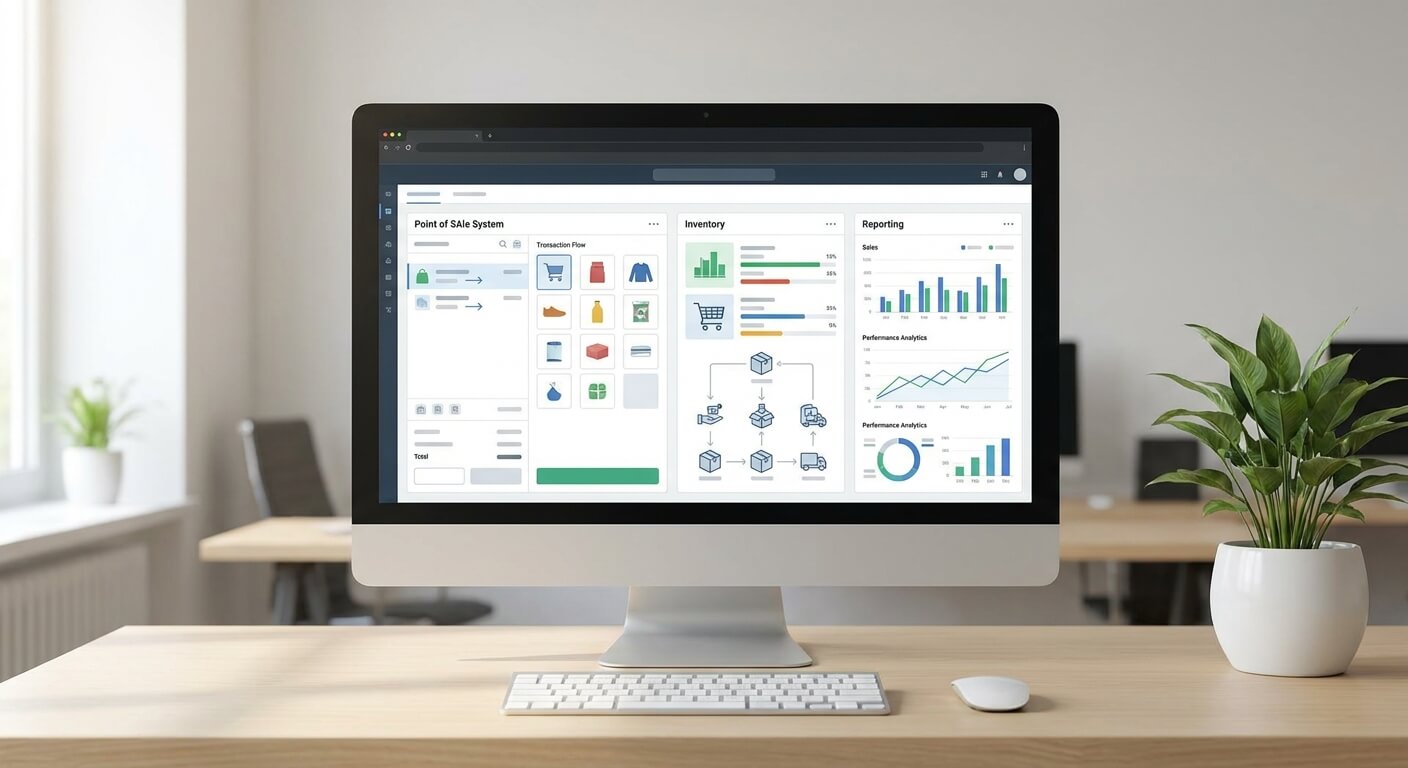
A ticketing system covering Point-of-Sale, ticket validation, inventory control, and real-time reporting only helps if all four are configured before launch, not patched in afterward once a gap shows up.
If the counter runs on POS while the website pulls from a separate inventory list, the route is exposed to the same overselling risk that Step 1 is meant to prevent.
Setting up all four pieces together, even for a single new route added to an existing network, keeps the system doing what it is built to do rather than running as four disconnected tools that happen to share a login screen.
Step 4: Decide How the Route Reports Back to You
A new route needs a manager watching it closely in the first weeks, which means deciding in advance what real-time reporting to check daily rather than figuring it out after something looks off.
Sales by channel, remaining inventory by departure, and validation counts at the door are the numbers that show whether the route is filling as expected — a fuller list is covered in which numbers to check every morning.
Waiting until the third week to start asking for this data means the first two weeks of signal on a brand-new route are already gone, along with any early warning about a channel or a departure time that is not performing.
Step 5: Test the Free Trial Before You Commit Inventory
If the ticketing system itself is new to the operation, the free trial is the lowest-risk place to run this entire checklist. UBT’s own terms are direct about it: “Free and no obligations at all…
If you do not like it, there will be no cost and obligations to you.” That is covered in more depth in testing a ticketing system during a free trial.
Running a new route launch through the trial period, rather than committing to production from day one, gives an operator a full dry run of inventory sync, schedule flexibility, and reporting before any part of the setup becomes permanent.
Common Mistakes When Launching a New Route
Running through a bus route launch checklist only helps if it actually gets followed, and the most common mistake is treating the route launch as a scheduling task with the ticketing setup left as an afterthought handled the day before sales open.
If an operator adds a new route to an existing account without re-checking channel sync, validation settings, and reporting for that specific route, small gaps from the original setup tend to resurface on the new one.
The second is skipping Step 4 entirely — launching without agreeing on which numbers a manager will check daily.
A route can be quietly underperforming or overselling for weeks before anyone notices, simply because nobody decided in advance what “normal” was supposed to look like for that particular route.
A third mistake is assuming a route with lower expected volume does not need the same setup.
A slower-selling route with unsynced inventory is just as likely to end up oversold on a single busy weekend as a high-volume one — the risk does not scale down with expected demand, so the checklist does not either.

Bus Route Launch Checklist: What to Confirm Before You Sell the First Ticket
- Inventory synced in real time across every sales channel, including third-party sites
- Schedule built with room to move or cancel departures without a rebuild
- POS, validation, inventory, and reporting configured together, not staged one at a time
- Daily reporting numbers agreed on before launch, not after something looks wrong
- Free trial used to test the full setup before committing live inventory
What actually happens with sales, refunds, or reporting once a route launches depends on the ticketing platform behind it, so it is worth confirming each of these five points rather than assuming they are already covered.
The same five points apply whether the new route is a single addition to an established network or the first corridor an operator has ever run.
The setup work does not get lighter because the route is small, and it does not get heavier because the network is large — it is the same checklist either way.
If a new route is coming up on the schedule, running it through this bus route launch checklist first — or requesting a walkthrough of UBT’s ticketing system — is worth doing before it goes on sale.