One stop ticketing solution for bus and coach operators

Category: Ticketing Systems

  • Bus Fare Matrix: 7 Essential Steps to Build One That Works

    Bus Fare Matrix: 7 Essential Steps to Build One That Works

    A bus fare matrix is a simple table that lists the fare for every pair of stops on a route. Most operators start with a few numbers on a sheet of paper, then discover that the table has quietly become the pricing brain of the whole company.

    This guide is for bus company owners and operations managers. It explains how to build a bus fare matrix, what to put in it and how to keep it honest as routes grow. We quote no fares or percentages, because the right numbers depend on your own routes and costs.

    Where we mention United Bus Tech (UBT), we rely only on what its site states. UBT lists point of sale, ticket validation, inventory control and real-time reporting together. Anything beyond that is a question to put to your vendor.

    Why a Bus Fare Matrix Beats a Price List

    A price list works when a route has two stops. Add a third and the questions start. What does a passenger pay from the first stop to the middle one? Is the middle stop to the last one the same fare? Does a round trip cost twice the one-way price?

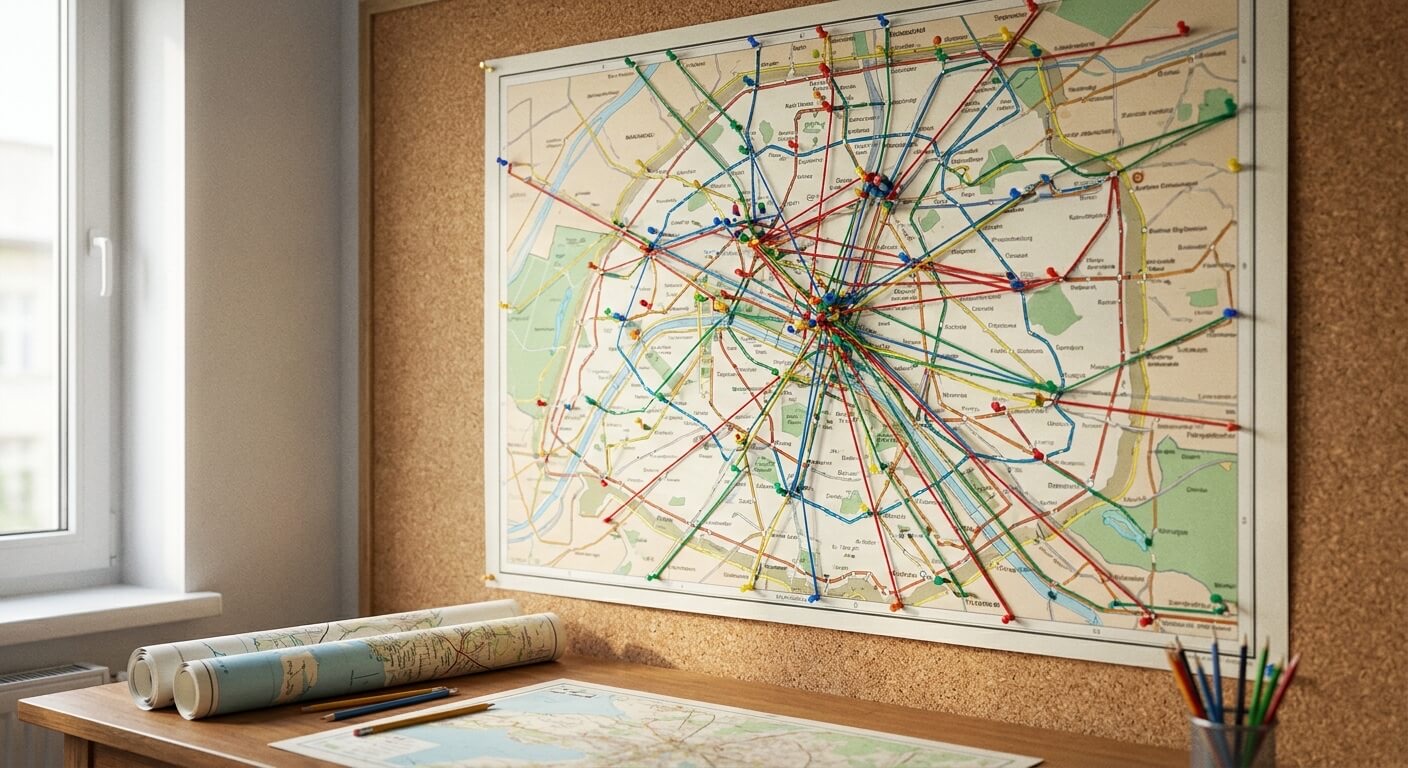
    A bus fare matrix answers every one of those questions in one place. Rows are boarding stops, columns are exit stops, and each cell holds a single fare. Counter staff stop guessing, and the online booking page reads the same table.

    The second gain is consistency. When two agents quote different fares for the same ride, the passenger remembers the lower one. A shared bus fare matrix removes that argument before it starts.

    If you are still deciding how to set the numbers themselves, our guide to bus ticket pricing strategy covers the thinking behind a fare. This article is about the structure that holds those fares.

    bus-fare-matrix-blank-grid-desk

    Seven Essential Steps to Build a Bus Fare Matrix

    Step one is to list the stops of each route in travel order. Use the same stop names your passengers see on tickets and signs. A stop called by two names in two places will break the table later.

    Step two is to decide which stop pairs you actually sell. Some routes do not allow short hops, for example when a bus runs express between two cities. Mark those cells as not sold, so nobody can book them by mistake.

    Step three is to choose a fare logic. Some operators price by distance, some by zone and some set each pair by hand. Pick one rule as your default and record the reason for every exception in a note beside the cell.

    Step four is to fill in the one-way fares. Work from the longest trip down to the shortest, and check that a longer ride never costs less than a shorter one on the same line, unless you have a clear reason for it.

    Step five is to decide how return trips are priced. A return may be the same as two single fares or may follow its own rule. Whatever you choose, state it in the bus fare matrix notes so that every agent quotes it the same way.

    Step six is to add the rules around the table: child or senior fares, group bookings, baggage and any promotional codes. Keep these as separate adjustments on top of the matrix, rather than copying the whole table for each case.

    Step seven is to name an owner and a review date. A bus fare matrix that nobody owns slowly drifts from reality. One person approves changes, records the date and tells counter staff and the website team at the same time.
    bus-fare-matrix-network-map

    What Belongs Inside Each Bus Fare Matrix Cell

    A cell should hold one clear fare and nothing else. If you find yourself writing two numbers in a cell, you probably need a second table, such as one for peak days and one for ordinary days.

    Add a validity note outside the cells: the date the table starts, the date it was last reviewed and the route it covers. That small habit makes it easy to answer the question every owner eventually asks: when did we change this fare?

    Keep taxes and fees visible. If a fare shown to the passenger includes charges, say so in your notes. The bus fare matrix should match what the passenger sees at checkout, or complaints will follow. Our article on bus ticket format shows what a ticket should display.

    Do not put costs inside the matrix. Fuel, driver time and maintenance belong in your route analysis. The matrix is a price table, and mixing it with cost figures makes it harder for staff to use.

    How a Bus Fare Matrix Connects to Your Ticketing System

    On paper, the matrix is a reference. In a ticketing system, it becomes the source for every sale. The system looks up the boarding stop and the exit stop, finds the fare and applies the adjustments you have defined.

    That only works when every channel reads the same table. UBT says its shared APIs sync instantaneously across all sales channels, including third party websites. For a bus fare matrix, the benefit is that a changed fare reaches every channel together.

    Ask any vendor to show you how fares are stored and edited. Can you change one cell without touching the rest? Can you schedule a change for a future date? Can you see who changed a fare last? The UBT site does not describe these details, so confirm them in a demo.

    Pair that conversation with our list of questions to ask in a bus ticketing software demo. Bring your own bus fare matrix as the test case, not a sample from the vendor.

    Common Bus Fare Matrix Mistakes to Avoid

    The first mistake is building the table around the system instead of the route. Start from how passengers travel, then check what your tools can store. A matrix bent to fit a tool tends to produce odd fares.

    The second mistake is letting exceptions pile up. Each special fare feels harmless, but fifty of them make the bus fare matrix impossible to audit. Review exceptions every quarter and retire the ones that no longer serve a purpose.

    The third mistake is forgetting the stops in the middle. Many operators price the end-to-end trip with care and leave intermediate pairs as an afterthought. Yet those short rides can be a large share of your tickets.

    The fourth mistake is changing fares without telling anyone. If the website updates before the counter does, passengers will notice. Agree a single moment for each change and confirm it on every channel.

    The fifth mistake is ignoring the effect on seats. A cheap short hop can use a seat that a longer, higher-paying passenger would have taken. Our article on bus load factor helps you see how full each leg of a route really is.

    Keeping Your Bus Fare Matrix Healthy Over Time

    Review the table on a fixed schedule, such as once a quarter. Compare it with your sales by stop pair and look for cells that sell rarely or sell out constantly. Those are the places where a fare may be out of line.

    Use your reports for this work. UBT lists real-time reporting beside its point of sale, which supports that kind of review. Our guide to bus route performance review shows how to read results trip by trip.

    Test changes on a small scale before applying them everywhere. Change one pair or one route, watch the sales for a few weeks and compare with the period before. One controlled change teaches more than a full table rewrite.

    Keep the history. Store each version of the bus fare matrix with its start date, so that you can explain any fare to a passenger who bought months ago. This also helps when a refund request refers to an older price.

    Train your team on the table. Counter agents, call centre staff and anyone who edits online listings should know where the matrix lives, who owns it and how to report an error. A short note in the staff handbook is enough.

    Finally, remember the purpose. A good bus fare matrix makes a fare easy to find, easy to explain and easy to change. If the table starts to confuse your own team, simplify it before it confuses your passengers.

    A clear bus fare matrix also shortens the time it takes to launch a new route. You add the stops, copy the logic from a similar line and review only the pairs that differ. That keeps the pricing work small and repeatable.

    If you want to see how UBT could hold your stops, fares and channels in one place, request a conversation with United Bus Tech and bring your current fare table as the example to work through.


  • Bus Ticketing Scorecard: 8 Key Criteria to Compare Vendors Fairly

    Bus Ticketing Scorecard: 8 Key Criteria to Compare Vendors Fairly

    A bus ticketing scorecard turns a messy vendor comparison into a fair one. Without it, the system with the best demo wins, whether or not it fits your operation. With it, each option is judged on the same questions and the same weights.

    This guide is for bus company owners and operations managers who are choosing a ticketing system. It shows how to build a bus ticketing scorecard with eight key criteria, how to weight them, and how to use the result. We name no competitors and quote no prices.

    Where we mention United Bus Tech (UBT), we use only what its site states. UBT lists point of sale, ticket validation, inventory control and real-time reporting, and says its service is free with no obligations. Use the scorecard on UBT the same way you would on any vendor.

    What a Bus Ticketing Scorecard Is For

    A scorecard is a simple table. Down the side are the things that matter to your business; across the top are the vendors you are considering. Each cell holds a score from one to five, and the totals show which option fits best.

    The point is not the arithmetic. The point is that you decide what matters before you see a single demo. Our list of questions to ask in a bus ticketing software demo fits well with a scorecard.

    Build the bus ticketing scorecard with the people who will use the system. Counter staff, dispatchers and the finance lead each notice different problems. A criterion missing from the sheet will not be weighed in the final decision.

    bus-ticketing-scorecard-evaluation-grid

    Eight Key Criteria for Your Bus Ticketing Scorecard

    The first criterion is inventory control. Does the system keep one live seat count across the counter, the website and partner sites? UBT says its shared APIs sync instantaneously across all sales channels. Whatever the claim, ask to see it tested.

    The second is point of sale. Check how quickly an agent can sell, change and refund a ticket at a busy counter. Our article on the benefits of a point of sale ticketing system explains what to look for.

    The third is ticket validation. How will drivers check passengers at boarding, and what happens without a signal? UBT mentions flexible ticket validation options, so ask each vendor to describe its options and its limits.

    The fourth is schedule changes. A system should let you move or cancel a trip quickly and tell the affected passengers. UBT describes cancelling a busline or moving it an hour later because of mechanical issues. Compare that with each rival.

    The fifth is reporting. Can you see sales by route and by day without exporting to a spreadsheet? Our guide to real-time bus reporting lists the views that save the most time.

    The sixth is refunds and changes. Look at how the system handles partial refunds, rebooking and cancelled trips. A weak refund process costs staff hours every week, as we describe in handling refunds and reschedules.

    The seventh is contract terms. Read the notice period, setup fees, data ownership and what happens if you leave. Our bus ticketing contract checklist covers each clause worth reading twice.

    The eighth is support and onboarding. Ask who helps you set up, who answers when something breaks, and how quickly. Ask for details in writing rather than relying on a sales conversation.

    bus-ticketing-scorecard-vendor-review-room

    How to Weight and Use Your Bus Ticketing Scorecard

    Not every criterion matters equally. Give each a weight from one to five before you score any vendor. An operator selling mostly at the counter may weight point of sale heavily, while one selling online may weight inventory control highest.

    Multiply each score by its weight and add the results. Keep a note beside every score explaining why you gave it. When two options finish close together, those notes are more useful than the totals.

    Let at least two people score independently, then compare. If one person gives a five and another a two for the same cell, you have found something worth discussing, usually a feature that was shown but not tested.

    Add a pass or fail row for must-haves. A vendor that cannot meet a hard requirement, such as keeping a single seat count across channels, should not stay in the running, however well it scores elsewhere in the bus ticketing scorecard.

    Do not let the bus ticketing scorecard replace a trial. Scores come from demos and documents, while a pilot shows how the system behaves with your own routes. Our guide to a bus ticketing software pilot describes how to run one.

    Finally, keep the scorecard after the decision. When you review the system a year later, the original weights and notes show whether the promises were kept. That record also makes the next purchase far easier to run.

    Common Mistakes When Using a Bus Ticketing Scorecard

    The first mistake is writing the scorecard after the demos. By then the features you have seen will shape your criteria, and the sheet will simply confirm your favorite. Write the criteria and weights first, then watch the demonstrations.

    The second is using too many criteria. A bus ticketing scorecard with forty lines becomes tiring to fill in, and the important items get lost. Eight to twelve lines is enough for most operators, with a notes column for everything else.

    The third is scoring features you will never use. A long feature list can dazzle. Ask whether your staff would use it in the first six months, and if not, give it a low weight or leave it off the bus ticketing scorecard.

    The fourth is scoring a claim rather than a test. If a vendor says seats sync across channels, ask them to show a sale on one channel reducing the count on another. Score what you saw, and mark anything you could not test as unverified.

    The fifth is ignoring the people who will live with the system. A counter agent can tell you in minutes whether a screen is quick or slow to use. Include at least one agent in every demo and give their opinion real weight.

    The sixth is forgetting cost of change. Time spent on training, data transfer and running two systems for a while all belong in the comparison. Our guide on bus ticketing data migration shows where those hours go.

    The seventh is hiding the scorecard from the vendor. Sharing your criteria is often wise. A good vendor will answer each line plainly, and one who dodges certain lines tells you something about how support will feel after you sign.

    The eighth is treating the total as the decision. Use it as an input. If the top two options are close, run a small pilot on one route, and let real results settle what the bus ticketing scorecard could not.

    Whatever tool you choose, write down why. A one-page record of the weights, the scores and the reasons helps new managers understand the decision, and it gives you a baseline for judging the system a year later.

    A scorecard also helps with internal agreement. When several owners or managers share the decision, a written bus ticketing scorecard turns a debate about opinions into a discussion of weights. People can disagree about the importance of a criterion without arguing about the vendor.

    A Sample Layout for Your Bus Ticketing Scorecard

    Keep the layout plain. Use one row per criterion and, for each vendor, three columns: score, weight and notes. A fourth column for the evidence, such as which demo showed it or which document states it, makes later review quick.

    Group related rows under short headings such as sales, boarding, reporting and commercial terms. Groups make it easier to see where one vendor is strong and another weak. They also stop a flood of small features from outweighing one big need.

    Add a final row for risk. Ask what would hurt most if the vendor failed to deliver, and how you would recover. A clear plan for leaving, covered in your contract, belongs in any careful bus ticketing scorecard.

    Review the sheet with someone outside the project before you decide. A fresh reader will notice a missing criterion, a weight that looks off, or a score that rests on a claim nobody checked. Thirty minutes of that review costs little.

    When the process ends, thank the vendors who did not win and keep the sheet filed. Markets change, and the next time you compare options, a bus ticketing scorecard from the last round will save you most of the setup work.

    You can also reuse the same bus ticketing scorecard to review a system you already own. Score it honestly against your current needs, and any low rows become a list of questions for your vendor at the next renewal.

    A fair bus ticketing scorecard protects you from the polished demo and the persuasive salesperson. If you would like to score UBT against your own criteria, request a conversation with United Bus Tech and bring your draft scorecard so we can answer each line directly.

  • Paper to Digital Bus Tickets: 6 Simple Steps for Small Operators

    Paper to Digital Bus Tickets: 6 Simple Steps for Small Operators

    Moving from paper to digital bus tickets is one of the most useful changes a small operator can make, and one of the easiest to get wrong. Done in a rush, it leaves staff juggling two systems. Done in steps, it can be quiet and low risk.

    This guide is for bus company owners and managers who still sell on paper, in a notebook or from a spreadsheet. It sets out six simple steps for moving from paper to digital bus tickets. We quote no savings or timelines, because they depend on your operation.

    Where we mention United Bus Tech (UBT), we use only what its site states. UBT says it offers its service free and with no obligations, so that if you do not like it there is no cost. That makes a small trial a sensible first step.

    Why Move From Paper to Digital Bus Tickets

    Paper tickets are easy to start with and hard to scale. Every sale lives in one place, so the counter cannot see what the driver sees, and nobody can sell the same seat safely from two places. Errors only appear when the bus is full.

    Moving from paper to digital bus tickets gives you a single seat record. Our guide on how to stop overselling bus seats explains why one record matters so much. It also gives you reports that paper cannot, such as sales by route and by day.

    There is a passenger side too. Customers who expect to book online from a phone may pass over an operator that only sells by phone call or at the counter. Digital tickets let you take a booking at any hour, including when the office is closed.

    paper-to-digital-bus-tickets-paper-forms

    Six Simple Steps From Paper to Digital Bus Tickets

    Step one is to write down how you sell today. List each place a ticket is sold, who writes it, how it is paid for and how the driver checks it. This map shows you what the new system must replace, and where the real problems hide.

    Step two is to choose one route to start with for paper to digital bus tickets. Pick a route with steady demand and simple fares rather than your busiest or your most complicated. A small first step limits the damage if something needs fixing.

    Step three is to decide what the digital ticket must do. For many operators the list includes a seat count that cannot be oversold, a way to check tickets at boarding, and a record of refunds. Our bus ticketing system requirements checklist can help you write it.

    Step four is to bring your existing data across carefully. Past customers, fares and schedules do not all need to move, and some are better left behind. Our guide to bus ticketing data migration shows what to check first.

    Step five is to run both systems for a short time on that one route. Sell digitally, but keep the paper record as a backup, and compare the two each evening. Differences point to training needs or setup errors while the cost is still small.

    Step six is to widen the rollout. Add routes one at a time, retire the paper book on each route once the digital record has matched it, and keep a simple list of problems found. Our article on bus ticketing system onboarding covers the staff side.

    paper-to-digital-bus-tickets-counter-tablet

    Checking Tickets and Handling Problems During the Switch

    Boarding is where the change from paper to digital bus tickets is most visible. UBT lists flexible ticket validation options, so ask what choices you have at the door. Our article on bus ticket validation options compares the common approaches.

    Plan for the day the connection fails. Drivers and counter staff should know what to do without a signal, and the passenger list should be available in a printable form. Our guide to offline bus ticket validation explains the idea.

    Plan for refunds and changes as well when moving from paper to digital bus tickets. A move to digital bus tickets will meet cases the old paper process handled by memory, such as a regular passenger who always changes at the last minute. Write down a rule for each and train staff on it.

    Expect questions from regular customers. Some will prefer paper, and for a while you may keep a counter option for them. That is fine, provided the counter sale goes into the same digital record so the seat count stays true.

    Common Mistakes When Moving to Digital Bus Tickets

    The first mistake with paper to digital bus tickets is switching everything on the same day. A single weekend cutover for every route leaves no room to learn. The second is skipping staff practice, so the first live sale happens in front of a queue.

    The third mistake is trusting the new system without testing it. Sell a few test tickets, refund one, change one, and check that the seat count and report match. A short rehearsal shows problems that a brochure never will.

    The fourth is forgetting the money trail. Cash from the counter still has to be matched to the sales record each day. Our article on bus ticket reconciliation describes a simple daily routine.

    The fifth is changing too many things at once. Keep fares, schedules and the move from paper to digital bus tickets as separate projects. If a problem appears, you want to know which change caused it.

    The sixth is leaving the choice of tool until last. Compare two or three options against the list you wrote in step three. Our build versus buy comparison for ticketing systems helps if you are weighing a custom tool against a ready-made one.

    Questions Owners Ask About Paper to Digital Bus Tickets

    Owners often ask whether they must go fully digital at once. They do not. Many operators keep a counter option for a while, as long as every counter sale is entered into the same record. The goal is one seat count, not the end of paper overnight.

    Another common question is how long paper to digital bus tickets takes. The honest answer is that it depends on your routes, your staff and the tool you choose, so we give no figure. A single-route trial will teach you your own timeline better than any estimate.

    Some owners worry about customers who are not comfortable with phones. Keep a phone and counter route open for them. Digital tickets can still be sold by an agent, which brings those passengers into the same record without asking them to change habits.

    Cost is the next worry. UBT states that its service is free and without obligations, and that if you do not like it, there is no cost to you. We cannot tell you what other tools charge, so read any contract carefully, using our contract checklist.

    Last, owners ask what they gain first. For most, the first visible gain is a seat count they can trust, followed by reports they no longer have to build by hand. Those two changes alone often justify the effort of moving from paper to digital bus tickets.

    Keep one more habit from the paper days: a short daily note of what went wrong. Even with a new system, a line or two each evening about errors, complaints and odd cases builds a list of fixes. After a month, that list tells you where training needs work.

    Take your time with the final step. When a route has run for several weeks with matching paper and digital records, retire the paper book for it. When all routes have done so, archive the old books safely rather than throwing them away, in case you need to check a past sale.

    Whatever pace you choose, tell passengers about the change in plain words. A short notice at the counter and on your booking page, saying how to buy and how to get help, prevents most confusion. Owners who explain the move from paper to digital bus tickets early field far fewer angry calls.

    Moving from paper to digital bus tickets rarely feels dramatic once done. Seat counts stop surprising you and reports appear without effort. If you would like to test the idea on one route, request a conversation with United Bus Tech and bring your current sales notes.

  • Bus Booking and Quote Software: 7 Key Questions to Ask Vendors

    Bus Booking and Quote Software: 7 Key Questions to Ask Vendors

    Bus booking and quote software has to do two jobs that look alike but behave differently. A fixed-route booking sells a seat at a known fare. A quote prices a whole trip for a group, and a person usually has to look at it first. Many tools do one job well and the other badly.

    This guide is for bus company owners and operations managers who sell both seats and group trips. It lists seven questions to put to any vendor of bus booking and quote software. We quote no prices, and we make no claims about features that a vendor has not shown you.

    Where we mention United Bus Tech (UBT), we use only what its site states. UBT’s site describes point of sale, ticket validation, inventory control and real-time reporting. It does not describe a quote tool, so if you need one, ask UBT directly rather than assume.

    Why Bus Booking and Quote Software Is Two Problems in One

    A seat on a scheduled trip is a simple product. The route, the time and the fare are set, and the customer picks a date. The system’s job is to count seats, take payment and issue a ticket.

    A quote is different. The customer describes a trip, such as a school outing or a company event, and you work out the price from the distance, the dates and the vehicle. Several messages usually pass before anyone pays.

    Treating both as one flow causes trouble. Quote requests get lost in an inbox, or a booking system forces a custom trip into a seat model. Our guide to bus group bookings looks at how to handle the group side.

    bus-booking-and-quote-software-quote-scene-1

    Seven Key Questions for Bus Booking and Quote Software

    Question one is whether the tool takes a quote request at all. Ask the vendor to show how a customer asks for a price, what details the form collects and where the request lands. If the answer is a plain email link, you are not buying quote software.

    Question two is how a quote becomes a booking. When the customer accepts, can the same record turn into a confirmed trip, or must your staff type it in again? Re-keying is where dates and names go wrong.

    Question three is how the vehicle is held. A quote that has not been accepted should not block a bus that a fixed route needs. Ask whether the system can hold a vehicle for a set time and release it automatically.

    Question four is how fixed-route sales and group trips share inventory. UBT states that its shared APIs sync instantaneously across all sales channels. For your own mix of services, ask the vendor to show a sold seat and a held group vehicle in one view.

    Question five is how changes are handled. Group plans shift often: a start time moves, the head count changes, a date slips. Ask how the system records the change and how it tells the people involved. UBT says you can move a schedule around, for example an hour later.

    Question six is how you will see the pipeline. Good bus booking and quote software shows how many quotes are open, how many were won and how many lapsed. Ask whether reports include quotes, or only completed sales. UBT lists real-time reporting.

    Question seven is what happens at boarding. A group trip still needs a manifest, a contact and a way to confirm who is on the bus. Our article on the bus passenger manifest explains what that record should hold.

    bus-booking-and-quote-software-quote-scene-2

    How Event and Corporate Trips Change the Picture

    Event and corporate trips are where bus booking and quote software earns its keep. A conference or a festival may need several vehicles on a tight schedule, and the buyer wants one price and one point of contact.

    We cover that side in corporate event transportation software and event shuttle booking systems. The common thread is that the buyer often is not the rider, so the booking must work for an organizer.

    Ask whether the organizer can see the trip details without calling you. Ask whether riders can be added later. Ask what the organizer receives once the trip is confirmed. Each answer shows how much of the work still falls to your staff.

    A Simple Way to Test Bus Booking and Quote Software

    Take three real requests from the past year: one fixed-route booking, one small group and one large event. Ask the vendor to run each through the demo from start to finish, using your routes and your wording.

    Watch for the moments where the vendor leaves the system. If a step is done in a spreadsheet, an email or a phone call, note it. Those steps will be yours to do every day after you buy the bus booking and quote software.

    Bring a short list of questions and write the answers down. Our guide on questions to ask in a bus ticketing software demo has more. Compare notes with your team within a day, while the demo is fresh.

    Common Mistakes When Choosing Bus Booking and Quote Software

    The first mistake is buying for the busiest service only. If most revenue comes from scheduled seats but a growing share comes from groups, choose a tool that handles both, or plan how two tools will talk to each other.

    The second mistake is trusting a feature name. A page that says it supports quotes may mean a contact form. Ask to see the quote from the customer’s side and from your side, with real data entered.

    The third mistake is ignoring the handover. A quote that is accepted must reach dispatch with every detail intact. Ask how the driver and the dispatcher see the trip once it is confirmed.

    The fourth mistake is skipping a trial. UBT says its service is free and without obligation: if you do not like it, there is no cost. Whichever vendor you pick, ask for a similar chance to test the bus booking and quote software on your own trips.

    Pay attention to how the vendor describes limits. A good vendor says plainly what the tool does not do. If every question gets a yes, ask for a live demonstration of each one, because a confident yes without a demonstration proves little.

    Also ask who will help you set the system up. Quote rules, vehicle types and group terms must be entered by someone, and that work takes time. Learn what the vendor does for you and what your own team must prepare before launch.

    Finally, think about growth. If you add a charter service next year, will the tool stretch to cover it, or will you start again? A short answer from the vendor now is cheaper than a migration later.

    Keep your own numbers ready for the demo. Know how many quote requests you receive in a typical month, how long you take to reply and how many are won. Those facts let you judge whether a tool really improves your daily work.

    Ask about data as well. When a customer returns for a second group trip, can you find the first one in a few seconds? Past trips are the best guide for pricing the next one, so the history should be easy to search and export.

    Good bus booking and quote software saves staff hours and keeps promises on paper. If you would like to discuss how UBT could fit your seat sales, and what it does and does not cover for quotes, request a conversation with United Bus Tech and bring your last three quote requests.

  • Third Party Bus Ticket Sales: 6 Essential Checks Before You List

    Third Party Bus Ticket Sales: 6 Essential Checks Before You List

    Third party bus ticket sales can put your seats in front of travelers who have never heard of your company. They can also hand part of your inventory, your pricing and your customer relationship to someone else. Operators who gain from them plan before they list.

    This guide is for bus company owners and operations managers weighing third party bus ticket sales. It covers what to settle before listing, how to keep seat counts honest, and how to check the results. We quote no commissions or volumes, because those are yours to negotiate.

    Where we mention United Bus Tech (UBT), we use only what its site states. UBT says its shared APIs “sync instantaneously across all sales channels, including third party websites.” For anything beyond that, ask a vendor to show you.

    What Third Party Bus Ticket Sales Really Mean

    Third party bus ticket sales are any sales made through a website or agent that you do not run. That includes online travel platforms, ticket marketplaces, local agents and partner sites that embed your trips in their own search.

    The appeal is reach. A partner may bring buyers that your own site never would. The cost is control. The partner decides how your trip appears, and the sale may reach your records late or in a different shape from your own.

    Before you list anywhere, be clear about why you want third party bus ticket sales. Filling a weak route calls for different terms than adding another sales window to a route that already sells well. Our guide to how to sell bus tickets online covers your own channel first.

    third-party-bus-ticket-sales-third-scene-1

    Six Essential Checks Before You List

    Check one is who holds the customer. Find out what contact details the partner shares with you. If you cannot reach a passenger when a trip changes, you cannot protect that passenger or your reputation.

    Check two is how the seat count is shared. Third party bus ticket sales only work safely if the partner reads your live availability. A copy of your seats that updates once a day will sell the same seat twice.

    Check three is how prices are set. Decide whether the partner may change your fare or must show it as you set it. Agree what happens if your fare changes after a sale. Put it in writing, since this is where most arguments begin.

    Check four is how changes and refunds are handled. Agree who accepts a request, who pays, and how long it may take. A passenger will blame you for a partner’s slow refund, so settle the process before the first ticket sells.

    Check five is how the money moves. Learn when the partner pays you, what they deduct and what report they give you. Our article on bus ticket reconciliation shows how to match each partner’s payments to your own records.

    Check six is how a sale is validated at boarding. Your driver or gate agent must be able to confirm a partner ticket as easily as one of your own. Ask to see a sample partner ticket and test it with your validation method.

    Keeping Seat Counts Honest Across Channels

    The main technical risk in third party bus ticket sales is the double sale. Two buyers on two sites reach for the last seat at the same moment, and one of them arrives to find a full bus.

    The cure is a single, live record that every channel reads and writes. UBT states that its shared APIs sync instantaneously across all sales channels, including third party websites. That is the kind of design to ask any vendor about.

    Ask how a sale on a partner site reaches your system: instantly, in batches or by file. Ask what the partner sees when a trip sells out, and how fast that change appears. Our guide on bus ticketing API integration explains what to look for.

    Run a test before the launch. Hold two seats, sell one through the partner and one at your counter, and check that the count drops by two in both places. Repeat it for the last seat on a trip, since that case is where systems fail.

    third-party-bus-ticket-sales-third-scene-2

    Reading Third Party Bus Ticket Sales in Your Reports

    Once third party bus ticket sales begin, tag every sale with its channel. Without that tag you cannot tell which partners bring new riders and which simply move your own customers to a site that takes a fee.

    UBT lists real-time reporting as part of its point-of-sale capability. Whatever system you choose, ask whether you can see sales by channel, by trip and by day, and whether you can export them for your own checks.

    Compare partners on more than volume. Look at cancellations, changes and no-shows by channel. A partner that sells many seats but produces many refunds may cost more in staff time than it earns.

    Review the arrangement on a regular schedule. Our guide to a unified ticketing system describes how a shared record makes this review far easier, because all channels appear in one place.

    Common Mistakes With Third Party Bus Ticket Sales

    The first mistake is listing every trip. Start with the departures that have spare seats, and keep a share of seats for your own channels. You can widen the offer later, once you trust the numbers.

    The second mistake is leaving the partner in charge of customer messages. If a trip is delayed or cancelled, the passenger should hear it quickly. Agree who sends the message, and make sure your own notices reach those passengers too.

    The third mistake is signing without a way out. Agree how either side can end the arrangement and what happens to tickets already sold. A partner that cannot be paused quickly is a risk when something goes wrong.

    The fourth mistake is forgetting your own staff. Counter agents will meet passengers holding partner tickets, and they need a simple guide for checking and changing them. Write it down once and keep it current.

    It also helps to start small. List one route with one partner for a trial period, then compare the results with your own channel. A small start limits the damage if the terms or the technology turn out to be weaker than promised.

    Keep a named contact at the partner and at your own company. When a seat count looks wrong at six in the morning, someone must know who to call. A shared phone number and an agreed way to flag problems save hours.

    Finally, tell your own staff and your own customers how third party bus ticket sales fit in. A passenger who finds the same trip cheaper elsewhere will ask why. A calm, honest answer from your counter keeps the trust you have built.

    Keep records of every agreement as well. Terms discussed on a call and never written down are forgotten within a season. A one-page summary of fares, refunds, payment dates and contacts, signed or confirmed by email, prevents most later disputes.

    Last, review each partner at least once a quarter. Markets change, and a listing that suited you in spring may not suit you by autumn. Be ready to drop a channel that costs you more in problems than it brings in riders.

    Third party bus ticket sales are a trade between reach and control, and the terms decide which side wins. To see how UBT keeps every channel on one record, request a conversation with United Bus Tech and bring the partner terms you are considering.

  • Bus Ticket Flash Sale: 7 Essential Rules to Run One Without Overselling

    Bus Ticket Flash Sale: 7 Essential Rules to Run One Without Overselling

    A bus ticket flash sale can fill empty seats on a slow route in a single afternoon. It can also bury your phone lines, oversell a departure and leave you refunding people you promised a seat. The difference is almost never the discount. It is the preparation.

    This guide is for bus company owners and operations managers who are thinking about running a bus ticket flash sale. It sets out seven rules for planning, selling and closing one safely. We quote no prices, discounts or results, because they depend on your routes.

    Where we mention United Bus Tech (UBT), we use only what its site states. For example, UBT says its shared APIs “sync instantaneously across all sales channels, including third party websites.” For anything beyond that, ask a vendor to show you.

    Why a Bus Ticket Flash Sale Is Risky for Operators

    A normal day spreads sales across many hours and many channels. A bus ticket flash sale does the opposite. It squeezes a large share of a week’s buying into a short window, so every weakness in your process shows up at once.

    The first weakness is inventory. If your counter, your website and a partner site each hold their own seat count, a rush will sell the same seat twice. Our guide on how to stop overselling bus seats explains why that happens.

    The second weakness is people. Customers who buy in a hurry make more mistakes, and your staff face more questions in a shorter time. The third is money, because a discounted seat that is later refunded can cost more than it earned.

    bus-ticket-flash-sale-flash-scene-1

    Seven Essential Rules for a Bus Ticket Flash Sale

    Rule one is to pick the right trips. A bus ticket flash sale works best on departures that would otherwise leave with empty seats. Look at your own load history for the routes and days that run light, and keep sold-out peak trips out of the offer.

    Our article on bus ticket demand forecasting for peak season shows how to separate the trips that need help from the ones that do not. Selling cheap seats on a trip that would have filled anyway only gives money away.

    Rule two is to cap the number of seats. Decide before the sale how many seats on each trip are part of the offer, and stop selling at that number. A cap protects the seats you still want to sell at the normal fare.

    Rule three is to write the conditions first. State the travel dates the offer covers, whether tickets can be changed, and whether they can be refunded. Passengers search for these answers during a sale, and unclear terms lead to angry calls afterward.

    Rule four is to make one record of seats. Every channel taking orders in your bus ticket flash sale must read the same live count. UBT says its shared APIs sync instantaneously across all sales channels. Whatever tool you use, test that claim with a small rehearsal before the sale.

    Rule five is to prepare your counter staff. They need the exact wording of the offer, the cap, and the conditions on one page. If agents each explain the bus ticket flash sale in their own way, customers will quote whichever version suits them.

    Rule six is to watch the sale as it runs. UBT lists real-time reporting alongside point of sale, ticket validation and inventory control. A live view of sales by trip tells you when to close an offer early or when a seat cap needs adjusting.

    Rule seven is to close the sale on time. End it when you said it would end, and say so publicly. Extending a deadline without notice teaches customers to wait for the next one, which weakens every future bus ticket flash sale.

    bus-ticket-flash-sale-flash-scene-2

    How to Prepare Your Systems and Staff Before the Sale

    Start with a dry run. Pick one quiet trip, load the offer and have staff buy tickets through every channel you plan to use. Check that each purchase lowers the seat count everywhere and that the ticket shows the right date and conditions.

    Next, think about what happens at peak. If your website is slow or your payment step fails under load, customers will blame you, not their connection. Ask your vendor how the system behaves when many people buy in the same few minutes.

    Then prepare your messages. Write the announcement, the confirmation text and the answer to the three questions you expect most. Keep them short and keep them factual. UBT lists automated SMS boarding reminders as a passenger tool, which can help after the sale.

    Finally, plan the extra work. A bus ticket flash sale adds changes, questions and the occasional mistaken purchase. Put one person in charge of exceptions, and give them clear authority to fix simple errors without waiting for approval.

    Refunds, Changes and No-Shows After a Flash Sale

    The sale is only half the job. A discounted ticket is more likely to be bought on impulse, and impulse buyers change their minds. Decide in advance how you will treat refund and change requests, and publish the rule on the offer page.

    Many operators make flash-sale tickets non-refundable but allow a change for a small fee, or the reverse. Which is right depends on your business, so we give no figures here. Our guide on how to write a bus ticket refund policy covers the points to settle.

    No-shows are the other cost. A passenger who paid little and forgot the trip leaves an empty seat you could have resold. Reminders help, and our article on how to reduce bus ticket no-shows lists practical steps.

    If a trip is cancelled during or after the sale, the usual rules still apply. UBT says that you can cancel a busline or move it an hour later because of mechanical issues. Make sure cancelled trips stop selling on every channel at once.

    Measuring Whether Your Bus Ticket Flash Sale Worked

    Do not judge a bus ticket flash sale by tickets sold alone. Compare the seats you filled with the seats you would probably have filled without the offer, using your own history for the same trips and days.

    Look at what the new seats earned after discounts, refunds and extra staff time. Look also at whether regular fares dipped on the days around the sale. Some customers simply moved their purchase to the cheaper moment.

    Record what you learn in a short note: the trips offered, the cap, the channels used, the problems and the result. A simple record turns one bus ticket flash sale into a method you can improve. If channels disagreed on seat counts, a unified ticketing system is the fix to look at first.

    One more point on timing. Announce the bus ticket flash sale only when your systems are ready, not before. An early announcement sends buyers to a page that is not yet live, and the first impression of the offer is an error message.

    Choose the hour with care too. A sale that opens when your counter is closed pushes all the questions to the next morning, when staff are already busy. Open it when someone can answer calls and fix problems straight away.

    Finally, keep a short list of what you will not do. No extra seats added to a full trip, no verbal promises at the counter, no changes to the terms once the sale has started. Staff follow rules more easily when the rules are few.

    A flash sale is a tool, not a habit. Used rarely and with care, it fills seats that would run empty. Used often, it teaches customers to wait. If you would like to see how UBT keeps channels in step, request a conversation with United Bus Tech and bring your last sale as the example.

  • Bus Terminal Ticketing System: 6 Essential Things a Station Needs

    Bus Terminal Ticketing System: 6 Essential Things a Station Needs

    A bus terminal ticketing system has a harder job than the one on a single bus. It serves a counter, a waiting hall, several departures an hour and a dozen questions from people who are late. Choosing one deserves a clear list of what the station actually needs.

    This guide is written for bus company owners and station managers. It describes six things a bus terminal ticketing system should handle, with questions to ask a vendor. We quote no prices, volumes or savings, because they depend on your terminal.

    Where we mention United Bus Tech (UBT), we use only what its site states: point-of-sale, ticket validation, inventory control, real-time reporting, shared APIs across sales channels, one-click schedule changes, SMS boarding reminders and fleet tracking. Ask a vendor to prove anything else.

    Why a Bus Terminal Ticketing System Is Not Just a Bigger Counter

    A single-stop operator can often manage with a simple sales tool. A terminal is different, because many things happen at once. Several departures leave in a short window, passengers arrive at different times and staff change between shifts.

    That means a bus terminal ticketing system must keep one clear picture of every departure. If the window, the website and the boarding gate each hold a different version, the hall fills with confusion within minutes.

    It also means the system has to be easy to use under pressure. A tool that works well in a quiet demo may slow everyone down at six in the morning. Judge it by how it behaves in your busiest hour.

    For background on the basics, see our guide to how bus ticketing software works.

    bus-terminal-ticketing-system-waiting-hall

    Six Essential Things a Bus Terminal Ticketing System Should Handle

    The first is selling at the window. UBT lists point-of-sale first among its capabilities. For a terminal, ask how quickly a trained agent can sell a ticket, change one and handle a payment, since the line behind the passenger will not wait.

    The second is one shared seat record. Seats sold at the terminal, online and through partners must come from the same inventory. UBT states that its shared APIs sync instantaneously across all sales channels, including third-party websites. See our guide on how to stop overselling bus seats.

    The third is boarding checks. UBT describes flexible ticketing validation options to meet your needs. At a terminal, check how tickets are validated at the gate, what happens if a scanner fails, and how a driver can tell a valid ticket from an invalid one.

    The fourth is schedule changes. Buses are late, vehicles are swapped and sometimes trips are cancelled. UBT states you can cancel a busline or move it an hour later because of mechanical issues. Ask how fast a change reaches the windows, the website and the gate.

    The fifth is passenger information. UBT lists automated SMS boarding reminders and ETA tracking among its offers. In a terminal, clear and timely information reduces the number of questions your counter staff must answer, which leaves them free to sell.

    The sixth is reporting. UBT lists real-time reporting beside its point-of-sale. A station manager needs to see sales by departure, by window and by shift, so that staffing and schedules can be adjusted using facts rather than guesses.

    bus-terminal-ticketing-system-ticket-window

    How to Judge a Bus Terminal Ticketing System in Your Own Station

    Start by walking the passenger path. Follow a ticket from the moment someone walks in to the moment they board. Write down every step and every person involved. A good bus terminal ticketing system should remove steps, not add them.

    Next, list your peak times. Look at the departures that bring the longest lines, and ask the vendor to show how their system performs in that situation. Ask what happens when two agents try to sell the last seat at nearly the same moment.

    Then consider your staff. Terminal teams include experienced agents and short-term helpers. The system should be learnable in a short training session, with a clear owner who can answer questions. Our guide to bus ticketing system onboarding describes how to plan that.

    Finally, think about failure. Power cuts, weak internet and device faults all happen. Ask what the window can still do, how the gate keeps checking tickets and how records catch up afterward. Our article on a bus ticketing downtime plan can help you prepare.

    Questions to Ask a Vendor About a Bus Terminal Ticketing System

    Ask to see a sale, a change, a cancellation and a refund on a live screen. Ask how a departure is closed and how the list of passengers is produced for the driver. Ask who sees the data and how access is controlled.

    Ask how the terminal’s sales connect to your other channels, and whether a seat sold at one is blocked at the others. Ask about reporting: what can you see during the day, and what can you export at the end of it?

    Ask how you can try the system. UBT states on its site: “Free and no obligations at all! We provide Technology as a Service. If you do not like it, there will be no cost and obligations to you.” The site does not state a trial length, so confirm it.

    Our list of questions to ask in a bus ticketing software demo gives a longer set you can bring to the meeting.

    Getting Started With a Bus Terminal Ticketing System

    Do not switch the whole station in one day. Begin with one window or one shift, keep the old method nearby for a short period, and compare results. A small start finds problems while they are still cheap to fix.

    Name a single owner for the change. This person collects feedback from agents and drivers, decides when to move on and tells everyone the date the old method ends. Without an owner, the new tool and the old process will run side by side forever.

    After a few weeks, review what improved: fewer queries at the window, fewer seat conflicts, quicker boarding. Write it down in plain language. That record helps you decide whether to extend the system to the rest of the terminal.

    What a Bus Terminal Ticketing System Means for Different Roles

    Counter agents want speed and clarity. They need a screen that shows departures, seats and fares without a search, and a simple way to handle a change or a refund. If the agent has to ask a supervisor for every unusual case, the line grows.

    Dispatchers want an accurate picture of each departure. They need to see how many seats are sold, which trips are late and which have been changed. UBT lists real-time fleet tracking for passengers and management, which supports that picture.

    Drivers want a simple boarding check and a reliable passenger list. They should not have to guess whether a ticket is valid. Gate staff want the same: one clear result when a ticket is scanned, and a plain process for exceptions.

    Managers want reports they can trust. Sales by departure, by window and by shift show where to add staff and where to cut back. Our guide to real-time bus reporting describes what a useful report looks like.

    Passengers want to know where to go and when. Clear messages and a short wait at the window matter more than any feature list. A bus terminal ticketing system serves them best by making the work of your staff easier.

    A bus terminal ticketing system is judged by how it behaves on your busiest morning. Choose one that sells quickly, shares one seat record, checks tickets at the gate, handles changes and tells you what happened.

    If you want to see how UBT could fit your station, request a conversation with United Bus Tech and bring your busiest departure hour as the scenario to walk through.

  • Benefits of a Point of Sale Ticketing System: 7 Key Gains for Bus Operators

    Benefits of a Point of Sale Ticketing System: 7 Key Gains for Bus Operators

    The benefits of a point of sale ticketing system are easy to list and hard to judge until you picture them in your own ticket office. Every operator wants faster sales and cleaner records, but a bus company has to ask which benefits show up on an ordinary Tuesday.

    This guide is written for bus company owners and operations managers. It explains seven benefits of a point of sale ticketing system in plain terms, with questions you can ask a vendor to test each one. We quote no savings or percentages, because they depend on your business.

    Where we mention United Bus Tech (UBT), we use only what its site states. UBT lists “Point-of-Sale, Ticket Validation, Inventory Control, and Real-time Reporting” together. Anything else, ask to see before you rely on it.

    What the Benefits of a Point of Sale Ticketing System Look Like in Practice

    A point of sale ticketing system is the tool your staff use to sell a ticket at the counter, at a pop-up desk or by phone. The sale is recorded the moment it is made, and the record feeds the rest of your operation.

    That sounds simple, but most of the benefits come from what happens after the sale. A good record flows into seat counts, boarding checks and reports. A poor one stays on a slip of paper or in a spreadsheet that nobody trusts by Friday.

    We have a separate article on what a bus ticket POS system is and another on a bus POS checklist. This guide takes a different angle: it lists the gains and shows how to test them.

    benefits-of-a-point-of-sale-ticketing-system-terminal

    Seven Key Benefits of a Point of Sale Ticketing System

    Benefit one is speed at the window. When a passenger is standing in front of you, every extra click is felt. A clear sales screen, a short list of departures and a quick payment step shorten the line and calm the people waiting in it.

    Benefit two is one record of every seat. When counter sales and online sales draw from the same inventory, the same seat cannot be sold twice. UBT lists inventory control next to point-of-sale for this reason. Our guide to how to stop overselling bus seats explains what is at stake.

    Benefit three is fewer mistakes at the counter. When prices, routes and dates are chosen from a list, there is less room for handwriting errors or a wrong fare. New staff also learn faster, because the system guides the steps.

    Benefit four is a direct link to boarding. A ticket sold through the system can be checked when the passenger gets on. UBT lists ticket validation as part of the same set, and describes flexible validation options. Our article on bus ticket validation options covers the choices.

    Benefit five is reporting that is ready when you need it. UBT lists real-time reporting alongside point-of-sale. Instead of waiting for someone to add up slips at the end of the day, you can look at sales while the day is still running.

    Benefit six is easier cash handling. When every sale is recorded, the cash in the drawer can be compared with the sales in the system at the end of a shift. Differences show up on the same day, not at month-end. See also our guide to bus ticket reconciliation.

    Benefit seven is room to grow. A business that starts with one counter may later add more windows, partner sellers or an online store. A system built around one shared record makes each addition easier, because the new channel reads the same data.

    benefits-of-a-point-of-sale-ticketing-system-reports

    How to Test the Benefits of a Point of Sale Ticketing System Before You Buy

    A benefit that appears only on a brochure is not a benefit. Ask for a hands-on session and bring your own scenarios. Sell a ticket as your newest staff member would. Then try a change, a cancellation and a refund, and see how many steps each takes.

    Ask what happens at the end of the shift. Can you close a drawer, see the totals and compare them with cash? Can you export what you need for your accountant? Do not accept a yes without seeing it on screen.

    Ask how a ticket sold at the counter reaches the boarding check. If the answer involves printing a list or typing numbers twice, the benefit is smaller than it sounds. Our article on offline bus ticket validation is useful if your stops have weak signal.

    Ask how easy it is to try the system first. UBT states on its site: “Free and no obligations at all! We provide Technology as a Service. If you do not like it, there will be no cost and obligations to you.” The site does not state a trial length, so confirm it directly.

    Who Gains Most From the Benefits of a Point of Sale Ticketing System

    Operators who still sell on paper or on a spreadsheet usually notice the benefits first. The jump from a manual record to a shared one removes whole categories of error. Seat counts stop drifting, and end-of-day sums stop taking an hour.

    Operators with several ticket windows or partner sellers gain a different benefit: consistency. Every window sells the same seats at the same fares, and a change made once is seen everywhere. For these businesses, the value is control as much as speed.

    Smaller operators gain simplicity. A single screen for selling, checking and reporting replaces several tools. The key is to choose a system your team will actually use, not one with the longest feature list.

    Every operator gains from better information. When you can see sales by route, by day and by seller, you can spot weak departures early and act on them. Our article on how to review bus route performance shows what to do with that information.

    Limits to Keep in Mind

    A point of sale ticketing system will not fix a weak timetable, and it will not make a poor route busy. It records and organizes what you do. The benefits come from good habits, with the system making those habits easier.

    It also depends on people. A new tool without training, a named owner and a start date for dropping the old method will sit beside the old process instead of replacing it. Plan the first two weeks as carefully as the purchase.

    Finally, be careful with promises. If a vendor claims a specific saving or a specific sales increase, ask how it was measured and for whom. We do not quote figures in this article, and you should be wary of anyone who does without evidence.

    Real Situations Where the Benefits of a Point of Sale Ticketing System Show Up

    Picture a Friday afternoon when three departures leave within an hour. At the window, an agent sells tickets while the phone rings and a passenger asks to change a date. With a shared record, each action updates the same seat count, so nobody is selling a seat that has already gone.

    Picture a schedule change as well. A bus is late because of a mechanical issue, and the departure moves back by an hour. UBT states that you can move a schedule around in this way. The counter, the boarding check and the reports should all reflect it quickly.

    Now picture the end of a shift. The agent closes the drawer, the system shows the sales, and the two numbers are compared. If they differ, you look at it today while memories are fresh. These small moments are where the benefits of a point of sale ticketing system become real.

    Finally, picture a busy holiday week. More passengers, more questions and more temporary staff. A guided sales screen and a single seat record keep new helpers from making costly mistakes. Our guide to bus holiday schedule planning covers the planning side.

    To recap, the benefits of a point of sale ticketing system are speed, one seat record, fewer mistakes, a link to boarding, ready reports, tidier cash and room to grow. Test each one with your own scenarios before you decide.

    If you would like to see how UBT covers point-of-sale, validation, inventory control and reporting, request a conversation with United Bus Tech and bring a typical busy day at your counter as the test case.

  • Bus Ticketing Software Features: 6 Essential Capabilities to Check First

    Bus Ticketing Software Features: 6 Essential Capabilities to Check First

    Bus ticketing software features are easy to list and hard to compare. Every vendor shows a long page of them, yet an owner needs only to know which ones will change the daily work of the company, and which are decoration.

    This guide is written for bus company owners and operations managers. It sets out six capabilities to check before you choose, in plain operating terms. We only discuss evaluation criteria and name no competitors, and we quote no prices or performance figures.

    Where we mention United Bus Tech (UBT), we use only what its site states: point-of-sale, ticket validation, inventory control, real-time reporting, shared APIs across sales channels, one-click schedule changes and loyalty rewards. Check anything else with the vendor.

    What Bus Ticketing Software Features Really Mean in Daily Work

    A feature is only useful if someone uses it every day. A counter agent cares about how fast a sale takes. A dispatcher cares about how quickly a schedule can change. An owner cares about whether the reports match the cash in the drawer.

    So when you review bus ticketing software features, do not read the list from top to bottom. Instead, write down the five or six moments in a normal week when your team loses time or trust. Then look for the capability that deals with each moment.

    This turns the list of bus ticketing software features into an evaluation framework. It also protects you from paying attention to flashy extras. A tool with fewer, well-built capabilities often serves a bus company better than one with many that nobody opens.

    If you want a longer list of questions, our bus ticketing system requirements checklist goes deeper. Here, we focus on six groups of bus ticketing software features that decide most outcomes.

    bus-ticketing-software-features-pos-terminal

    Six Essential Bus Ticketing Software Features to Check

    Feature one among bus ticketing software features is point-of-sale. This covers selling at the counter and by phone. Look at how many steps a sale takes, how refunds are handled and whether the agent can see remaining seats clearly. UBT lists point-of-sale as a core capability.

    Feature two is inventory control. Seats, trips and vehicles should be managed in one place. Ask how holds work, how a trip is closed and how changes appear across the system. Our guide on the bus ticket POS system adds detail on the counter side.

    Feature three is cross-channel sync. UBT states that its shared APIs sync instantaneously across all sales channels, including third-party websites. In a demo, sell a seat in one channel and watch the others. That one test shows more than any page of text.

    Feature four is ticket validation. UBT describes flexible ticketing validation options. Ask what happens at boarding with a printed ticket, a phone screen or no connection. Our article on bus ticket validation options compares the common choices.

    Feature five is schedule management. UBT states that you can cancel a bus line or move it an hour later because of a mechanical issue. Check how sold tickets are handled when a trip moves, and how passengers are told.

    Feature six is reporting. UBT lists real-time reporting alongside point-of-sale and inventory control. Ask which reports exist, who can see them and whether they match the drawer at the end of the day. Reports you cannot trust are worse than none.

    Bus Ticketing Software Features That Help You Grow

    After the basics, look at capabilities that help you keep and win customers. UBT lists a loyalty and reward program, with the stated aim of encouraging repeat purchases and rewarding existing passengers. This only works if your sales records are accurate.

    Passenger communication is another area. UBT lists automated SMS boarding reminders and ETA tracking, and fleet tracking for passengers and management. These features reduce questions at the counter and make delays easier to manage.

    Think too about how bus ticketing software features fit your plans. If you may sell through partners, run several brands or add new routes, ask how the software handles that growth. Our guide on bus ticketing API integration explains the questions to ask.

    The UBT site does not describe every integration or certification a company might want. If your plan depends on a specific one, ask for it in writing before you decide. A feature that is not confirmed should be treated as not available.

    bus-ticketing-software-features-checklist-desk

    How to Test Bus Ticketing Software Features Before You Commit

    Make a short test script for bus ticketing software features with real cases from your own business. Include a normal sale, a refund, a seat sold on two channels at once, a trip that moves and a day-end report. Run the same script with every vendor you consider.

    Involve your team. Ask a counter agent and a dispatcher to try the demo. Their reactions tell you whether bus ticketing software features are easy in practice, and they will be the ones who live with the choice.

    Ask about the start of a trial before judging bus ticketing software features. UBT states on its site: “Free and no obligations at all! We provide Technology as a Service.

    If you do not like it, there will be no cost and obligations to you.” The site does not state a trial length, so confirm it.

    Prepare questions in advance. Our list of questions to ask in a bus ticketing software demo is a good starting point. Take notes during the demo and compare them side by side afterwards.

    Score each of the bus ticketing software features on a simple scale: works as needed, works with effort, or missing. Add up the results only after you have seen each feature in action. Do not give credit for items that were described but not shown.

    Keep a short list of dealbreakers among bus ticketing software features. A system that cannot sync your sales channels or cannot validate tickets without a connection may be wrong for you, however attractive the rest looks. Decide this before the demo, not during it.

    Consider the cost of change as well. Switching systems means moving routes, fares and habits, so ask how the vendor helps with the move. Our guide on bus technology as a service explains why a service model can keep that move lighter.

    Look at support in the same way as you look at bus ticketing software features. Ask who answers when a problem appears on a Saturday morning, and how you can reach them.

    The UBT site does not state support hours or response times, so request them in writing, because bus ticketing software features are only as good as the help behind them.

    Finally, think about training. A feature that needs a long course will be skipped in a busy week. During the demo, note how many steps a new agent needs for a first sale, and ask whether your own staff could repeat it after a short session.

    Compare notes on bus ticketing software features within your team before you decide. Counter agents, dispatchers and managers see different parts of the work, and each will notice different gaps. A short meeting after the demos, with the scoring sheets side by side, often settles the choice.

    Bus ticketing software features matter only through the problems they solve. Check point-of-sale, inventory, cross-channel sync, validation, schedule control and reporting first, then look at growth features such as loyalty rewards and passenger messages.

    To discuss which bus ticketing software features fit your operation, request a conversation with United Bus Tech and bring your own test script.

  • How to Stop Overselling Bus Seats: 6 Practical Ways to Close the Gaps

    How to Stop Overselling Bus Seats: 6 Practical Ways to Close the Gaps

    If you want to know how to stop overselling bus seats, start by finding where the sale really happens. Overselling is rarely one big failure. It is two small sales that did not know about each other, and the fix lies in how your channels share one seat count.

    This guide is written for bus company owners and operations managers. It explains where overselling starts, six practical ways to close each gap and how to check that your setup holds. We quote no figures on how often it happens, because that differs for every company.

    Where we mention United Bus Tech (UBT), we use only what its site states: shared APIs that sync instantaneously across all sales channels, including third-party websites, plus inventory control and point-of-sale. We make no claims beyond that.

    Where Overselling Starts: How to Stop Overselling Bus Seats at the Source

    A bus seat is oversold when two buyers are each told the same seat is theirs. That can happen at the counter, on your website, through a partner site or by phone. Each channel needs to see the same remaining seats at the same moment.

    In most companies, how to stop overselling bus seats begins with one finding: overselling traces back to a delay or a copy. A website that reads a seat count once an hour will sell a seat the counter sold five minutes ago.

    A spreadsheet that is updated by hand will always be a little behind the real situation.

    Understanding this is the first step in learning how to stop overselling bus seats. You are not fighting careless staff. You are fixing a structure in which two sellers look at two different lists.

    Group sales, phone bookings and last-minute changes make the gap wider, and they complicate how to stop overselling bus seats. Anything that happens outside the main system is a sale that other channels cannot see.

    Our guide on bus seat inventory management describes how to keep every seat in one record.

    how-to-stop-overselling-bus-seats-empty-seats

    Six Practical Ways to Stop Overselling Bus Seats

    Way one in how to stop overselling bus seats: keep a single source of seat truth. Every channel should read from and write to the same inventory, not to copies. If two lists exist, you will eventually have two answers, and passengers will find the difference at the door.

    Way two in how to stop overselling bus seats: sync every channel instantly, not in batches. UBT states that its shared APIs sync instantaneously across all sales channels, including third-party websites.

    A batch update every few minutes still leaves a window in which the last seat can be sold twice.

    Way three: bring counter and phone sales into the same system. Point-of-sale at the window should draw from the same seat count as the website. Our article on the bus ticket POS system shows what to look for.

    Way four: hold seats deliberately. If a group or a partner has been promised seats, mark them as held in the main inventory. A promise kept in someone’s notebook is invisible to everyone else, and that is where overselling grows.

    Way five: record schedule changes where sellers can see them. When a trip moves or a vehicle changes, sold seats must follow. UBT states that you can cancel a bus line or move it later because of a mechanical issue, so ask how those changes reach every channel.

    Way six: reconcile every day. Compare seats sold with passengers who boarded, and look into every difference. Our guide on bus ticket reconciliation gives a simple routine. Daily checks catch small problems before they become a pattern.

    What to Ask a Vendor About How to Stop Overselling Bus Seats

    When you compare systems for how to stop overselling bus seats, ask direct questions. Does every sales channel read the same seat count? How quickly does a sale at the counter appear online? What happens if two buyers click on the last seat at nearly the same time?

    Ask also about third-party sites. If you sell through partners, find out whether they connect to your live inventory or to a copy. A shared connection is the point of the UBT statement about syncing across third-party websites, but you should see it work in a demo.

    Ask what happens when the connection drops. Counter staff still need to sell, and drivers still need to board. A clear fallback plan matters, and our notes on a bus ticketing downtime plan explain how to prepare one.

    Ask who can change a seat count and how that change is logged. Overselling is sometimes caused by a manual override that nobody recorded. Knowing who changed what and when helps you fix the process, not blame a person.

    how-to-stop-overselling-bus-seats-counter-scanner

    Checking That Your Fix Works

    After any change to how to stop overselling bus seats in your company, test it. Pick one departure with few seats left. Sell one seat at the counter and try to buy the same seat online straight away.

    The second attempt should fail or show a different seat, and you should see the same count on both screens.

    Repeat the test with a partner channel if you have one. A test takes a few minutes and tells you more than a sales brochure. Write down the result and the date, so the next review can compare with the last one.

    Track complaints too, because how to stop overselling bus seats is a question your own data can answer. Keep a simple list of every case where a passenger arrived with a ticket and no seat.

    Note the channel, the route and the day. After a month, the list will show whether the pattern points to one channel or one routine.

    Train your team on what to do when overselling happens anyway. A calm, written response is better than improvising at the door. Offer the next departure, a clear refund or another option you already agreed on, and record the case for your daily review.

    Our guide on how to handle bus ticket refunds helps you set that response in advance. Having a rule ready turns an angry moment into a short conversation.

    Finally, review your calendar for how to stop overselling bus seats before peak weeks. Overselling grows in busy weeks, when more channels and more phone calls bring more sales. Check your setup before holidays and big events, not after the first complaint arrives.

    Be careful with promotions and special fares as well when you plan how to stop overselling bus seats. A busy sale day sends many buyers to the same departures within minutes, and that is when a slow or delayed seat count does the most damage.

    Test how your setup behaves under a rush before you announce the sale.

    Think about peak hours at the counter too. Two agents serving a queue may both select the same seat in the same minute. Ask how the system warns the second agent, and whether the answer is quick enough for a busy window. Good design keeps agents calm.

    Keep partners informed. If you sell through third-party sites, tell them how you handle a sold-out trip and how fast they should expect an update. Clear expectations with partners prevent many disputes, and a short written note is usually enough.

    Lastly, assign an owner. Someone in your company should be responsible for seat counts, for the daily comparison and for the list of complaints. When overselling has an owner, it gets fixed, and how to stop overselling bus seats stops being a vague wish.

    To sum up, how to stop overselling bus seats comes down to one idea: every seller must see the same seats at the same moment. Use a single inventory, sync every channel instantly, bring the counter and phone into the same system, hold seats on purpose and reconcile daily.

    If you want to see how your channels would share one seat count, request a conversation with United Bus Tech and bring a recent case of double-selling as the example.