
A unified ticketing system means one platform for point-of-sale, validation, inventory, and reporting. It replaces four separate tools an agent has to reconcile by hand, which is what a lot of bus operators actually run today, even if nobody planned it that way.
This guide covers what a unified ticketing system needs to include, then walks through four concrete signs that your operation has outgrown spreadsheets, paper logs, and standalone card readers as its real system of record.
What a Unified Ticketing System Actually Covers
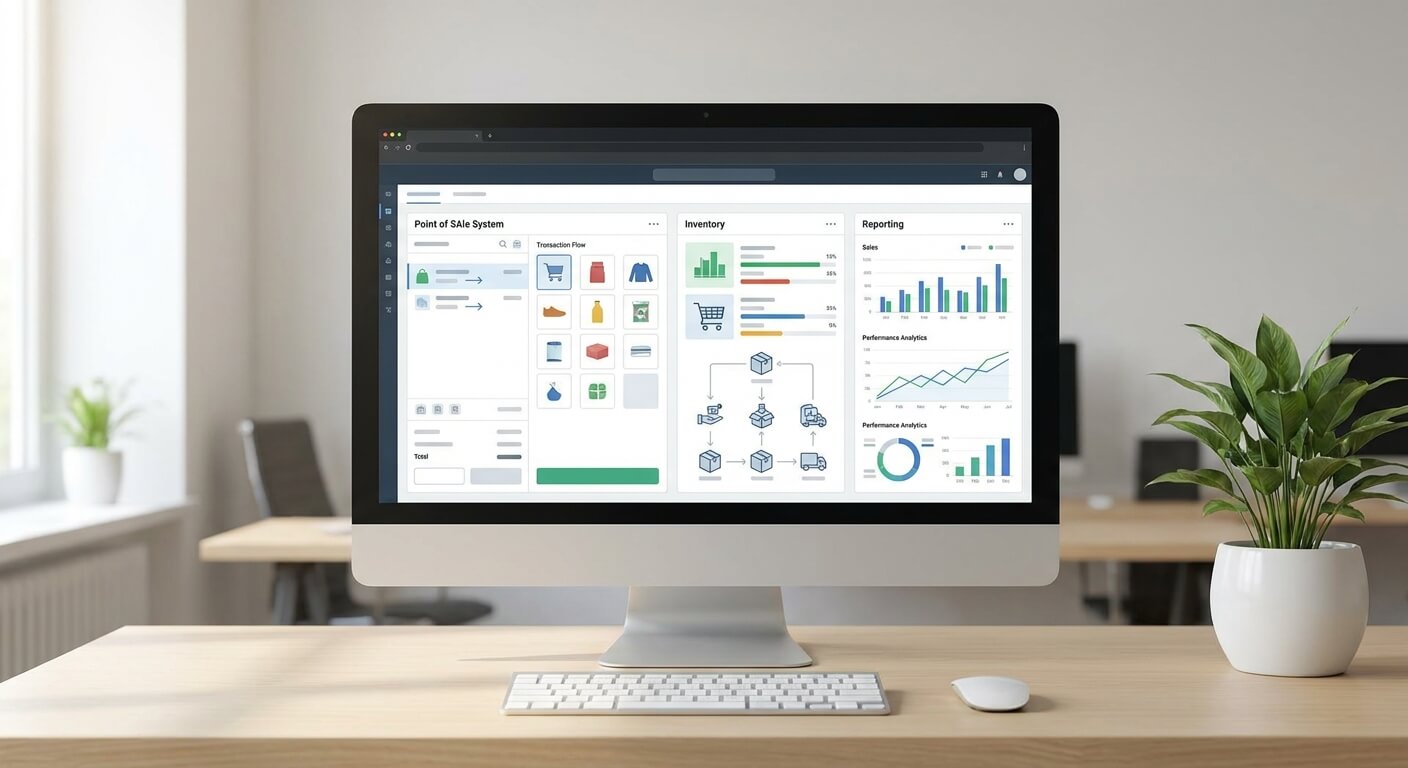
A unified ticketing system is not a POS terminal with a nicer screen bolted onto it. It covers four connected jobs, point-of-sale, ticket validation, inventory control, and real-time reporting, working off one shared set of data rather than four separate ones.
Point-of-sale is the part every operator already has in some form, whether that is a counter terminal, a website checkout, or both. On its own, a POS only handles the transaction; it does not tell you what happened before the sale or what happens after it.
Ticket validation is what turns a sale into a boarding decision. A unified ticketing system should offer flexible validation options, so a driver or gate agent can check a ticket the way that fits the route, not one rigid method forced onto every service.
Inventory control is the piece that keeps a counter sale, a website sale, and a third-party sale from all claiming the same seat. In a unified ticketing system, every channel reads and writes to the same inventory the instant a sale happens.
Real-time reporting closes the loop by showing what sold, where, and when, as it happens. Without that inside a unified ticketing system, a manager is left reconstructing the day from paper receipts, a spreadsheet, and whatever the counter agent remembers.
Loyalty tracking rides on the same shared data once those four pieces are connected. A unified ticketing system that already logs every sale in one place can flag a repeat rider or apply a reward at the counter automatically, instead of an agent checking a separate list by hand.
4 Signs You Need a Unified Ticketing System
The first sign is the simplest one to spot. Someone on your team spends part of every shift reconciling numbers across a spreadsheet, a POS report, and a paper log just to get one honest total for the day.
That reconciliation work is the tell that you are running four disconnected tools, not one unified ticketing system. It costs staff time every single shift, and it means the number you end the day with is an estimate, not a fact.
The second sign is a seat that sells twice. If the counter, the website, and a third-party channel each track availability on their own, none of them actually knows what is still open, and an oversold seat becomes a matter of time on a busy departure.
A unified ticketing system removes that gap by keeping one inventory count that every channel checks before confirming a sale. No channel can sell a seat that another channel already sold ten minutes earlier.
The third sign shows up when a schedule has to change on short notice. If a mechanical issue or a driver call-out forces you to move a departure, calling each sales channel separately to update it eats up time you do not have.
A unified ticketing system lets you shift that schedule once and have every channel update immediately, so a passenger checking the website five minutes later sees the same departure time as the counter agent does.
The fourth sign is not being able to answer a simple question fast: how many seats sold today, on which route, through which channel. Without a unified ticketing system, that answer takes a phone call, a spreadsheet pull, and a guess.
Real-time reporting inside a unified ticketing system answers that question on the spot, broken down by route and channel, instead of waiting for someone to compile it at the end of the week.

Who Feels the Gap First, and What It Costs Each Role
Ticket agents feel the gap before anyone else does. They are the ones closing out a shift against three different sources instead of one screen, and they are the ones who get blamed when the totals do not quite line up.
Operations managers feel it next, usually on a Monday, trying to figure out why the weekly numbers from the counter, the website, and a partner channel do not add up to a clean picture of what happened.
A unified ticketing system removes that guesswork, because every channel is already logging to the same place instead of three separate exports someone has to stitch together by hand.
Owners feel it last but worst, when a straightforward question, like which route is actually profitable this month, takes days to answer instead of minutes.
That delay is not really a reporting problem on its own. It is a symptom of running several disconnected tools instead of one unified ticketing system, and it gets worse, not better, as the operation grows.
None of these are hypothetical costs specific to one company size. Any operation selling through more than one channel, whether that is a counter plus a website, or a counter plus a partner site, runs into the same reconciliation gap once volume passes a certain point.
The pattern tends to repeat the same way at every stage. A tool gets added to solve one specific problem, like a website checkout on top of a counter terminal, and nobody goes back to connect it to the inventory the counter already tracks.
Each addition solves the immediate problem and creates a new reconciliation task. A unified ticketing system is the point where that pattern stops, because every new channel plugs into the same inventory, validation, and reporting instead of starting its own separate record.
Consolidating Without a Disruptive Cutover
Moving to a unified ticketing system does not have to mean ripping out everything at once. The four pieces, point-of-sale, validation, inventory, and reporting, can be evaluated together against what you run today, one connected system at a time.
That comparison is exactly the audit worth doing before you shop for a replacement. Mapping your current tools against those four jobs shows where the real gaps sit, rather than guessing which piece to fix first.
Our bus technology audit walkthrough covers that mapping in detail, system by system, so you can see which of the four jobs your current setup already handles and which ones it is quietly missing.
If your biggest exposure right now is double-selling seats across the counter, your website, and a partner channel, that specific piece is covered in our guide to multi channel bus ticket sales.
It also helps to see the four capabilities broken down on their own, since point-of-sale tends to get shopped for more than the other three combined.
Our bus POS checklist lays out what each of those four jobs should include by itself, before you decide how they need to connect as one unified ticketing system.
A unified ticketing system is worth building your evaluation around from the start, rather than treating consolidation as a project for later. The gap between four disconnected tools and one shared system tends to show up at the worst moment, like a sold-out holiday weekend.
Request a walkthrough of a unified ticketing system built around point-of-sale, validation, inventory, and reporting as one connected platform.