One stop ticketing solution for bus and coach operators

Author: Mark Ellison

  • Event Shuttle Scheduling Software: 4 Practical Ways To Handle Last-Minute Changes

    Event Shuttle Scheduling Software: 4 Practical Ways To Handle Last-Minute Changes

    Event shuttle scheduling software is what keeps a busy event day from turning into a phone call marathon. When a festival, conference, or game sends thousands of people to one place in a short window, the schedule is never final. It changes while the day is running.

    This guide is for the owner or dispatcher of a bus company that runs event shuttles. It focuses on one part of the job: building a multi-departure schedule and changing it safely at the last minute. Booking and corporate contracts are covered in other articles.

    We do not quote customer numbers or performance figures, because UBT has not published them. Examples use simple conditions that you can replace with your own.

    Why Event Shuttle Scheduling Software Is Different

    A regular route has a timetable that stays stable for months. An event shuttle has a timetable that exists for a day or a weekend, and demand is lumpy. Many people arrive early, nearly everyone leaves at once, and some departures fill while others run light.

    That shape makes a spreadsheet risky. Event shuttle scheduling software needs to handle many short departures, repeated loops, and sudden changes without losing track of who is booked on what.

    It also has to serve two audiences. The dispatcher needs a clear picture of every departure, and the passenger needs a simple answer to when the next shuttle leaves. If the two views disagree, you get queues and complaints.
    event-shuttle-scheduling-software-pickup-zone

    Plan The Departures Before Event Day

    Start from the event itself. Note the opening time, the finish time, and the points where most guests will arrive and leave. Build departures around those peaks and keep a thinner base schedule in between.

    Group the departures into waves. An arrival wave, a midday wave, and a departure wave are easier to manage than one long list. Each wave can have its own frequency and its own buffer for delays.

    Decide your buffer in advance. A buffer is time between departures that absorbs a late bus. Without it, one slow trip pushes every later trip back, and the whole day slips.

    If a company runs a shuttle every 20 minutes in a wave, a single bus that is ten minutes late affects the next several departures. Event shuttle scheduling software should show that chain at a glance. The number is only an example.

    Keep a list of the information the event guest needs. Pickup point, first and last departure, and how to find your seat are the basics. Anything else, such as ticket prices or capacity, should come from your own records and not from guesswork.

    Changing The Schedule When The Day Goes Wrong

    Things will change. A bus may break down, a gate may open late, or a sudden crowd may need an extra run. The test of event shuttle scheduling software is how fast you can change the plan and how reliably the change reaches everyone.

    UBT’s site describes this exact situation: need to cancel a busline, or move it an hour later due to mechanical issues? It states that UBT allows you to move your schedule around. For the longer story, see how to change a bus schedule last minute.

    Ask three questions of any system. Can one change move a whole departure, rather than editing each booking? Does the new time show up on every sales channel at once? And who sees the change first, the dispatcher or the customer?

    The second question matters because event tickets are often sold in several places. UBT states that its shared APIs sync instantaneously across all sales channels, including third party websites, which is the property that stops stale times from staying on one site.

    Tell passengers quickly. A moved departure with no message creates a crowd at the wrong stop. Our article on how to notify passengers of a bus delay explains how to word it.

    event-shuttle-scheduling-software-timeline-screen

    Assign roles before the day starts. One dispatcher owns the schedule, one person owns passenger messages, and one person watches the pickup point. When several people can change the plan, changes collide and nobody knows which version is current.

    Run a short rehearsal. Walk through a delay, a cancelled departure, and an added run on paper or in a test setup. The first time you try a change should never be with a crowd waiting.

    Plan the last departure with care. The final shuttle of the night is the one guests worry about, so confirm its time early and repeat it everywhere you publish a schedule. A missed last shuttle creates the loudest complaints of the day.

    Keep one master schedule. Printed sheets, radio notes, and private chats all become wrong the moment a change is made. Event shuttle scheduling software earns its place by being the single version that every other view is drawn from.

    Think about the drivers as well. A schedule that changes in the office must reach the person behind the wheel quickly and clearly. Decide how drivers are told, and confirm they received it before the new time takes effect.

    Finally, think about the quiet hours. Between waves, buses can rest, refuel, or be swapped. Event shuttle scheduling software should let you mark those gaps so nobody mistakes a planned pause for a missing bus.

    Track Departures While They Run

    A schedule is a plan, and tracking is how you see whether the plan is holding. UBT describes real time fleet tracking for passengers and management, so the dispatcher and the guest see the same picture. Read real time bus tracking for passengers and dispatchers for the operational detail.

    On event day, the dispatcher should be able to answer one question without calling anyone: where is each shuttle in its loop? If the answer depends on a radio call, the system is not doing its job.

    Use that view to rebalance during the day. If one pickup point is filling faster than expected, you can decide whether to add a run, and that decision belongs to you. Do not promise extra runs to customers before you have confirmed the vehicle and driver.

    After the event, keep the record. Which waves ran late, which departures ran empty, and where the schedule needed changes all become inputs for next year. Our guide on bus route performance review shows a way to read those results.

    Choosing Event Shuttle Scheduling Software

    When you compare tools, bring your own messy event day. Ask the vendor to show how they would move a departure, cancel one, and add one, all while sales are still open. A clean demo of a normal day tells you very little.

    Check how the tool fits with the sale itself. Scheduling that is separate from ticketing means a second place to update. Our article on the event shuttle booking system covers the sales side.

    Ask what you can see without exporting anything. Real-time reporting, which UBT lists alongside point of sale, ticket validation, and inventory control, lets you read how a wave is selling while it still can be changed.

    Finally, ask about the start. UBT states that it provides Technology as a Service and that it is free with no obligations at all if you do not like it. Trial length and pricing are not published, so ask UBT directly.

    If you run event shuttles and want to see how a last-minute change would work on your own schedule, request a walkthrough from United Bus Tech and bring a real event timetable.


  • Bus Ticket Refund Policy: 5 Essential Rules Operators Should Write Down

    Bus Ticket Refund Policy: 5 Essential Rules Operators Should Write Down

    A bus ticket refund policy is the page your customers read when something has already gone wrong. They missed a bus, a plan changed, or your own departure was cancelled. What that page says, and whether your staff follow it, decides if the customer comes back or posts a complaint.

    This guide is for the owner or operations manager of a bus company. It explains how to write a bus ticket refund policy that is clear, consistent, and easy to run. It is about policy design, not the click-by-click process, which we cover in a separate article.

    We do not give legal text or refund percentages here. Those depend on your state, your routes, and your own risk appetite, so check them with your advisers. What we can offer is a structure that works for most small operators.

    Why Your Bus Ticket Refund Policy Matters

    A bus ticket refund policy does three jobs at once. It tells customers what to expect before they buy, it tells staff what they may approve, and it tells your system how to behave. When those three disagree, you get arguments at the counter and manual fixes in the back office.

    Many operators write the policy once and never look at it again. Then the website says one thing, the counter says another, and a driver promises a third. The customer remembers the most generous version and expects it every time.

    A clear policy also protects you. When a refund is declined, you can point to words that the customer saw before paying. That is calmer for everyone than a decision made on the spot by whoever picked up the phone.

    bus-ticket-refund-policy-clipboard-desk

    What A Bus Ticket Refund Policy Should Include

    Keep the policy short enough to read in a minute. Customers skim it, so each rule needs a plain sentence and no hidden exceptions. Here are the parts we suggest every operator decide on, in this order.

    First, who cancels. Separate the case where the customer cancels from the case where you cancel or change the departure. These deserve different answers, and mixing them is the most common source of confusion.

    Second, the timing. Decide how far ahead of departure a customer can cancel and what they receive at each stage. Write the cut-off in clock time and time zone, not in loose words like soon or shortly before.

    Third, what is returned. Say whether the refund goes back to the original payment method, whether credit toward a future trip is offered, and whether any fee is kept. If you keep a fee, name it and explain it.

    Fourth, how to ask. Tell customers where to go, what to bring, and who answers. A bus ticket refund policy with no clear route to act on it just moves the frustration somewhere else.

    Fifth, the exceptions you will honor. Mechanical breakdowns, weather, and missed connections are the usual candidates. Decide in advance, because deciding live is how inconsistency starts.

    Write The Policy Around Operator Events

    The hardest cases are the ones you cause. UBT’s own example on its site is a departure that needs to move an hour later due to mechanical issues, and a line that must be cancelled. When that happens, every booked passenger is affected at once.

    Your policy should say what a customer can choose in that moment, such as a new departure or a return of the fare. It should also say how they will be told. Our guide on how to notify passengers of a bus delay covers the message side.

    It helps if the system can change a schedule in one step and carry the change to every booking. UBT states that you can move your schedule around when a line must be cancelled or moved. Read how to change a bus schedule last minute for the operational view.

    Consider a simple condition. If a company has 40 passengers booked on a departure that is cancelled, the policy decides whether staff make 40 individual judgment calls or apply one rule 40 times. The number is only an example, but the difference grows with every trip.

    bus-ticket-refund-policy-timetable-counter

    Keep Policy, Website, And System In Line

    A good bus ticket refund policy is the same everywhere. It appears on the booking page, in the confirmation message, and on the counter card. If you change it, change all three on the same day.

    The system should enforce what the policy says. If the policy gives a cut-off, the software should know it, so staff do not have to count hours by hand. Where rules and software disagree, people will follow the software and the policy becomes a decoration.

    Keep a record of every refund and the reason. A short list of reasons, reviewed monthly, shows you which departures and which channels cause the most trouble. That is how a refund policy becomes a source of operating insight.

    Our article on handling refunds and reschedules in a bus ticketing system walks through the process side. This article is about the rule that process follows.

    Write the policy in the voice you use with customers. Short sentences, no legal fog, and the same terms every time. If a rule needs three lines of explanation, it is probably too complicated to apply fairly at a busy counter.

    Give staff a one-page version. It should list what they may approve alone, what needs a manager, and what they must decline politely. A bus ticket refund policy that lives only on a website does not help the person standing in front of an upset customer.

    Also decide what happens with group and partner bookings. A booking made through a third party website may follow different terms than one made at your counter. State this clearly, and make sure your channels show the same rules.

    Review the policy on a calendar. Once or twice a year, read it against the refund records and ask whether a rule is causing more work than it saves. Small edits made calmly are better than big rewrites made after a bad weekend.

    Common Mistakes In A Bus Ticket Refund Policy

    The first mistake is copying another company’s wording. Their routes, costs, and customers are different. A policy that suits a long overnight service can be wrong for a short commuter run.

    The second mistake is promising more than you can deliver. A generous rule that staff cannot actually fund gets quietly broken, and a broken rule is worse than a stricter honest one.

    The third mistake is vague language. Words like reasonable or case by case invite argument. If an exception exists, describe the case so a new employee can recognise it on day one.

    The fourth mistake is never testing the policy. Once a quarter, pick a few real refund requests and see whether three different staff members would give the same answer. If they would not, rewrite the rule, not the training.

    Finally, avoid presenting a trial or promotion as a refund rule. UBT states that its service is free with no obligations at all, and that if you do not like it there will be no cost to you. That describes its offer to operators, and it is not a model for what your passengers are owed.

    If you want to see how schedule changes and refunds can be handled in one system, request a conversation with United Bus Tech and ask for your own refund scenarios to be walked through.

  • Bus Technology Overview for Small Operators: 7 Essential Building Blocks

    Bus Technology Overview for Small Operators: 7 Essential Building Blocks

    A bus technology overview for small operators starts with one honest question: which pieces of software and hardware does a bus company actually need to run well? The market is full of long feature lists, and a small team can drown in them.

    This guide gives you a plain map of the parts, so you can judge any system on your own terms.

    It is written for the owner or operations manager of a bus company, not for passengers. We do not name other vendors and we do not quote industry statistics. The aim is to show you seven building blocks and the questions worth asking about each one.

    Where we describe what United Bus Tech (UBT) offers, we stick to what the company states publicly. Anything it has not published, such as pricing or trial length, is marked as something to ask about directly.

    What A Bus Technology Overview For Small Operators Should Cover

    Most small operators do not need a giant platform. They need a short list of tools that work together, so that a ticket sold in one place is known everywhere else. A useful bus technology overview for small operators therefore describes a stack, not a product.

    Think of the stack as a chain from sale to seat. A customer buys a ticket, the seat is reserved, the ticket is checked at boarding, the trip is tracked, and the numbers come back to the office. If any link is manual, that is where errors and late nights come from.

    The seven blocks below follow that chain. For each one, we explain what it does, what a small operator should ask, and where it connects to the next block. You can score your current setup against them in an afternoon.

    bus-technology-overview-for-small-operators-desk

    Seven Building Blocks Of Bus Technology

    Block one is the point of sale. This is where a ticket is created, whether at a counter, on a phone, or online. UBT lists Point-of-Sale, Ticket Validation, Inventory Control, and Real-time Reporting as one set of capabilities. Our article on the bus ticket POS system goes deeper on this block.

    Ask how quickly a new agent can learn it, and whether it works the same at the counter and online. A point of sale that behaves differently in each place creates training cost you will pay again and again.

    Block two is ticket validation. It answers a simple question at the door: is this ticket real and unused? UBT states that it offers flexible ticketing validation options to meet your needs.

    Different routes may suit different methods, so compare the choices in bus ticket validation options for operators.

    Ask what happens when a driver has no signal, and how a refunded or changed ticket is handled at the door. Validation is only as good as its link back to the sale.

    Block three is inventory control. This is the live count of seats, per departure, across every place you sell. It is the block that prevents two people from selling the same seat, which is the most visible failure a customer can see.

    Ask whether the count is shared between all channels or copied between them. Copies drift, and drift is how a bus gets oversold. UBT states that its shared APIs sync instantaneously across all sales channels, including third party websites.

    Block four is channel sync. If you sell on your own site, at a counter, and through partners, this is the plumbing that keeps them equal. It is easy to overlook in a demo because it shows up only when something goes wrong.

    Ask which channels connect natively and which need extra work. If a feature is not listed in writing, treat it as not available until the vendor confirms it.

    Block five is reporting. The office needs to see sales, seats filled, and cash taken without waiting for someone to build a sheet. UBT lists Real-time Reporting as part of its core set, and our guide to real-time bus reporting explains what to look for.

    Ask which questions you can answer in under a minute. For example: which departure filled last week, and which counter sold it? If the answer needs an export, the block is weaker than it looks.

    Block six is fleet tracking. UBT describes real time fleet tracking for passengers and management, so the same data serves both the dispatcher and the person waiting at the stop. Our article on real time bus tracking for passengers and dispatchers covers it in detail.

    Ask what the dispatcher sees when a bus runs late, and how that becomes a message to passengers. Tracking that nobody acts on is only a map.

    bus-technology-overview-for-small-operators-station

    Block seven is passenger communication and loyalty. UBT states that it offers automated SMS boarding reminders, ETA tracking, and onboard movie streaming over mobile devices, along with a loyalty and reward program that encourages repeat purchases.

    Ask which messages go out automatically and which need a person. Reminders reduce no-shows, and a loyalty program only pays off if it is simple enough for staff to explain in a few seconds.

    How To Use This Bus Technology Overview For Small Operators

    Print the seven blocks and score your own setup from one to five on each. Be strict. A block that works only because one person remembers a workaround should score low, because that person may not always be there.

    Then mark the two lowest blocks. For most small operators the weak points are inventory sharing and reporting, because spreadsheets and phone calls fill the gap until volume grows. Those two blocks are usually where a change pays back first.

    Next, look at how the blocks connect. A great point of sale that cannot share seats with your website still leaves you exposed. When you read this bus technology overview for small operators, the links between blocks matter as much as the blocks.

    Use a simple condition to test scale. If a company sells 500 tickets on a busy day, ask how many of those pass through a manual step. Every manual step is a place for a mistake, and the number is only an example. Replace it with your own.

    Mistakes To Avoid When You Compare Systems

    The first mistake is buying by feature count. A longer list does not mean a better fit. A system that does six things cleanly beats one that does twenty things in ways your staff will not use.

    The second mistake is skipping the exit plan. Before you commit, ask how your data comes out if you leave. Our bus ticketing software contract checklist lists the clauses worth reading.

    The third mistake is treating a demo as a test. A scripted demo shows the happy path. Bring your own awkward cases, such as a departure that moves late or a ticket sold twice, and watch how the system handles them.

    The fourth mistake is ignoring your team. The best technology on paper fails if counter staff and drivers do not trust it. Plan training and a gradual start, and our bus ticketing software pilot program guide shows one way to do it.

    Where To Start With Your Own Stack

    You do not have to replace everything at once. Many small operators start with the sale and inventory blocks, because they touch every customer, and add tracking and messaging later. Order matters less than choosing tools that connect.

    UBT describes its offer as Technology as a Service, and states that it is free with no obligations at all: if you do not like it, there will be no cost and obligations to you. The length of any trial and any pricing are not published, so ask UBT directly for those details.

    Write your questions down before the first call. Use the seven blocks as an agenda, and ask the vendor to show each one with your own examples. A good vendor will welcome that, and a weak one will steer you back to the slides.

    If you would like to walk through these seven blocks against your own operation, request a conversation with United Bus Tech and bring your current setup with you.

  • Bus Breakdown Response Plan: 6 Essential Steps For Operators

    Bus Breakdown Response Plan: 6 Essential Steps For Operators

    A bus breakdown response plan is the document you hope never to use and the one you will be glad to have when a bus stops on the shoulder at dusk. The first ten minutes decide whether the day becomes a manageable delay or a string of angry calls.

    This guide is for the owner or operations manager of a bus company. It sets out what a bus breakdown response plan should cover, who does what, and how your ticketing system can help. It does not give safety or legal rules, which vary by state and carrier, so check those with your own advisers.

    The aim is practical. When something goes wrong, nobody should have to invent the process while the phone is ringing.

    Why Every Operator Needs A Bus Breakdown Response Plan

    Breakdowns are not rare events for a fleet. Vehicles age, weather changes, and tires fail. What separates one operator from another is how fast the right people know and how clearly they act.

    A written bus breakdown response plan removes guesswork. It names who the driver calls first, who decides on a replacement vehicle, and who tells waiting passengers at the next stop. Each of these is a small decision that costs minutes if it is made on the spot.

    It also protects your team. Dispatchers and drivers under stress make better choices when they can follow steps they have already practised. The plan is a tool for them, not a rulebook to blame them with.

    bus-breakdown-response-plan-roadside

    Six Steps In A Bus Breakdown Response Plan

    These six steps are a starting frame. Adapt the wording and the order to your routes, your fleet, and your rules.

    Step one: secure the passengers and the vehicle. The driver follows your safety procedure first, before anything about tickets or timetables. Nothing in a bus breakdown response plan should come ahead of this.

    Step two: tell dispatch at once. Give the driver one number to call and a short list of what to report. Location, what happened, how many passengers, and whether anyone needs help are usually enough to start.

    Step three: decide the fix. Dispatch chooses between repair on the spot, a replacement vehicle, or transfer to another departure. Keep a simple list of which spare vehicles and which drivers are available at what times.

    Step four: update the schedule. The departure may need to move, split, or be cancelled. UBT’s own example is a departure that has to be moved an hour later because of mechanical issues, and the system lets you move your schedule around.

    See our guide to changing a bus schedule at the last minute.

    Step five: tell the passengers. People on the bus, people waiting at the next stop, and people who have booked but not yet left all need different messages. Our article on how to notify passengers of a bus delay covers wording and timing.

    Step six: record and review. Write down what happened, how long each step took, and what you would change. A bus breakdown response plan improves only if you read it again after every real event.

    Roles In A Bus Breakdown Response Plan

    Name a person for each job, and a backup for each person. The driver handles safety on the scene. Dispatch handles the vehicle and the schedule. A customer contact handles messages. A manager handles anything that needs a decision on money or policy.

    Small companies often have one person doing several jobs. That is fine, but write it down. A bus breakdown response plan that says the owner is both dispatcher and spokesperson also shows where you are exposed if the owner is unreachable.

    Keep the contact list simple and current. Phone numbers for the driver, the dispatcher, a tow or repair partner, and a backup vehicle source belong on a single page. Check it every quarter, because a wrong number is the most common failure.

    bus-breakdown-response-plan-dispatch

    How Technology Supports A Bus Breakdown Response Plan

    Technology cannot fix an engine, but it can shorten the gap between the problem and the right action. UBT lists real time fleet tracking for passengers and management, which helps dispatch see where a vehicle is. Our note on real-time bus tracking explains the operational value.

    A ticketing system also knows who is booked on which departure. That list is what tells you whom to contact, and it keeps you from messaging people who are not affected. A spreadsheet can hold the same list, but it cannot update itself when a departure moves.

    UBT also describes ETA tracking and automated SMS boarding reminders as part of the passenger experience. Whether a given message suits a breakdown is something to confirm with the team, since the published description covers boarding reminders, not delay alerts.

    When you evaluate any system, add a breakdown scenario to the demo. Ask the vendor to show a departure being moved, the affected bookings found, and the next step for the passenger. Our list of questions to ask in a bus ticketing software demo is a good place to start.

    What To Tell Passengers After A Bus Breakdown

    Passengers forgive a breakdown more easily than silence. A short, honest message that says what happened, what you are doing, and when they will hear next goes a long way. Avoid guessing at a time you cannot keep.

    Prepare message templates ahead of time as part of the bus breakdown response plan. One for people on the bus, one for people waiting at a stop, and one for people booked on later departures. Filling in a few blanks is much faster than writing from scratch.

    Decide in advance what you can offer. Whether that is a transfer to another departure, a refund, or a rebooking is a policy choice for your company, and the plan should state it so staff do not improvise. We do not set that policy for you.

    Keep a record of every message sent and when. If a customer later disputes what they were told, the record protects both sides. It also shows you which messages worked and which caused more questions.

    Think about the aftermath as well. Once the vehicle is back in service, check whether the delay moved other departures and whether any crew hours are affected. A bus breakdown response plan should end with a clear signal that the day is back to normal.

    Testing Your Bus Breakdown Response Plan

    A plan nobody has tried is a guess. Once or twice a year, run a short drill. Pick a made-up breakdown on a real route and walk through the six steps with the people who would be involved.

    Time each step and note where people hesitated. Often the weak point is small, such as nobody knowing who can authorise a replacement vehicle. Fix it on paper while it is cheap to do so.

    Use a simple example to keep the drill honest. If a bus carrying a full load stops one hour from the next stop, ask how many people would be waiting there, who calls them, and what they are told. Use your own numbers, not an industry average.

    A good bus breakdown response plan fits on two pages and can be found in under a minute. If it needs a search, it will not be used on the day. If you want to see how a ticketing system handles a moved departure, request a walkthrough from United Bus Tech and bring your breakdown scenario.

  • Bus Route Performance Review: 5 Simple Questions To Ask Every Time

    Bus Route Performance Review: 5 Simple Questions To Ask Every Time

    A bus route performance review is the habit that separates a route you believe is working from one you can prove is working. Most operators know their busiest departure by feel. Fewer can say, with the same confidence, which route quietly earns less than it costs to run.

    This guide is for the owner or operations manager of a bus company. It sets out a simple, repeatable way to run a bus route performance review, using questions you can answer from your own records. It does not quote industry benchmarks, because the right targets depend on your market.

    The goal is not a perfect report. It is a regular conversation, backed by numbers, about which routes to protect, change, or retire.

    Why A Bus Route Performance Review Needs A Schedule

    Routes drift. A timetable set two years ago may no longer match when people want to travel. A fare that made sense then may be out of step with your costs now. Without a fixed review date, nobody looks until something goes wrong.

    Pick a rhythm that fits your size. Many operators review monthly for a quick look and quarterly for decisions. A short, regular bus route performance review beats a long one done once a year in a panic.

    Put the date in the calendar for the whole year at the start. A review that depends on someone remembering to call a meeting will slip the first time the week gets busy, and then it quietly stops happening.

    Decide who attends. The owner, the person who builds the schedule, and whoever manages the counters or online sales usually cover it. Keep the group small so the meeting stays about decisions.

    bus-route-performance-review-route-map

    Five Questions For Every Bus Route Performance Review

    Run the same five questions for every route, every time. Consistency is what lets you compare one month with the next and one route with another.

    Question one: how full are the departures? Look at seats sold against seats offered, departure by departure, not as a single route average. An average can hide a full morning bus and an empty evening one.

    Question two: where do the sales come from? Note how many tickets come from the counter, your website, and partners. A route that depends on one channel carries a different risk from one sold evenly across several.

    Question three: what is the cost side? List what the route costs you to run, using the figures from your own books. A full bus on a costly route may earn less than a half-full bus on a cheap one.

    Question four: what goes wrong? Count cancellations, late departures, refunds, and no-shows for the route. Our guide on how to reduce bus ticket no-shows explains why the last of these is worth tracking.

    A bus route performance review also benefits from a second look at the timetable itself. Ask whether departures bunch together or leave long gaps. Riders choose a route partly by when it leaves, so timing can matter as much as price.

    Question five: what changed? Compare with the previous review. Did a new competitor appear, a school term start, or an event end? A number without its context can lead to the wrong decision.

    Where The Data For A Bus Route Performance Review Comes From

    A review is only as good as the records behind it. If sales live in several places, someone has to gather them first, and that work often becomes the reason the review never happens.

    UBT lists Real-time Reporting among its core capabilities, alongside POS, Ticket Validation, and Inventory Control. The point for an operator is that reports are available when you need them, not only after a month-end close. Our note on real-time bus reporting covers what to ask for.

    If you sell through more than one channel, make sure each sale lands in the same place. UBT states that its shared APIs sync instantaneously across all sales channels, including third party websites. That matters because a route review built on partial data points the wrong way.

    Start with what you have today. Even a basic export of tickets by departure is enough to begin a bus route performance review. You can refine the measures later as you see which ones change your decisions.

    bus-route-performance-review-meeting

    Turning A Bus Route Performance Review Into Decisions

    Sort each route into one of four groups. Protect the ones that are full and profitable. Fix the ones that are popular but costly. Test changes on the ones that are quiet but promising. Retire the ones that stay weak after a fair trial.

    Changes should be small and measured. Move one departure by an hour, adjust one fare, or add a channel. Then check the result at the next bus route performance review. Changing everything at once makes it impossible to learn what worked.

    When a timetable change is needed, the mechanics matter. UBT’s own example is that a busline can be cancelled or moved an hour later, and the schedule moved around as needed. Our guide to changing a bus schedule at short notice covers the customer side.

    Seasonal patterns deserve their own look. A route that is weak in one quarter may be strong in the next. Our article on demand forecasting for peak season shows how to plan for that.

    A One-Page Template For Your Bus Route Performance Review

    Keep the layout the same every time. Put the route name at the top, then the five answers in short lines, then one decision and one owner. A page that fits on one side is far more likely to be read than a long report.

    Under each question, add a single line for what you will check next time. For example, if departures on one evening are half empty, note that you will test a later time for a month. This turns the page into a plan, not just a record.

    Share the page with the people who run the route. Drivers, dispatchers, and counter staff often know why a number looks odd. A quick comment from them can save you from a wrong conclusion drawn from the spreadsheet alone.

    If you manage several routes, rank them on one summary sheet. Do not rank by revenue alone. Include fullness, cost, and trouble count so a busy but difficult route does not look better than it is.

    Keeping Your Bus Route Performance Review Honest

    Write the result down. A one-page note per route, with the five answers and the decision, is enough. When you look back in six months you will see which calls were right and which were not.

    Beware of two traps. The first is judging a route on one bad week. The second is keeping a route out of habit because it was the first one you ran. A bus route performance review exists to replace both with evidence.

    Also be careful with examples. If a route sells 40 seats on a 50-seat departure, that is a simple illustration, not a target. Set your own thresholds from your own costs and revisit them as conditions change.

    A steady bus route performance review makes every later decision easier, from pricing to staffing. To see how a ticketing system can put your route data in one place, request a walkthrough from United Bus Tech and bring one route.

  • Bus Ticketing Spreadsheet: 7 Essential Signs It Is Time To Move On

    Bus Ticketing Spreadsheet: 7 Essential Signs It Is Time To Move On

    A bus ticketing spreadsheet is where many small bus companies start, and for good reason. It costs nothing, everyone already knows how to use one, and it can be shaped around any route. The trouble is not that it fails on day one. It is that it fails slowly, and usually on your busiest day.

    This guide is written for the owner or operations manager of a bus company. It does not tell you to drop your spreadsheet tomorrow. It lists seven signs that a bus ticketing spreadsheet is starting to cost more than it saves, so you can decide when to move.

    Everything here is a framework to judge your own operation. We do not quote industry statistics, because the right moment depends on how many routes you run and how many people touch the file.

    Why A Bus Ticketing Spreadsheet Works At First

    When a company runs a couple of departures a day and one person takes bookings, a bus ticketing spreadsheet is a sensible tool. One row per seat or per booking, a column for the departure, and a column for the name. The owner can see everything at a glance.

    It also gives you total flexibility. You can add a column for a special request, colour a row for a no-show, and change the layout in a minute. No vendor, no training, and no contract.

    The limits appear when more people, more routes, and more places to sell are added. A bus ticketing spreadsheet is a record of what happened, kept by hand. It does not enforce anything, and it cannot talk to your website, your counter, or your driver.

    bus-ticketing-software-vs-spreadsheets-paper-ledgers

    Seven Signs Your Bus Ticketing Spreadsheet Is Holding You Back

    Read through these honestly. If three or four sound familiar, the spreadsheet is probably already slowing the business down, even if nobody has complained yet.

    Sign one: two people have sold the same seat. A spreadsheet cannot stop a second person from typing into a seat that is already taken. If it has happened once, it will happen again as volume grows. Our guide to how to stop overselling bus seats explains the mechanism.

    Sign two: you sell in more than one place. The moment tickets are sold online, at a counter, and through a partner, one file cannot be the single source of truth. Somebody has to copy numbers between them, and copies drift.

    UBT states that its shared APIs sync instantaneously across all sales channels, including third party websites.

    Sign three: only one person understands the file. If the formulas, colours, and hidden columns live in one head, a holiday or a resignation becomes a risk to the business. A good system holds the rules in the product, not in a person’s memory.

    Sign four: a schedule change takes a phone tree. When a bus breaks down or a departure moves, every affected booking in the file has to be found and handled by hand.

    UBT’s own example is a departure that needs to move an hour later because of mechanical issues, and that is meant to be one change, not an afternoon of edits.

    Sign five: the end of the day takes too long. If someone spends an evening matching the cash drawer to the sheet, you are paying for reconciliation by hand. Our article on bus ticket reconciliation shows what a cleaner close looks like.

    bus-ticketing-software-vs-spreadsheets-dashboard

    Sign six: you cannot answer simple questions quickly. Which departure was fullest last month? Which counter sold the most? With a bus ticketing spreadsheet the answer needs a pivot table and an hour.

    UBT lists Real-time Reporting alongside POS, Ticket Validation, and Inventory Control for exactly this reason.

    Sign seven: the file has become a risk in itself. A single spreadsheet can be overwritten, deleted, or emailed to the wrong person. There is no record of who changed what, and no way to see how a number came to be. That matters most when a customer disputes a booking.

    Consider a simple condition. If a company sells 500 tickets on a busy day, even a small error rate in a bus ticketing spreadsheet means several wrong bookings, each one a conversation with an unhappy customer. The number is only an example, but the logic holds at any scale.

    There is also the cost that never shows up on an invoice. Time spent fixing the file is time not spent on routes, drivers, or customers. Owners often underestimate it because it is spread across many small tasks.

    What A Bus Ticketing Spreadsheet Cannot Do

    It helps to name the gaps plainly. A bus ticketing spreadsheet cannot lock a seat the moment it is sold. It cannot show the same live inventory to a counter agent and a website visitor. It cannot validate a ticket at the door of the bus.

    It also cannot remind a passenger. UBT describes automated SMS boarding reminders and ETA tracking as part of the experience it offers, which is a job a person with a file would have to do by phone. See our note on automated SMS boarding reminders for the operational side.

    None of this means a spreadsheet is a bad tool. It means it is the wrong tool for coordinating several people and several channels at once. Knowing that difference is what lets you move at the right time instead of in a crisis.

    How To Leave A Bus Ticketing Spreadsheet Without Breaking Service

    The safest move is gradual. Keep the spreadsheet as a backup while you try the new system on one route. Our guide to a bus ticketing software pilot describes how to set one up so a mistake stays small.

    Before you start, clean the data you want to keep. Decide which routes, fares, and customer records matter, and which are old clutter. Our data migration checklist covers the steps in order.

    Write down what the new system must do that the file could not: live inventory, one change for a schedule move, daily reports. Our requirements checklist for a bus ticketing system is a good template for that list.

    UBT states that it provides Technology as a Service and that if you do not like it, there will be no cost and obligations to you. That is the kind of low-risk start a company leaving a bus ticketing spreadsheet should look for, whichever vendor it chooses.

    The trial length is not published, so ask directly.

    Finally, plan the people side. Tell staff what will change and what will not. Give them time to practise before the busiest weekend, and keep the old file read-only for a while so nobody is tempted to update both.

    A Quick Test For Your Own Bus Ticketing Spreadsheet

    Try this on a normal week. Count how many times someone copied a number from one place to another. Count how many questions you could not answer without opening the file and sorting it. Count how many people can safely edit it.

    If those counts are small, your bus ticketing spreadsheet may serve you for a while yet. If they keep growing, you are paying for the file with staff hours and customer trust, and the cost will rise with every route you add.

    If you want to compare your current setup with a ticketing system built for operators, request a walkthrough from United Bus Tech and bring your own file along.

  • Bus Ticket Pricing Strategy: 5 Practical Levers Owners Control

    Bus Ticket Pricing Strategy: 5 Practical Levers Owners Control

    A bus ticket pricing strategy is the set of rules that decides what each seat costs, when that changes, and who is allowed to change it. For most small and mid-size operators it grows by accident, one exception at a time, until nobody can explain why two similar trips are priced differently.

    This guide is written for the owner or operations manager of a bus company. It does not tell you what to charge, because that depends on your routes, costs, and competitors. It explains five practical levers and the controls a bus ticket pricing strategy needs to stay consistent.

    Nothing here is a benchmark or a promise of results. Where we mention numbers, they are placeholders for you to replace with your own, so treat every example as a question to answer rather than a figure to copy.

    Start Your Bus Ticket Pricing Strategy With Costs And Demand

    Before you set any fare, write down what a departure costs you to run and how many seats you need to fill to cover it. That number is your floor. Any bus ticket pricing strategy that ignores it will feel busy and still lose money on quiet trips.

    Next, look at demand. Some departures fill early and some stay half empty. Your sales history shows which, and our guide to bus ticket demand forecasting for peak season explains how to read it without complicated tools.

    Then look at your competition honestly. Riders compare the fare, the departure time, and the pickup location together. A bus ticket pricing strategy built only on matching someone else’s fare ignores the other two.

    Finally, decide what the fare is for. A low fare can fill a slow departure, build a habit, or introduce new riders. A high fare can protect a crowded departure. Each fare should have a job, and the job should be written next to it.

    bus-ticket-pricing-strategy-planning

    Five Practical Levers In A Bus Ticket Pricing Strategy

    The first lever is the base fare by route. Give every route a clear base fare tied to its cost and distance, and keep a record of when it was last reviewed. Routes that were priced years ago and never revisited are the usual source of quiet losses.

    The second lever is timing. Departures at busy hours or on holiday weekends can carry a different fare from quiet midweek trips. Decide the rule in advance, write it down, and apply it the same way every time so staff and riders can predict it.

    The third lever is advance purchase. Some operators reward riders who book early, because early sales make planning easier. If you do this, state the condition clearly, such as how many days ahead, so no rider assumes a discount that does not apply.

    The fourth lever is promotions and loyalty. A short promotion can fill a slow route, and rewards can bring riders back. Our guide to a bus passenger loyalty program covers how rewards fit alongside regular fares.

    The fifth lever is the fare for changes and refunds. What a rider pays to move a trip or cancel it is part of the price, even if it is not on the ticket. Our article on handling refunds and reschedules covers the process side of that.

    Controls That Keep A Bus Ticket Pricing Strategy Consistent

    A bus ticket pricing strategy only works if it is applied the same way everywhere. Decide who can change a fare, who can give a discount, and how each change is recorded. Without that, exceptions spread and the strategy exists only on paper.

    Think about every place a ticket is sold. A counter agent, a website, and a partner channel should all show the same fare for the same trip. If they do not, you will hear about it from riders before you hear about it from your reports.

    UBT’s site says its shared APIs sync instantaneously across all sales channels, including third party websites. That is the kind of capability to look for when you want one fare to appear everywhere at once. Ask any vendor how a fare change reaches each channel.

    It also helps to review pricing on a schedule. A monthly or seasonal review keeps the strategy honest, and a change log lets you see which adjustments helped. UBT lists real-time reporting among its POS capabilities, which supports checking results quickly.

    bus-ticket-pricing-strategy-station

    Common Mistakes To Avoid

    The first mistake is discounting by reflex. A fare cut on a trip that would have filled anyway is money given away. Check whether a departure usually sells out before you reduce its price.

    The second is changing fares without telling staff. A counter agent who learns about a new fare from an angry rider has no good answer. Tell the team before a change takes effect, and give them the reason.

    The third is hiding conditions. A low fare with unclear rules creates complaints, and many disputes begin with an expectation set too loosely. State every condition in plain words where the rider buys.

    The fourth is forgetting the schedule. When a departure moves or is cancelled, the fare logic around it may need to move too. Our guide on changing a bus schedule at the last minute explains how to handle that cleanly.

    How To Test A Change To Your Bus Ticket Pricing Strategy

    Never change every fare at once. Pick one route and one clear change, such as a different fare for a quiet midweek departure. Write down the date, the old fare, the new fare, and what you expect to happen before the change goes live.

    Then watch the right numbers. Look at seats sold per departure, how early they sold, and whether other departures on the same route lost sales. A change that fills one trip by emptying the next has moved demand rather than created it.

    Give each test enough time. A single weekend can be distorted by weather, an event, or a road closure. Compare a few comparable weeks before you decide, and note anything unusual that happened during the test.

    Share the result with the people who sell the tickets. Counter agents hear rider reactions first, and their comments often explain what the numbers cannot. A bus ticket pricing strategy improves fastest when sales staff and management read the same results.

    Finally, keep a short record of every test, including the ones that did not work. After a year, that record becomes the most useful part of your bus ticket pricing strategy, because it shows what your own riders actually respond to.

    Putting Your Bus Ticket Pricing Strategy On One Page

    Write a single page that lists your base fares, your timing rules, your advance-purchase conditions, your promotions, and your change and refund fees. Add who may change each one and how often it is reviewed. That page is the strategy.

    Then check that your ticketing system can actually carry it. Ask whether it can hold different fares by route and time, record who changed what, and show results in real time. Software should make your rules easy to follow, not force you to bend them.

    Test with one route first. Apply the rules, watch the sales for a few weeks, and adjust. A modest bus ticket pricing strategy that is applied consistently beats a clever one that nobody follows.

    If you would like to see how a ticketing system could carry your own fare rules across counters and online sales, request a walkthrough from United Bus Tech and bring your fare page.

  • Build vs Buy Ticketing System: 6 Key Questions For Bus Owners

    Build vs Buy Ticketing System: 6 Key Questions For Bus Owners

    Every growing bus company hits the same fork in the road. Do we pay developers to create our own booking tool, or subscribe to one that already exists? The build vs buy ticketing system decision looks like a technology question, but it is really a question about where your attention should go.

    This guide is written for the owner or operations manager of a bus company. It does not argue that one answer is always right. It lays out the questions that decide a build vs buy ticketing system choice, so you can answer them with your own numbers instead of someone else’s.

    A useful rule before you start: write down every task a ticketing system must do for you on a normal day and on your busiest day. The list will usually be longer than expected, and it is the real scope of a build vs buy ticketing system project.

    What A Build vs Buy Ticketing System Decision Really Covers

    Building sounds like a one-time cost. In practice the first version is the cheapest part. A ticketing tool needs seat inventory, schedules, fares, payments, refunds, validation, reports, and a way to sell through more than one channel. Each of those is a product of its own.

    Buying sounds like a shortcut. It is, but it also means accepting a product shaped by many operators’ needs rather than only yours. The honest comparison is between the work you take on and the fit you give up.

    It helps to treat the build vs buy ticketing system choice as three smaller choices: who writes the software, who runs it day to day, and who answers the phone when a counter cannot sell a seat at six in the morning.

    Those three roles can sit with different people. A company can run something it did not write, and a vendor can run something a company specified. Naming each role separately makes the trade-offs much easier to see.

    build-vs-buy-ticketing-system-planning

    Six Key Questions Before You Choose Build vs Buy Ticketing System

    These questions are meant to be answered in a meeting, with the people who sell tickets and the people who pay for the software. Where you do not know an answer yet, that is a finding too.

    First, how many people would you need to keep a ticketing system running? A live system needs developers, someone to watch it, and someone to fix problems quickly. If a single person holds all of that knowledge, the business carries a risk that a subscription spreads across a vendor’s team.

    Second, how unusual is the way you sell? If your routes, fares, and rules are truly different from other operators, a custom build may be worth the effort. If your needs are the common ones, you are paying to rebuild what already exists.

    Third, what happens during a peak? Holiday weekends and event days are when a ticketing system is tested. Ask who is responsible for keeping it responsive then, and who is awake when it is not.

    Fourth, how fast do you need to start selling? A new route or a new season will not wait for a development schedule. A bought system can usually be tried on one route while a built one is still being specified.

    Fifth, what will you do about change? Payment rules, devices, and customer habits keep moving. A built system is only as current as the last time someone updated it, and updates compete with every other job on your list.

    Sixth, what is the exit plan? Whichever way you go, ask how your routes, fares, and sales history could be exported if you ever switch. Our guide to switching bus ticketing systems without losing data covers what to preserve.

    The Hidden Costs Of Choosing To Build

    In a build vs buy ticketing system comparison, the build column is almost always underestimated, because the costs that appear after launch are the ones nobody lists.

    The visible cost of building is the development bill. The hidden costs arrive later. Someone has to host the system, secure it, back it up, and answer questions from staff. None of that sells a single ticket, yet all of it must happen every day.

    There is also the cost of delay. While a team builds payment handling or a refund screen, an operator using an existing product is already selling. If you build, put a value on the weeks before your first ticket is sold.

    Staff turnover matters too. Developers who understand your system may leave, and documentation is often the first thing skipped when deadlines tighten. Ask who could take over if your main developer left next month.

    Finally, count the opportunity cost. Every hour your team spends on a booking tool is an hour not spent on routes, drivers, partnerships, or customers. For many bus companies, that is the cost that decides the build vs buy ticketing system question.

    The Hidden Costs Of Choosing To Buy

    Buying has its own trade-offs, and they are worth naming plainly. You may not control the roadmap. A feature you want could be on someone else’s list, and you will need to ask rather than assign.

    You also depend on the vendor’s support and stability. That is why it pays to ask how support works, how problems are reported, and what the contract says. Our bus ticketing software contract checklist lists the terms to read closely.

    Fit is the other risk. A product built for many operators may not match one of your rules out of the box. The best way to find out is to test it, not to read a feature list. Our questions to ask in a bus ticketing software demo helps you probe the gaps.

    build-vs-buy-ticketing-system-decision

    Where UBT Fits In A Build vs Buy Ticketing System Choice

    United Bus Tech describes itself as providing Technology as a Service. Its site says that it is free and without obligations at all, and that if you do not like it, there will be no cost and obligations to you.

    That is a different starting point from a build, where money is spent before you know the result.

    That statement makes the buy side easy to test. You can put a real route through the system, let your counter staff use it, and judge it against your own list. If it does not fit, you have not committed to anything.

    UBT’s site also describes point-of-sale, ticket validation, inventory control, and real-time reporting, with shared APIs that sync across sales channels. These are the same capabilities an in-house team would have to build and maintain on its own.

    The site does not state a trial length, a hardware arrangement, or specific integrations, so those are questions for the team directly. Do not assume them, and do not let any vendor leave them vague in a build vs buy ticketing system comparison.

    If you are still weighing options, our guide to running a bus ticketing software pilot shows how to test one route first,.

    A Simple Way To Decide

    Score the decision on paper. List the six questions above, and mark each one as favouring a build or a purchase for your company. If the answers split, the cost of delay and the risk of depending on one person usually settle it.

    Then test before you commit to either side of the build vs buy ticketing system question. A short trial on one route reveals more than any specification. Even a company that leans toward building learns what it actually needs by using a working system for a few weeks.

    Keep the decision reversible where you can. Write down your routes, fares, and rules in a form you could hand to anyone. That list is useful whether you build, buy, or change your mind later.

    A good build vs buy ticketing system decision is not about technology pride. It is about spending your limited time on the work only your company can do, and letting everything else be someone else’s job.

    If you want to see how a bought system would handle your own routes and counters, request a walkthrough from United Bus Tech and bring your list of questions.

  • Bus Ticket POS Machine: 6 Practical Questions Before You Buy

    Bus Ticket POS Machine: 6 Practical Questions Before You Buy

    A bus ticket POS machine is the piece of equipment a counter agent actually touches all day. Choosing one looks like a hardware decision, but most of what goes wrong later is about software, support, and how the machine fits the way a bus company sells.

    This guide helps an owner ask better questions first.

    It is written for the owner or operations manager of a bus company. It does not recommend a device or promise hardware from any vendor. It covers what a bus ticket POS machine needs to do, the choices between fixed and mobile setups, and the questions worth asking before you buy.

    A useful starting point is to separate the machine from the system behind it. The screen, printer, and cash drawer are only the front end. The routes, fares, seat inventory, and reports all live in the ticketing system that the machine talks to.

    What A Bus Ticket POS Machine Needs To Do

    At the basic level, a bus ticket POS machine sells a ticket, takes payment, and prints or sends the result. In a bus business it also has to know which departure is being sold, how many seats remain, and what fare applies. That is more than a retail till can manage on its own.

    UBT lists its point-of-sale capabilities as Point-of-Sale, Ticket Validation, Inventory Control, and Real-time Reporting. Those four are a useful frame for judging any bus ticket POS machine, because each one is something a counter or a driver relies on during a normal day.

    Selling is the obvious one. The agent should be able to find the right departure quickly, sell the seat, and handle a refund or exchange without leaving the screen. Slow steps at the window become a line, and a line becomes a missed departure.

    Validation is the next. A ticket sold at the counter must be recognised at the door. UBT describes flexible ticketing validation options to meet an operator’s needs, so it is worth asking how a sale at one device is checked at another.

    Inventory and reporting complete the picture. A bus ticket POS machine that cannot see live seat counts invites overselling. One that cannot report in real time leaves the owner waiting for the end of the day to learn what happened.

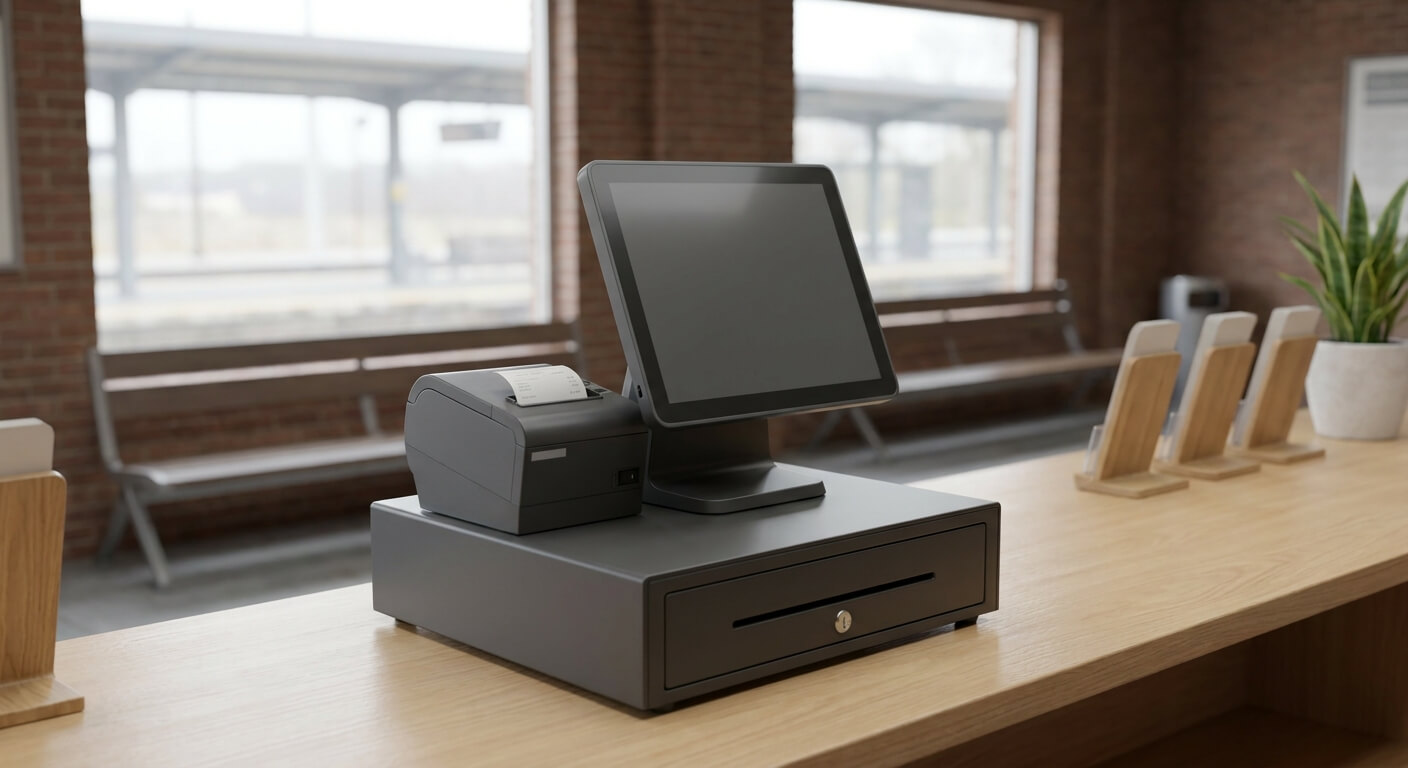
    bus-ticket-pos-machine-counter

    Fixed Counter Or Mobile: Choosing A Bus Ticket POS Machine

    A fixed bus ticket POS machine suits a staffed counter or a depot. It sits in one place, usually with a larger screen, a receipt printer, and a cash drawer. Agents get comfortable with it quickly, and it is easy to supervise.

    A handheld or tablet-based setup suits selling away from the counter. That might be at a curb, in a parking lot, or on the platform while a line forms. It lets an agent move to the customers instead of the other way round.

    Many operators end up with both. The counter handles the steady flow and cash, while a mobile device handles the peak at departure time. The question is not which is better, it is which jobs your operation has and where each one happens.

    Whichever you choose, ask whether both connect to the same live inventory. A seat sold on a handheld at the curb should disappear from the counter screen at once. If two devices keep separate counts, you have recreated the overselling problem on your own platform.

    Think about the environment as well. A counter in a heated station has different needs from a curb in winter or a depot in summer. Ask how a bus ticket POS machine copes with glare, cold, dust, and a long shift, and whether the screen is easy to read for an agent who is standing.

    Power and space matter too. A fixed bus ticket POS machine needs room for a printer and a drawer, and a mobile one needs a charging routine. Small details like these decide whether agents like the equipment or work around it.

    bus-ticket-pos-machine-handheld

    Six Questions To Ask Before You Buy A Bus Ticket POS Machine

    These questions are meant for any vendor and should be answered in writing. Where UBT has not published a detail, we say so, and the right move is to ask the team directly instead of assuming.

    First, does the machine work with the ticketing system you plan to use, or is it a separate product? A device that does not connect to your inventory becomes a place where numbers are re-typed.

    Second, what happens when the connection drops? Counters and depots do not always have perfect internet. Ask what an agent can still do and how sales are reconciled once the connection returns.

    Third, who supplies and supports the hardware? UBT’s site does not state its hardware arrangements, so this is a question to raise early. Ask who replaces a failed printer or screen, and how long a counter can be without one.

    Fourth, how are staff accounts handled? Each agent should sign in under their own name so reports show who sold what. Ask about permissions for refunds, voids, and schedule changes.

    Fifth, what does the full cost look like? Ask about hardware, software, and support separately, and write down any figure with its conditions. Do not rely on a single headline number.

    Sixth, can you try it first? UBT states that there is no cost and no obligations if you do not like the service. A test on one route and one counter tells you more about a bus ticket POS machine than any specification sheet.

    How The Machine Fits Into The Rest Of Your Operation

    A bus ticket POS machine is only one channel. If you also sell online or through third party websites, the counter should see the same seats. UBT states that its shared APIs sync instantaneously across all sales channels, including third party websites.

    Our guide to selling across several channels without double-selling seats explains why that matters. The counter is often where a conflict is discovered, usually in front of a customer, which is the worst place to find it.

    The same point applies to schedule changes. UBT’s own example is that you can cancel a busline or move one an hour later due to mechanical issues. Whatever machine you choose, the agent should see the change on the screen straight away.

    It also helps to think about the people. Agents who are new to a system need time on the machine before the first busy day. Our article on training staff on a new ticketing system lists what to cover.

    Finally, think about the end of the day. The machine produces the records that reconcile against the cash in the drawer. Our checklist of five capabilities every bus POS needs is a good companion when you compare options side by side.

    A Short Checklist For Choosing A Bus Ticket POS Machine

    List the places you sell today and the places you want to sell. Decide whether each needs a fixed device or a mobile one. Confirm that every device sees the same live inventory.

    Ask what works offline, who supports the hardware, and how staff accounts are set up. Ask for costs in writing, with their conditions. Test one counter and one route before you commit the rest.

    A bus ticket POS machine should make the counter faster and the numbers clearer, not add another place to type. If you want to talk through your own counters and routes, request a walkthrough from United Bus Tech and bring your list of questions.

  • Bus Ticket Reconciliation: 5 Simple Checks Before You Close the Day

    Bus Ticket Reconciliation: 5 Simple Checks Before You Close the Day

    Bus ticket reconciliation is the daily job of proving that the money you collected matches the tickets you sold. It is not glamorous work, and it often falls to whoever is closing the counter at the end of a long shift.

    Done well, it turns a vague feeling that something is off into a specific answer.

    This guide is written for the owner or operations manager of a bus company. It covers what bus ticket reconciliation compares, a simple order of checks to run each day, and how a ticketing system with real-time reporting can shorten the work.

    It does not assume any particular volume or promise any particular saving.

    In short, bus ticket reconciliation is a control, not a chore. It protects the company from slow leaks and gives the owner confidence in the daily numbers. A company that skips bus ticket reconciliation usually learns about problems from the bank, which is the slowest way to find out.

    The basic idea is easy to state. Every sale should leave a record, every record should match a payment, and every payment should end up in the right place. Reconciliation is the habit of checking that those three things agree.

    What Bus Ticket Reconciliation Actually Compares

    Bus ticket reconciliation lines up three sets of numbers. The first is what the system says was sold: tickets, fares, refunds, and exchanges. The second is what was collected: cash in the drawer, card settlements, and any other payment channel. The third is what the bank or processor reports.

    When all three agree, the day is closed. When they do not, the gap is a lead. It might be a ticket sold but never paid for, a payment taken but never recorded, a refund issued in one place and missed in another, or a simple counting error.

    The point is not to blame anyone. The point is to find the difference while it is still small and while people can remember what happened. A gap found on the same evening is usually a five-minute problem. The same gap found a month later can take days to trace.

    bus-ticket-reconciliation-counter

    A Daily Bus Ticket Reconciliation Routine

    A routine works better than a heroic effort once a month. The steps below are a starting point, and each company should adjust them to its own channels. The common thread is that the same checks happen in the same order every day.

    Start with the sales report for the day. Pull every ticket sold, every refund, and every exchange, grouped by sales channel and by agent. If the system offers real-time reporting, this step is a lookup, not a rebuild.

    Next, count what was collected at the counter. Cash in the drawer should equal cash sales minus cash refunds, plus the opening float. Count it with a second person if you can, and write down the number before you compare it to anything.

    Then check card and online settlements. These usually arrive later than the sale, so compare by date of sale and allow for the delay. Note any difference and carry it forward until it clears, rather than forcing a match.

    After that, review the exceptions. Look at voided tickets, refunds, discounts, and manual changes. These are the entries where a mistake or a bad habit is most likely to hide, so they deserve a closer look than ordinary sales.

    Finally, sign and file. The person who counted and the person who reviewed should both mark the day closed. A short note on any open difference, with a date to follow up, keeps small gaps from turning into old ones.

    Where Bus Ticket Reconciliation Usually Goes Wrong

    The most common problem is that sales happen in more than one place and nobody sees the whole picture. A counter, a website, and a third party seller each produce their own numbers. Bus ticket reconciliation across all of them is slow when each one lives in a different report.

    The second problem is timing. A refund processed after midnight, an exchange made the next morning, or a payment that clears two days later will all look like errors unless the process allows for them. Agree on a cutoff time and apply it every day.

    The third problem is manual re-entry. Every time a number is typed from one place into another, a mistake becomes possible. The fewer hand-offs between the sale and the report, the fewer gaps there are to chase.

    The fourth is that no one owns it. If bus ticket reconciliation is something done when there is time, it will not happen on the busy days, which are the days it matters most. Name a person and a time, and treat it as part of closing.

    A good bus ticket reconciliation record is short and specific. It lists the date, the channel, the expected amount, the actual amount, and the difference. Anyone reading it a month later should understand what happened without asking.

    Keep the same format every day so patterns are easy to spot. If bus ticket reconciliation differences cluster on one channel or one shift, you have found where to look first. If they are scattered, the cause is more likely a process gap than a person.

    bus-ticket-reconciliation-ledger

    How Real-Time Reporting Helps With Reconciliation

    UBT lists its point-of-sale capabilities as Point-of-Sale, Ticket Validation, Inventory Control, and Real-time Reporting. Of those four, real-time reporting is the one that changes reconciliation most, because it puts the day’s sales in one place as they happen.

    That does not make the job disappear. Someone still has to count the drawer and compare it to the report. But it removes the slowest step, which is assembling the sales picture from scattered sources before any checking can begin.

    UBT also states that its shared APIs sync instantaneously across all sales channels, including third party websites. For reconciliation, the useful part is the idea behind it: if every channel writes to the same record, there is one set of sales to compare, not several.

    Our article on five numbers to check every morning with real-time bus reporting covers what to look at first. It pairs naturally with an evening routine, since the morning review often starts from the gaps the night before left open.

    Setting Up Bus Ticket Reconciliation For Counters And Agents

    If you run a staffed counter, the drawer is where most daily differences start. A short, consistent handover between shifts keeps responsibility clear. Each agent should know what they opened with, what they sold, and what they are handing over.

    Limit who can issue refunds and voids, and keep a record of who did. This is partly about control and partly about making exceptions easy to review. Our guide to running a bus ticket POS system with fewer cash leaks goes deeper on cash handling at the window.

    Where more than one agent shares a terminal, give each a separate login. A report that groups sales by agent only works if the sales were made under the right name. Shared logins turn a useful report into a guess.

    Review the pattern, not just the total. An agent with many voids, a route with frequent refunds, or a day of the week with repeated small gaps each point to something that can be fixed. Reconciliation is most valuable when it feeds back into how the operation runs.

    A Short Checklist For Bus Ticket Reconciliation

    Pull the day’s sales, refunds, and exchanges by channel and agent. Count the drawer and write the number down before comparing. Check card and online settlements by date of sale, and carry timing differences forward.

    Review voids, discounts, and manual changes. Record any open difference with an owner and a follow-up date. Sign the day closed with a second person, and start the next day with a clear float.

    Do this every day at the same time, whatever the volume. If an owner wants to see how reporting could shorten the work for a particular operation, request a walkthrough from United Bus Tech and bring a recent day of sales to talk through.