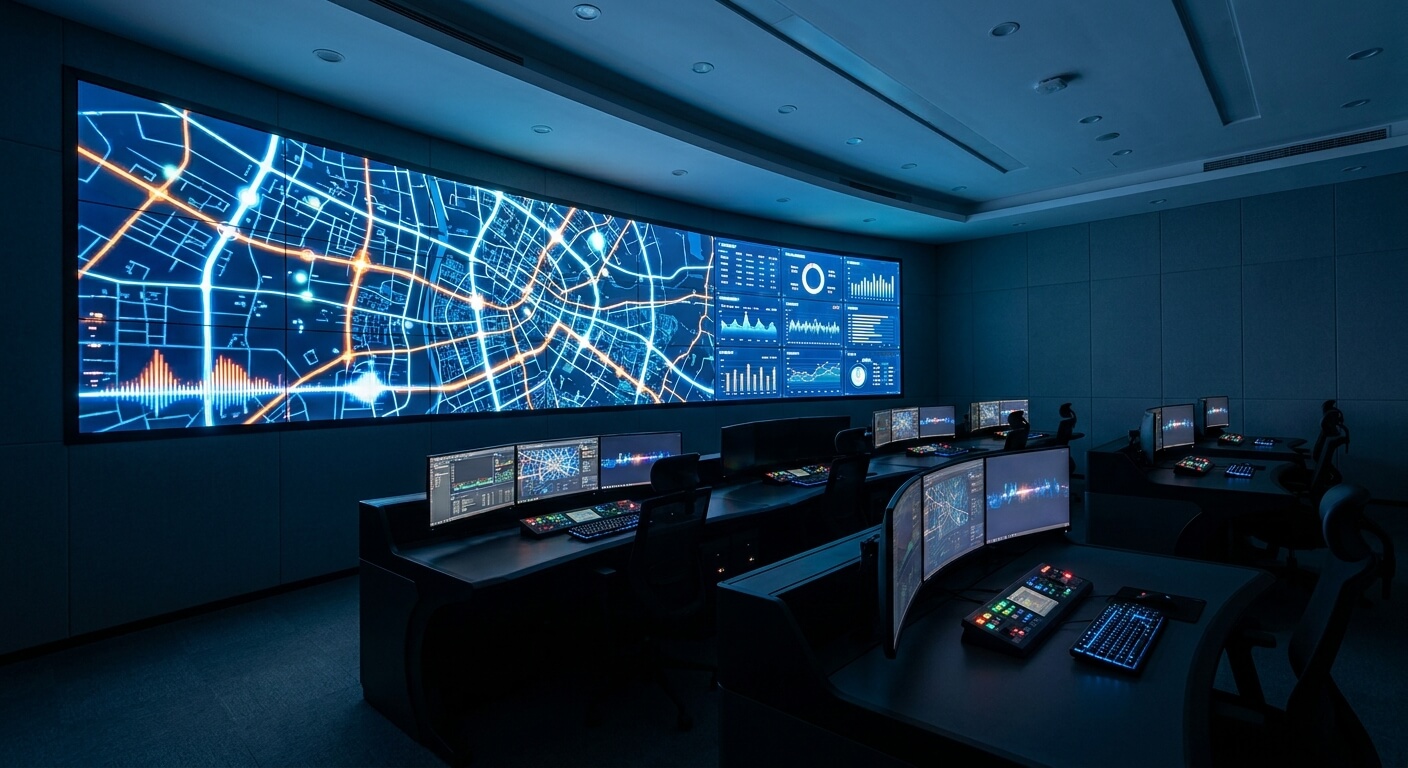
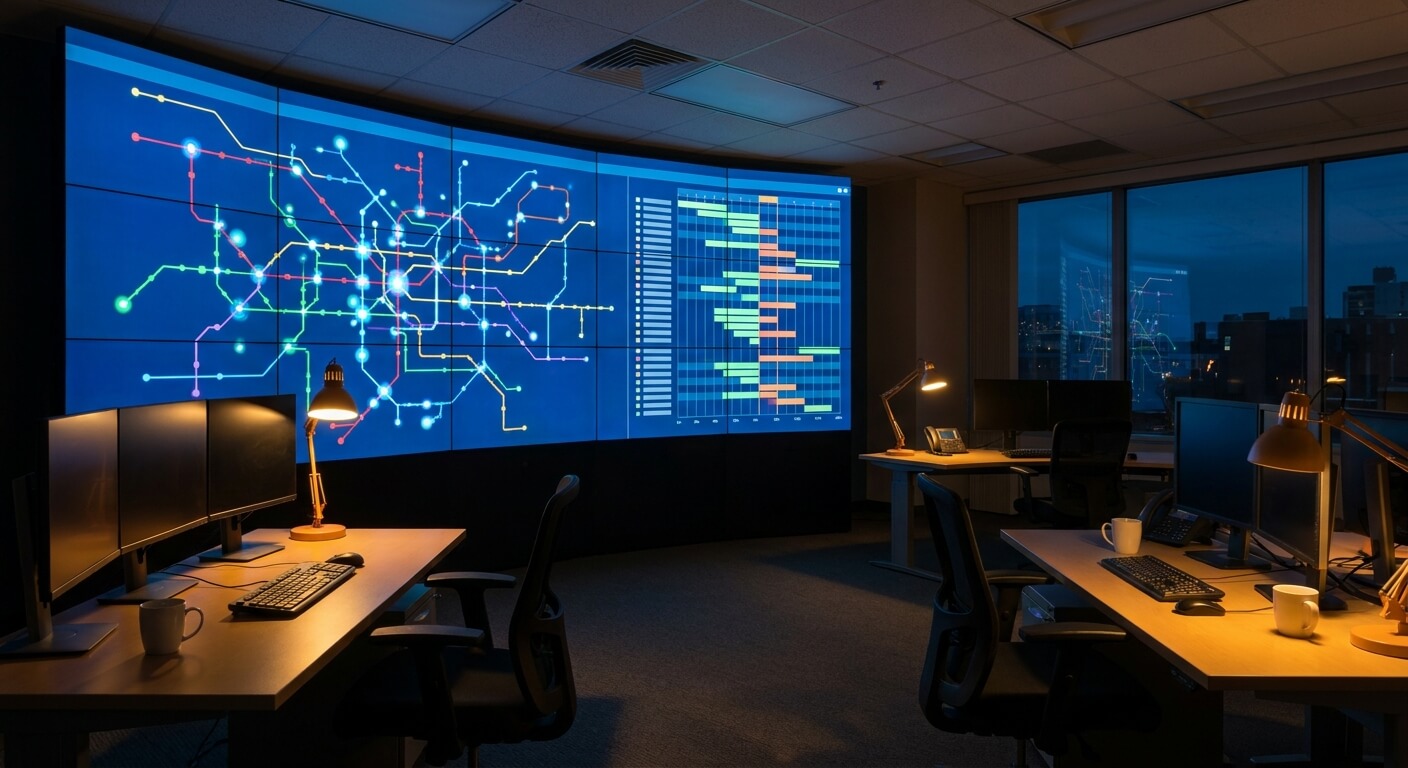
One stop ticketing solution for bus and coach operators

Category: Operations

  • Real-Time Bus Reporting: 5 Essential Numbers to Check Every Morning

    Real-Time Bus Reporting: 5 Essential Numbers to Check Every Morning

    Real-time bus reporting sounds like a back-office feature until the morning you actually need it: a route underperformed last week and nobody can say why until someone pulls three spreadsheets together.

    The point of it is that you should not need that meeting. The numbers are already sitting there, current as of this morning instead of last Friday.

    real-time-bus-reporting-dashboard

    What real-time bus reporting actually shows

    UBT’s platform ties point-of-sale, ticket validation, and inventory control into one system, and real-time reporting is what closes the loop across all three. It shows what sold, where, and when, as it happens, rather than after someone compiles a manual count.

    That is the difference between reacting to a problem this week and finding out about it next Friday.

    For a manager, the value is not the dashboard itself. It is being able to answer a question the moment it comes up, in a hallway conversation or on a call with an owner, instead of promising to get back to them after pulling a report.

    Five things worth checking every morning

    Seats sold against capacity, by departure. A route that consistently runs half full is either priced wrong, timed wrong, or does not need to run as often. You cannot make that call from a gut feeling about how full the bus looked last Tuesday.

    Channel mix. If counter sales are climbing on a route where you expected online bookings to dominate, either your website is underperforming for that route or something about the passenger base does not match your assumptions. Either way, it changes where you spend marketing effort.

    Refund and cancellation volume by route. A spike on one route usually points to a specific cause: a schedule change that was not communicated well, a reliability problem, or a fare that does not match what riders expect. A weekly average hides which route it is.

    Departures running close to sold out. These are your candidates for an added run or a fare adjustment before demand outpaces supply and passengers start booking with someone else instead.

    Anything flagged by validation at the door. A scan that fails to match an active ticket, or one that gets attempted twice, is worth a look the same day, not folded into a weekly count where a pattern would take a month to notice.

    real-time-bus-reporting-trend-view

    Why weekly reporting hides the pattern

    A weekly export can tell you that refunds were up. It cannot tell you they were all clustered on one Thursday departure, tied to one schedule change nobody flagged to the affected passengers.

    By the time the pattern is visible in a weekly view, the cost has already been paid five or six times over.

    The same problem shows up with seasonal spikes. A holiday weekend or a local event can fill a route days ahead of when a manager expects it, or leave one half-empty while everyone assumed demand would follow last year’s pattern.

    A weekly review catches that after the fact, once the seats are already gone or the bus already ran empty. Same-day numbers give someone time to add a run or pull one before either mistake happens.

    Manual reporting also has a hidden cost most operators do not put a number on: the hours someone spends compiling it.

    Every hour a manager or an agent spends exporting counter logs and reconciling them against an online booking export is an hour not spent talking to passengers or adjusting a schedule that needs it.

    That labor cost does not show up on a line item, but it is real, and it repeats every week the manual process stays in place.

    The same is true of seat inventory. If counter and online sales draw from separate counts that only reconcile overnight, a manager reading yesterday’s numbers is already a day behind a route that oversold this morning.

    Real-time bus reporting only works if the inventory feeding it is actually synced across every channel, not just displayed on one shared screen.

    That is the same synchronization problem covered in how to stop overselling bus seats, and the two features depend on each other more than they look like they do on a features page.

    Where reporting fits into a bigger evaluation

    Reporting is easy to skip past in a vendor demo, because it is less visually interesting than the booking flow. That is a mistake.

    If a system can take a payment and print a ticket but cannot show today’s numbers across every counter, kiosk, and channel right now, it is only solving half the problem.

    The full evaluation checklist, including reporting alongside point-of-sale and validation, is covered in the bus POS checklist if you are comparing systems from scratch.

    When you do sit through a demo, ask to see the reporting screen loaded with a full week of mixed channel sales, not a clean sample dataset.

    Ask whether a manager can filter by route and by channel at the same time, and how many clicks it takes to get from a summary number down to the individual bookings behind it.

    A system that only shows totals is not much better than the weekly spreadsheet it is supposed to replace.

    It is also worth separating real-time bus reporting from a schedule change itself. Reporting tells you a route is underperforming. Acting on it, by moving a departure time or adding a run, is a separate step covered in how to change a bus schedule at the last minute.

    Good reporting only pays off if the system also makes it fast to act on what it shows you.

    Frequently asked questions

    Does real-time bus reporting replace a weekly review

    No. A weekly or monthly review is still useful for spotting slower trends, like a route declining gradually over a season. Real-time bus reporting is for catching the things a weekly view arrives too late to fix, like a refund spike tied to one departure.

    Do all channels feed the same reporting view

    They need to, or the reporting is only telling part of the story. If counter, kiosk, and online sales sit in separate systems that reconcile overnight, the numbers a manager sees each morning are already a day old.

    Who should actually be checking these numbers

    The routine works best as a five-minute habit for whoever owns scheduling decisions, not a report that gets forwarded and never opened. A small operator might have one person doing this every morning.

    A larger one might split it by terminal, with each manager watching their own routes and rolling up to a weekly summary for the owner.

    Want to see what real-time bus reporting looks like against your own routes and fare data? Request a walkthrough.


  • Onboard Bus Entertainment: 3 Simple Ways to Add Value Without New Hardware

    Onboard Bus Entertainment: 3 Simple Ways to Add Value Without New Hardware

    Onboard bus entertainment used to mean bolting a screen to every headrest and hoping the DVD player still worked. That approach is expensive to install, expensive to maintain, and a hard sell for an operator who is not sure passengers will even use it.

    There is a simpler version that skips the hardware entirely: stream to the device the passenger already carries.

    onboard-bus-entertainment-phone-mount

    What onboard bus entertainment looks like without new hardware

    UBT’s platform offers inflight-alike experiences through automated SMS boarding reminders, ETA tracking, and onboard movie streaming over mobile devices. The streaming piece is the entertainment layer, and it runs on the phone or tablet a passenger already has in their hand.

    There is no seatback screen to install, wire, or replace when it cracks two months in.

    For an operator, that changes the math. A fleet-wide seatback retrofit is a capital project with a multi-year payback, and it locks you into whatever hardware you bought the day you bought it.

    A mobile-device version is closer to a feature you turn on than a fleet you refit. The passenger supplies the screen; the system supplies the content pipeline.

    That also means it scales the same way whether you run three coaches or thirty. There is no per-seat hardware cost to multiply, no warranty schedule to track by vehicle, and nothing bolted to a headrest that a maintenance crew has to work around during a routine cabin clean.

    Why it matters more than it looks on paper

    A three-hour route with nothing to do is a three-hour advertisement for the alternative: driving, or a competitor with a nicer cabin experience. Passengers do not always choose a bus company on price alone, especially on routes where a car or a rideshare is a real option.

    The ride itself is part of what they are buying, not just the destination.

    Onboard bus entertainment will not fix a late departure or a rough ride, and it is not a substitute for the operational basics.

    But paired with the things that do work, like schedules that hold and drivers who show up on time, it is one more reason a rider picks the same operator next trip instead of shopping around again.

    Think about how riders actually spend a long stretch on a coach today: staring at a phone with a weak signal, guessing how much battery is left, or trying to nap through road noise.

    A stream they can pull up on demand competes with all three of those defaults, and it does so without asking the passenger to download anything before the trip.

    onboard-bus-entertainment-mobile-streaming

    Pairing entertainment with information, not replacing it

    Streaming is the part passengers notice first, but it sits next to two other pieces of the same mobile experience: automated SMS boarding reminders and ETA tracking.

    A rider who gets a text when boarding opens and can see where the bus actually is does not need to stand at the curb watching for headlights.

    That is worth more goodwill than the movie catalog, and it is worth reading the guide to automated SMS boarding reminders if that piece is not set up yet.

    The same live-position data that powers ETA tracking is what a dispatcher watches from the office. If you are still deciding whether a shared tracking feed is worth the setup, the breakdown in real time bus tracking for passengers and dispatchers covers what changes on both ends.

    What to check before you turn it on

    Confirm the content is licensed for the way you plan to use it.

    Streaming to passenger-owned devices on a public route is a different licensing situation than a private in-flight system, and it is worth a direct answer from whoever supplies the content, not an assumption carried over from a different industry.

    Check what it costs your onboard data connection. Video is heavier than a text reminder or a location ping, and a route with weak signal for part of the way will show that gap the moment several passengers try to stream at once.

    Know that limit before a full coach finds it for you on a holiday weekend.

    Ask how it fails gracefully. If the stream buffers or drops on a rural stretch, passengers should see a clear message, not a spinning wheel that makes the whole feature look broken.

    A good rollout plan treats a weak-signal segment as a normal case to design for, not an edge case to ignore after launch.

    Roll it out on one or two routes first, ideally the longer ones where a passenger has the most idle time to fill. Watch how often it actually gets used before deciding whether it is worth promoting fleet-wide. A feature nobody opens is not worth the support tickets it generates when it breaks.

    Where it fits in your loyalty story

    None of this needs to be marketed as a headline feature. It works better as a quiet upgrade riders discover for themselves, the same way boarding reminders and live tracking do.

    If you already run a rewards program, this is one more small reason a repeat rider keeps choosing your line, and it costs nothing extra to maintain once it is switched on.

    If you have not looked at how the pieces connect, the overview in what a bus passenger loyalty program needs to do is a useful next read.

    Frequently asked questions

    Does onboard bus entertainment need in-vehicle Wi-Fi

    Not necessarily. Streaming can run over the passenger’s own cellular data, over onboard Wi-Fi if the fleet already has it, or a mix of both.

    What matters is knowing which one your fleet actually relies on before you promote the feature, since that answer changes what to test on a weak-signal stretch of road.

    Will it slow down the rest of the mobile passenger experience

    Boarding reminders and ETA tracking are lightweight compared to video, so they should keep working even on a connection that is too weak for smooth streaming.

    If a reminder or a location update starts lagging once streaming is turned on, that is a sign the two are sharing a connection that needs a closer look, not a reason to drop either feature.

    Is this the same as a loyalty perk

    Not exactly. A loyalty program rewards repeat purchases directly. Onboard bus entertainment is closer to a baseline experience improvement that makes every rider’s trip a little better, whether or not they are enrolled in anything.

    The two can reinforce each other, but they solve different problems.

    Ready to see onboard bus entertainment and the rest of the mobile passenger experience running against your own routes and fare rules? Request a walkthrough.
  • Automated SMS Boarding Reminders for Bus Passengers: 6 Simple Ways to Cut No Shows

    Automated SMS Boarding Reminders for Bus Passengers: 6 Simple Ways to Cut No Shows

    Automated SMS boarding reminders for bus passengers sound like a small feature next to a full ticketing platform, but the cost they quietly offset is not small at all. Every no-show is a seat that sold once, generated no revenue on the day it actually mattered, and can rarely be resold in time.

    A missed boarding is also not a one-time cost. It is usually followed by a phone call, a rebooking request, or a refund conversation, all of which land on the same staff who are already busy running the counter or answering the next call.

    None of this requires a passenger to be careless. Plans change, days get busy, and a ticket booked a week ahead is easy to forget by the time departure actually arrives.

    This post looks at automated SMS boarding reminders for bus passengers as an operational fix for that specific loss, not as a nice-to-have feature that just makes an app feel more modern.

    What Automated SMS Boarding Reminders for Bus Passengers Actually Do

    UBT’s platform includes automated SMS boarding reminders, ETA tracking, and onboard movie streaming over mobile devices, built to offer an inflight-alike experience once a ticket is sold. The reminder piece specifically targets the exact gap where a missed boarding happens.

    A reminder text sent as departure approaches does one simple thing: it puts the trip back in front of a passenger who may have booked days earlier and genuinely forgotten, without anyone on your staff having to manually track who has and has not shown up yet.

    Paired with ETA tracking, the same passenger also knows roughly when the bus will actually arrive, which matters just as much for someone running a few minutes behind as the reminder does for someone who forgot the trip entirely.

    automated-sms-boarding-reminders-mobile-notification

    The Real Cost of a Missed Boarding

    It helps to walk through what actually happens when a passenger misses a departure, because the cost is not just the empty seat.

    Consider a hypothetical: if a company sells 500 tickets a day and even a small share of those riders miss their bus, each one turns into a seat that cannot be resold and a support interaction that has to be handled.

    That support interaction rarely ends quickly. A passenger who missed a bus usually wants to know their options, whether that is the next available departure, a refund, or a credit toward a future trip, and answering that takes staff time away from the counter or the phone queue.

    None of that cost shows up on a schedule or a sales report. It shows up as staff time spent on rebooking conversations and as seats that were technically sold but never actually generated the trip they were meant to pay for.

    A reminder sent automatically before departure does not eliminate every no-show, but it removes the most preventable cause: a passenger who simply forgot the trip was today, not one who genuinely could not make it.

    Why “Automated” Is the Part That Matters Most

    A reminder system only helps if it does not depend on someone remembering to send it. A manual process, where an agent is supposed to text riders ahead of each departure, tends to work on quiet days and quietly stop happening on busy ones, which is exactly when the reminders matter most.

    Automation removes that dependency entirely. Every ticket sold triggers the same reminder sequence regardless of how busy the counter is that day.

    That means the feature keeps working precisely on the high-volume days when a manual process would be the first thing to slip through the cracks.

    That consistency also matters for multi-channel operations. If tickets are sold through a website, a counter, and a third-party channel at once, an automated reminder tied to the ticket itself reaches every passenger the same way, regardless of where they bought it.

    Our guide to multi channel bus ticket sales covers that same channel-consistency problem from the inventory side, which pairs naturally with reminders that need to reach every rider regardless of how they booked.

    automated-sms-boarding-reminders-station-waiting-area

    Where Reminders Fit Into the Rest of the Passenger Experience

    Boarding reminders are not an isolated feature sitting apart from everything else a passenger touches. They work alongside real time fleet tracking, which runs on both the passenger and management side of the system, and alongside repeat-rider tools like a loyalty program.

    A passenger who gets a helpful reminder, arrives on time, and has an easy trip is also a more likely candidate to book again, which is the same logic behind rewarding repeat purchases.

    Our piece on building a bus passenger loyalty program looks at that retention side directly, and how the two features reinforce each other.

    And since reminders depend on the same location data used for dispatch, they are naturally tied to the tracking system rather than running on a separate, disconnected timer.

    Our deeper look at real time bus tracking for passengers and dispatchers covers how that shared feed works on both sides at once.

    Setting Reminder Timing Without Guessing

    One detail worth thinking through before rollout is timing. A reminder sent too early gets ignored because departure still feels far off, and a reminder sent too late does not give a passenger enough time to actually make it to the stop.

    Route length and typical traffic patterns are the practical inputs here, not a single fixed rule applied to every route. A short local hop and a longer regional run do not need the same lead time before a reminder goes out.

    This is also where tying reminders to live ETA data matters more than it first appears. A fixed-time reminder cannot account for a departure that is running early or late, while one tied to the actual tracking feed adjusts automatically.

    Getting this right is less about finding one perfect number and more about being able to adjust it per route as you see how riders actually respond, rather than locking in a setting on day one and never revisiting it.

    Questions to Ask a Vendor About Automated SMS Boarding Reminders for Bus Passengers

    Ask whether reminders trigger automatically off every ticket sale, or whether someone on staff has to set them up manually per departure. A feature that depends on a manual step tends to disappear exactly when your team is busiest.

    Ask whether reminders reach every sales channel the same way, so a ticket bought through a counter, a website, or a partner channel triggers the same reminder sequence without extra setup on your end.

    Ask, too, whether reminder timing ties into live ETA data or runs on a fixed schedule regardless of traffic or delays. A reminder sent at a fixed time before a delayed departure can send a passenger rushing to a stop that is not close to boarding yet.

    Automated SMS boarding reminders for bus passengers are a small, specific fix aimed at a specific loss: the seat that sold but never actually boarded.

    Handled well, it is one of the more direct ways to close that gap without adding work to your staff’s day, since the whole point is that nobody has to remember to send it.

    Request a walkthrough of automated SMS boarding reminders built on the same data as your dispatch tracking, and see what it would take to roll out on your routes.

  • Real Time Bus Tracking for Passengers and Dispatchers: 7 Proven Ways to Cut Support Calls

    Real Time Bus Tracking for Passengers and Dispatchers: 7 Proven Ways to Cut Support Calls

    Real time bus tracking for passengers and dispatchers usually gets built as two separate features: a map for the dispatch desk and a “where’s my bus” link for riders. Most vendor pitches only show the dispatch side, because that is the part that looks impressive in a demo.

    The gap that gets missed is what happens when only one side has visibility. A dispatcher can watch a delayed coach crawl through traffic in real time on a console.

    But if the passengers waiting at the next stop cannot see that same picture, every one of them is a potential phone call to your office asking where the bus is.

    This post looks at real time bus tracking for passengers and dispatchers as one connected system, not two separate tools, and walks through what changes operationally when both sides are looking at the same data at the same time.

    What Real Time Bus Tracking for Passengers and Dispatchers Actually Means

    UBT’s platform includes real time fleet tracking for passengers and management, which means the same location feed powers both the dispatch console and whatever a rider checks before heading to the stop. It is one data source shown two different ways, not two systems that happen to agree.

    On the dispatcher side, that feed is what a scheduler watches when deciding whether a connecting service needs to hold a few extra minutes, or whether a delay is bad enough to trigger a driver call.

    On the passenger side, the same feed is paired with automated SMS boarding reminders and ETA tracking, so a rider gets a nudge before the bus arrives instead of guessing.

    Treated as one system, tracking stops being a dispatcher convenience and becomes something that changes how many people call your office on a delayed morning.

    real-time-bus-tracking-dispatch-map-view

    The Dispatcher Side: What Changes When Passengers Can Already See the Map

    A dispatcher’s job does not get smaller when passengers have their own tracking view. If anything, the map on the dispatch desk becomes more valuable, because it is now the source everyone else’s information traces back to.

    Where the job does get lighter is the phone. A dispatcher who used to field “where is the bus” calls throughout a delay can instead point to the fact that riders already have that answer in front of them, because it comes from the same feed the dispatcher is watching.

    That matters most during a mechanical delay or a last-minute schedule change. If a run gets pushed back an hour, real time tracking on the passenger side reflects that immediately, instead of a rider showing up on the old schedule and finding an empty stop.

    For the workflow of actually pushing that kind of change out once a delay is confirmed, our walkthrough on changing a bus schedule at the last minute covers the steps from the first call to the update reaching riders.

    The Passenger Side: Why “Where’s My Bus” Is a Support Cost, Not a Nice-to-Have

    Most passenger-facing content about bus tracking treats it as a convenience feature, something that makes the app feel modern. From an operator’s side, it is better understood as a way to move a specific cost off your support line.

    Consider a hypothetical: if an operator runs 20 departures a day and even a handful run late on an average week, every one of those delays is a moment where a passenger either checks a tracking view or picks up the phone.

    The tracking view costs nothing extra to serve. The phone call is not free, once you count the agent’s time spent on every one of those calls during a delay.

    Automated SMS boarding reminders extend that same logic past the tracking screen. A passenger who gets a text when the bus is a few minutes out does not need to stand at the stop staring at a map, and does not need to call ahead to ask if they still have time to grab coffee first.

    ETA tracking closes the loop for anyone connecting to another service, whether that is a second bus, a rideshare, or someone picking them up at the curb.

    A passenger who can see a real ETA plans around it. A passenger with no visibility just shows up early and waits, or shows up late and misses the connection entirely.

    real-time-bus-tracking-location-data-feed

    Why Most Ticketing Vendors Only Build Half of This

    It is worth asking, when evaluating a system, whether tracking is built as one shared feed or as two separate features that happen to sit in the same product. The difference does not show up in a sales demo, but it shows up the first time the two sides disagree.

    If a dispatcher’s console and a rider’s tracking link pull from different data paths, they can drift out of sync during exactly the moments that matter most, like a mechanical delay or a detour.

    That is when a rider sees one ETA and a dispatcher sees another, and neither view is fully wrong, just out of date relative to each other.

    A single shared feed avoids that by design, because there is only one version of “where the bus is” for both sides to look at. It is a simpler architecture, and it is also the one that holds up on a bad day instead of just a normal one.

    Real Time Bus Tracking for Passengers and Dispatchers Inside a Bigger Ticketing Setup

    Tracking does not sit on its own. It connects to the same inventory and reporting data that runs the rest of a ticketing platform, which is part of why treating it as an isolated feature undersells what it can do.

    If your evaluation is broader than tracking alone, our rundown of what a bus POS should actually include covers the other three pieces, point-of-sale, validation, and inventory, that a real-time system needs to tie together.

    And if the bigger concern is keeping sales in sync across a website, a counter, and a third-party channel while all of that is happening, our guide to multi channel bus ticket sales walks through the same shared-data problem from the inventory side.

    The pattern across all three is the same: a system built on one shared feed behaves consistently under pressure, while a system stitched together from separate tools tends to show its seams exactly when a delay, a schedule change, or a busy sales day puts it under load.

    What to Ask a Vendor About Real Time Bus Tracking for Passengers and Dispatchers

    Ask directly whether the passenger-facing tracking view and the dispatcher console read from the same location feed, or from two separate systems that sync on a delay. That delay is exactly where the two views start to disagree.

    Ask whether boarding reminders and ETA updates are tied to that live feed automatically, or whether they run on a fixed schedule regardless of where the bus actually is. A reminder sent at a fixed time is not the same thing as a reminder sent when the bus is genuinely close.

    Ask, too, how the system behaves during a real delay or a mechanical issue, not just during a normal run. A tracking feature that only works when everything is on time is not the feature you actually need it for.

    Real time bus tracking for passengers and dispatchers is one of the few features where the same data genuinely serves two different audiences at once.

    Built as a single shared feed, it turns a delay from a wave of phone calls into something riders can just watch on their own, and dispatchers can rely on it too.

    Request a walkthrough of real time bus tracking built on one shared feed for both your dispatch desk and your passengers, and see how it compares to whatever is splitting that data today.

  • Bus Ticketing System With No Setup Fee: 6 Ways It Protects Your Budget

    Bus Ticketing System With No Setup Fee: 6 Ways It Protects Your Budget

    A bus ticketing system with no setup fee changes the math for a small or mid-size operator in a way that a features comparison alone never shows.

    Most software decisions at a bus company get delayed for one reason: the upfront cost of switching feels bigger than the daily cost of staying with what already works well enough.

    A setup fee, a training charge, or new hardware can turn a software decision into a budget decision that sits on a shelf for another year.

    This post is written for the person who has to justify that decision internally, not just the person comparing feature lists. It looks at what upfront costs typically do to a ticketing system purchase, and what a bus ticketing system with no setup fee actually removes from that equation.

    None of this is about which vendor to pick. It is about understanding where the real friction sits in a typical purchase, so a company can ask sharper questions before committing a budget line to anything.

    bus-ticketing-system-with-no-setup-fee-budget-planning

    Why Upfront Costs Stall a Ticketing System Decision

    If a company is evaluating new ticketing software, the sales conversation usually gets to features and workflow fairly quickly. The upfront cost conversation tends to come later, and that is exactly where a decision can quietly stall.

    A setup fee has to be approved before anyone touches the software itself. If that approval sits with someone outside the room, a promising evaluation can lose months waiting on a budget line that was never planned for.

    Training charges add a second layer of hesitation, because they attach a cost to the very step meant to make the switch easier. A company already unsure about switching now has to pay to find out if the switch was the right call.

    Hardware requirements can be the largest line item of all. If new POS terminals or scanners are required just to get started, the total cost of evaluating a system starts to look like the cost of running one for a full season.

    What a Bus Ticketing System With No Setup Fee Actually Removes

    Our own site states this plainly: the system is offered free and with no obligations at all. We provide the ticketing platform as a service, and if it does not work out, there is no cost and no obligation involved.

    That single sentence removes the two objections that usually stall a purchase at a bus company: the fear of sunk cost, and the fear of being locked into a decision that turns out to be wrong.

    A bus ticketing system with no setup fee means the budget conversation changes shape entirely. Instead of asking for approval on a large upfront number, the question becomes whether the system is worth using once it is already running.

    For a company that runs on tight seasonal cash flow, that difference is not a minor convenience. It is the difference between testing a system this month and waiting for a better budget year that may never arrive.

    bus-ticketing-system-with-no-setup-fee-technology-as-a-service

    Why Technology as a Service Changes the Budget Conversation

    Technology as a service means the ticketing platform is delivered and supported as an ongoing service rather than sold as a one-time installation with a separate setup phase attached to it.

    That model is what makes a bus ticketing system with no setup fee possible in the first place. There is no separate installation project to bill for, because the platform is built to be brought online without one.

    If a company operates a single route with a small team, this matters because there may not be a dedicated IT budget to draw from at all.

    If a company runs a dozen routes across several stations, it matters because a large upfront cost has to compete with fleet maintenance and other real priorities on the same budget.

    Questions to Ask Any Vendor About Setup Costs

    Not every vendor that avoids the word “setup fee” actually avoids setup costs. Some move the same cost into a longer contract term or a higher recurring rate instead of removing it.

    Ask directly whether there is any charge tied to onboarding, configuration, or training, regardless of what it is called on the invoice. A clear answer here is worth more than a clean-looking pricing page.

    Ask whether any specific hardware is required to get started, or whether the system works with equipment a company may already have in place at the counter.

    Ask what happens if the system does not end up being a fit after testing it. A vendor confident in its own product should be able to answer that question without hedging.

    Ask, too, what happens to any configuration or schedule data entered during testing if the decision is to move forward. A setup process that has to be redone from scratch after a positive trial defeats part of the point.

    Our guide to what a free trial should actually prove is a useful next step once the upfront cost question is settled.

    What This Does Not Mean

    A bus ticketing system with no setup fee is not the same as a system with no ongoing cost at all. Pricing for continued use should still be confirmed directly with a vendor and checked against what shows up on an invoice.

    It also does not mean every vendor offering a similar phrase means the same thing by it. The specific terms, and what happens if a company decides to leave, are worth getting in writing before anyone signs anything.

    A budget-conscious buyer should read any pricing claim the same way, no matter which vendor makes it: ask what it does and does not include, and get that answer confirmed before it becomes part of a purchase decision.

    Our overview of common evaluation traps covers a few of the places where a seemingly simple pricing claim turns out to have more conditions attached than it first appeared.

    A Bus Ticketing System With No Setup Fee Still Needs a Real Evaluation

    The point of a bus ticketing system with no setup fee is not that it is free forever. It is that the decision to try it does not require a budget meeting before anyone has even seen it in action.

    Once the upfront cost objection is out of the way, the evaluation can focus on the part that actually matters: whether the system handles a real operating day the way it needs to.

    Removing the setup fee does not remove the need to test the system properly. It just changes when that testing can start, and who has to approve it before it does.

    A company that skips the evaluation step because the trial is free ends up in the same position as a company that never tested at all: making a long-term decision based on a short demo instead of a real operating day.

    Our piece on stopping overselling across channels is a good place to continue that evaluation once the budget question is settled.

    If a large upfront cost has been the reason a ticketing system upgrade keeps getting pushed to next year, that barrier does not have to be part of the decision. See the full feature set and what it takes to get started.

  • How to Choose a Bus Ticketing System: 9 Essential Questions to Ask Before You Buy

    How to Choose a Bus Ticketing System: 9 Essential Questions to Ask Before You Buy

    How to choose a bus ticketing system is a harder question than it looks once you get past the first few vendor demos, because every product page ends up listing the same short set of features.

    POS, online sales, validation, reporting: nearly every vendor checks those same boxes. The differences that actually matter only show up once you ask sharper questions than a features page answers on its own.

    This is not a comparison of specific vendors, and it will not tell you which brand to pick. It is a set of evaluation questions built around the parts of a ticketing system that tend to cause the most pain after go-live, not before.

    A company searching a same-brand keyword and landing on this page is usually already comparing a shortlist. This is meant to be the checklist you bring into that comparison, not another sales pitch added to the pile.

    Most evaluations move too fast on price and too slow on operations. A monthly fee is easy to compare across a spreadsheet in five minutes. What a system does on a bad day takes a real conversation to uncover, and that conversation is what this framework is built for.

    how-to-choose-a-bus-ticketing-system-evaluation-checklist

    The First Question in How to Choose a Bus Ticketing System: Is Inventory Actually Shared?

    A website, a counter, and a phone line all need to draw from the same seat count in real time. If a system shows separate inventory for each channel and reconciles them on a delay, overselling is only a matter of time.

    Ask a vendor directly how a counter sale and a website sale are kept in sync, and how many seconds pass between the two. A vague answer, or one that mentions a nightly sync, is worth pausing on before you sign anything.

    Ask what happens on the busiest day of the week, not the quietest one. A system that keeps up during a demo with five sample bookings can behave very differently once real volume hits it.

    Our piece on keeping multiple sales channels in sync goes into more detail on what that inventory sync should look like in practice.

    The Second Question: How Does Refund and Exchange Handling Actually Work?

    Refunds and exchanges happen every week at any bus company, and a clunky process here turns into a support burden fast, not a one-time inconvenience.

    Ask how many steps it takes for staff to process a refund, and how quickly a refunded seat reopens for sale everywhere else. A slow reopen is how a company ends up turning away a paying customer for a seat that was already free.

    Ask whether an exchange can be handled in one action or requires cancelling a ticket and rebooking from scratch. That difference adds up across hundreds of transactions a month.

    Our refund process guide is a useful reference for what a clean workflow should include before you sit down with a vendor.

    The Third Question: Does the Counter Use the Same System as the Website?

    Some ticketing products bolt a point-of-sale tool onto an online booking engine after the fact, and the seam between the two shows up in daily use, not in a demo.

    Ask whether point-of-sale, ticket validation, inventory control, and reporting all live in one system, or whether counter sales and online sales are two products with two separate logins.

    Have an actual counter agent try the point-of-sale workflow during a trial, not just a manager. The staff member repeating that workflow dozens of times a day is the one whose opinion should carry the most weight.

    how-to-choose-a-bus-ticketing-system-vendor-demo-review

    The Fourth Question: Can Ticket Validation Adapt to How Passengers Actually Board?

    Boarding does not look the same from stop to stop. A busy terminal with a line of passengers needs a fast scan process, while a small stop with a handful of riders needs something simpler.

    Ask whether ticket validation options are flexible enough to fit both situations, or whether the system assumes one boarding pattern across every route regardless of size.

    The Fifth Question: Does Reporting Show What Happened, Not Just What Was Scheduled?

    A schedule is a plan. A report needs to show what actually sold, what got cancelled, and what changed on a given day, and the gap between those two things matters more than it sounds.

    Pull a sample report during a trial for a single route on a single day and check whether it separates a cancelled departure from a full one. If it cannot, that gap will resurface later at a worse time.

    Our guide to keeping schedules and ticketing in sync covers the reporting details worth confirming before you commit.

    The Sixth Question: What Are the Actual Trial Terms?

    A free trial only means something once you know exactly how long it runs and what happens automatically once it ends. Get that answer in writing, not as a verbal assurance on a sales call.

    Our overview of what to actually test during a free trial is a useful companion to this checklist once you have a shortlist of two or three vendors.

    The Seventh Question: What Happens When a Schedule Changes at the Last Minute?

    A mechanical issue that pushes a departure back an hour, or a route that needs to be pulled for the day, is a routine event at most bus companies, not a rare exception.

    Ask how that change gets made, how long it takes to reflect across the website and passenger notifications, and whether staff can do it directly or need to file a support request first.

    The Eighth and Ninth Questions: Loyalty Tools and Passenger-Facing Features

    If building repeat ridership matters to your business, ask whether the system includes any loyalty or rewards tools, and how a passenger actually experiences them, not just how they appear in an admin panel.

    Ask, too, whether passengers get any visibility into real-time fleet tracking or boarding reminders. Passenger-facing tools that work smoothly reduce the volume of calls asking where a bus actually is.

    How to Choose a Bus Ticketing System: Putting the Framework to Work

    None of these nine questions require a vendor to hand over a private roadmap. They are the kind of thing any serious vendor should be able to answer clearly and quickly in a single call.

    If a vendor hesitates on more than one or two of them, that hesitation is data worth writing down before the next call.

    How to choose a bus ticketing system, in the end, comes down to how confidently a vendor can answer the questions that matter on a hard day, not a calm one.

    It also helps to run this framework past more than one person on your team. A dispatcher, a counter agent, and a finance lead will each spot a different gap in the same demo.

    Write the nine answers down in one place as you go through each vendor call, so the shortlist comparison is based on notes instead of memory a week later.

    Our own answers to these nine questions are laid out on our features page, built around the same operating problems this checklist is meant to surface.

    See how our system answers each of these nine questions.

  • Bus Ticketing Software Built by Bus Operators: 7 Proven Signs It Solves Real Problems

    Bus Ticketing Software Built by Bus Operators: 7 Proven Signs It Solves Real Problems

    Bus ticketing software built by bus operators reads differently than software built by people who have never stood behind a counter during a Friday rush.

    It shows up in small details a pure software company would never think to build, because those details only get added after someone has lived through the problem firsthand.

    Most ticketing vendors sell to bus companies without ever having run one. That is not automatically a flaw, but it means every feature on their roadmap came from a sales call, a support ticket, or a guess about what operators probably need.

    Our team took a different path. We operate scheduled bus service ourselves, and this system grew out of problems we hit running our own routes before we ever sold it to anyone else.

    This post walks through what that origin actually changes about the product, not as a slogan but as a checklist you can hold any vendor to when you compare bus ticketing software built by bus operators against anything else on the market.

    bus-ticketing-software-built-by-bus-operators-dispatch-view

    Why Bus Ticketing Software Built by Bus Operators Handles Bad Days Differently

    A software team that has never run a bus tends to design for the calm scenario: tickets sell, buses leave on time, nobody calls asking where the driver is.

    An operator building the same tool designs for the day something breaks, because that day happens on a real schedule too, not just in a support ticket somewhere.

    Take a mechanical issue that forces a departure to move an hour later. On our own system, a schedule change like that is a few clicks, not a support ticket to a vendor.

    The workflow exists because we needed it ourselves before we ever offered it to another company, which is exactly what bus ticketing software built by bus operators is supposed to mean in practice.

    If a company needs to cancel a route entirely, or push it back because of a mechanical issue, the system lets that change happen directly instead of routing it through a help desk queue.

    The overselling problem looks different from behind a counter

    Overselling seats across a website, a counter, and a phone line is a textbook case in a sales deck. It is a genuinely stressful ten minutes when it happens to real passengers holding real tickets for a bus that is already full.

    That is why inventory sync across every sales channel is not a bullet point we added late. Shared APIs sync instantly across all sales channels, including third-party websites.

    A seat sold at the counter is gone from the website in the same moment, not a few minutes later, because that gap is exactly where overselling happens on a busy day.

    Four Capabilities That Show Up When Bus Ticketing Software Is Built by Bus Operators

    A feature list built from a distance tends to read as a set of checkboxes. A feature list built by people who operate buses tends to map directly onto a shift, one task at a time.

    1. Point-of-sale that matches the counter, not a generic retail template

    Point-of-sale, ticket validation, inventory control, and real-time reporting sit together as one connected workflow instead of four separate tools that happen to share a login.

    That matters because a counter agent does not think in separate systems, they think in one sale from start to finish, and the software should follow that same logic.

    2. Validation that fits how a driver actually boards passengers

    Flexible ticket validation options exist because boarding does not look the same from stop to stop. A driver scanning tickets at a busy terminal needs a different flow than a driver checking a handful of passengers at a small stop.

    3. One-click schedule changes for the moments that cannot wait

    Moving a departure an hour later because of a mechanical issue, or pulling a route for the day, is built as a direct action inside the system.

    Nobody wants to be on hold with support while a bus full of passengers is waiting for an answer, which is the entire point of building it this way.

    4. Reporting that reflects what actually happened, not just what was scheduled

    Real-time reporting exists so a manager can see what sold, what got cancelled, and what changed on a given day, not just the plan that existed before the day started.

    bus-ticketing-software-built-by-bus-operators-channel-sync

    What to Ask a Vendor to Find Out If They Understand Operations

    You do not have to take a vendor’s word for whether their bus ticketing software was built by people who understand daily operations. A short set of questions in a sales call will tell you fast.

    Ask how a same-day schedule change gets handled, and how long it takes from the moment a dispatcher decides to the moment passengers and the website reflect it.

    A vague answer, or one that mentions a support ticket, tells you the workflow was never built for urgency in the first place.

    Ask what happens the moment a seat sells at the counter while the same seat is sitting in someone’s online cart. If the answer is unclear, that is a sign the multi-channel sync was bolted on rather than designed in from the start.

    Ask whether point-of-sale, validation, inventory, and reporting are one connected system or four separate products stitched together under one brand.

    Ask how many of their current features started as an internal fix for their own operation, rather than a request that came in from a customer support queue months after the product shipped.

    Our guide to changing a bus schedule at the last minute goes deeper into what that workflow should actually look like once you are testing it yourself.

    Why This Matters More Than a Feature Comparison

    Every ticketing vendor can list POS, validation, inventory, and reporting on a features page. The list looks the same from company to company because those are the baseline categories any system has to cover.

    What differs is which corner cases got built in from day one and which ones got added later after a customer complained loudly enough.

    Bus ticketing software built by bus operators tends to have fewer of the second kind, because the corner cases already happened to the people building it.

    That is not a claim that this system has thought of everything. It is a claim about where the priorities came from: a schedule board and a counter line, not a product meeting with no operator in the room.

    If a company is comparing a handful of vendors right now, it is worth asking each one directly where their feature priorities came from. The answer usually tells you more than the demo does.

    For more on the specific evaluation questions worth asking any vendor, our point-of-sale checklist and our piece on stopping overselling across channels both walk through details a demo will not show you.

    See Bus Ticketing Software Built by Bus Operators in Action

    If a same-day schedule change, a multi-channel overselling problem, or a counter workflow that actually matches your shift sounds familiar, the fastest way to judge this system is to see it directly.

    Walk through the full feature set and compare it against your own operating day.

  • How to Change Bus Schedule Last Minute: 7 Proven Steps When Plans Break

    How to Change Bus Schedule Last Minute: 7 Proven Steps When Plans Break

    A driver calls in sick forty-five minutes before departure, or a bus breaks down on the way to the yard, and now you need to know how to change bus schedule last minute — not next week, not tomorrow, right now.

    How to change bus schedule last minute is a different problem than planning a seasonal change months ahead. It’s a live decision with a departure clock already running, touching ticketing, passengers, and the driver assignment at once.

    This post walks through what actually has to happen in that window, the one-click way UBT handles it, and the manual habits that make a bad forty-five minutes worse.

    What Actually Has to Happen When You Change Bus Schedule Last Minute

    Three things need to update together the moment you change a bus schedule at the last minute: the booking system has to stop selling seats on the run that’s moving or cancelling, ticketed passengers need a heads-up, and the driver needs the correct assignment.

    Miss any one of those three and the outcome is predictable. A seat sells online for a departure that no longer exists, a passenger shows up for a bus that already left early, or a driver shows up for a run that got cancelled without anyone telling them.

    The order matters too. Stopping new sales comes first, because every minute that passes without it is another ticket sold against a schedule that is about to change underneath the buyer.

    how-to-change-bus-schedule-last-minute-dispatch-board

    How to Change Bus Schedule Last Minute in One Click

    UBT’s own language for this is direct: need to cancel a busline, or move it an hour later because of a mechanical issue? The system lets you move your schedule around without a separate fix for each piece.

    That one action is what replaces the three-person scramble that usually stands in for how to change bus schedule last minute. Moving or cancelling the departure is the same edit that should trigger the passenger and driver updates, not three separate manual steps.

    This matters most exactly when you have the least time to do it carefully. A mechanical issue at 6:15am for a 7:00am departure does not leave room for logging into three systems in sequence.

    Who Needs to Know, and In What Order

    Ticketed passengers on the affected run come first once you change bus schedule last minute, because they are the ones who will otherwise show up at the original time expecting a bus that is not coming, and how to change bus schedule last minute starts with them.

    The driver originally assigned needs the update next, especially if the fix is a swap to a different vehicle or a different block later in the day. A driver working from a printed roster from that morning will not know about a change made at 6:15am.

    Counter and gate staff at the point of departure need to know last, but still before the original departure time, so they can redirect anyone who shows up in person instead of checking a phone.

    How Often a Bus Schedule Change Like This Comes Up

    If a fleet runs six departures a day, a single mechanical issue or driver call-out might only force a last-minute change once or twice a month.

    A larger multi-route operation running dozens of departures across several cities will hit this scenario weekly, if not more often, simply because there are more vehicles and more drivers that can each have a bad morning.

    Neither case is a sign of a badly run operation. Vehicles break down and people get sick regardless of how well a fleet is managed; the difference is only in how many hands the fix needs to pass through before every affected passenger and driver actually knows.

    Weather is the other common trigger. A single storm system can force a schedule change across five or six departures at once, all within the same hour, which is exactly when a phone-and-group-chat process runs out of hands to make every call.

    Neither trigger gives much warning. A dispatcher does not get a week’s notice that a transmission is going to fail at 5:45am, which is exactly why the fix has to be fast enough to use under pressure, not just correct in theory.

    bus-schedule-last-minute-change-alert-tablet

    What Not to Do When You Change Bus Schedule Last Minute

    The manual version of how to change bus schedule last minute — a phone call, a text to a group chat, and a manual edit on the booking site, done by two or three different people — is where the gap actually happens.

    Each handoff in that chain is a place the update can quietly drop. A booking site updated but never passed to the driver group produces a bus that never shows up for a real assignment nobody flagged as changed.

    A driver group updated while ticketing forgets to close sales produces a seat sold on a trip that no longer exists, and that passenger’s first sign of a problem is standing at an empty curb.

    What to Ask If Your Current System Can’t Do This in One Click

    If you are shopping for a system and want to know how to change bus schedule last minute before you sign, ask whether moving or cancelling a departure triggers a passenger notification automatically, or whether someone still has to draft and send that message by hand every time.

    Ask whether the change updates inventory in real time across the counter, the website, and any third-party channel, or only on the main booking page while the others lag behind.

    Ask what happens to already-issued tickets when a run is cancelled outright. A system worth relying on for how to change bus schedule last minute should prompt a refund or rebooking workflow instead of leaving that step to memory.

    Bus Schedule Last Minute Changes and the Rest of Your Inventory

    The same shared inventory that a bus POS depends on for everyday sales is what makes it safe, not risky, to answer how to change bus schedule last minute.

    If point-of-sale, validation, and reporting already read one number across the counter, the website, and a driver’s handheld, moving or cancelling a departure updates that number instantly instead of leaving three systems out of sync.

    Where a Last-Minute Bus Schedule Change Connects to the Rest of Your Setup

    Learning how to change bus schedule last minute is really an inventory problem wearing a scheduling hat. The same real-time sync that keeps a counter, a website, and a driver’s handheld reading one number is what makes the one-click move actually safe.

    If overselling on a normal day is more of a concern than emergency changes, our guide to how to stop overselling bus seats covers the checkpoints for that side of the same inventory.

    And if you’re building out the broader system that keeps ticketing, riders, and drivers in sync across a full season, not just the emergency case, our post on bus schedule management software covers that wider picture.

    Whichever end you start from, the test for how to change bus schedule last minute is the same: does one edit update everyone who needs to know, or does someone have to remember to tell three separate systems by hand?

    If your current setup still depends on a phone call, a group chat, and a manual booking-site edit to change a bus schedule at the last minute, that gap is worth closing before the next mechanical issue or driver call-out tests it.

    None of this requires a bigger team standing by for emergencies. It requires the schedule change, the passenger notice, and the driver update to come from the same edit, so speed does not depend on how many people happen to be reachable at 6am.

    Request a walkthrough of a system built to move or cancel a departure in one edit, and see how it handles your worst forty-five minutes.

  • How to Stop Overselling Bus Seats: 7 Proven Checkpoints Before Boarding

    How to Stop Overselling Bus Seats: 7 Proven Checkpoints Before Boarding

    How to stop overselling bus seats is usually asked after the fact, standing at a curb with a full coach and a manifest that has more names on it than seats.

    Most write-ups on how to stop overselling bus seats point straight at software and stop there. That is only half the story. Even a system with perfect real-time inventory can still get oversold if the people and the process around it have no defined checkpoints.

    This post is about those checkpoints: where an oversold departure actually starts, and what to put in place on the floor, not just in the software, to catch it before boarding.

    Learning how to stop overselling bus seats for good means treating it as a daily operating habit, not a one-time fix applied after a bad afternoon at the curb.

    how-to-stop-overselling-bus-seats-checkpoints

    Where Overselling Actually Starts

    Overselling rarely comes from one big mistake. It is usually a handful of small timing gaps stacking up over a busy day until they land on the same departure.

    A counter agent sells the last seat on paper while three more sell online in the same minute. A phone booking gets written into a separate log that nobody reconciles until end of day.

    A schedule swap after a mechanical issue moves riders onto a smaller vehicle, but the online seat count is never told about the swap. Each of these on its own is a minor lag. Stacked on the same departure, they add up to an oversold bus.

    None of these are the result of anyone doing a bad job. They are what happens when a company has technology to sell tickets but no defined moment where someone checks that the manifest and the live count actually agree.

    An Inventory Problem Is Not the Same as a Process Gap

    It is tempting to treat how to stop overselling bus seats as purely a software question, and inventory sync is genuinely part of the answer. UBT allows shared APIs that sync instantaneously across all sales channels, including third-party websites.

    That kind of sync closes the technical gap between a counter sale and an online sale. It does not, on its own, define who is allowed to override a full departure or when someone actually checks the count before boarding starts.

    But a synced count only helps if staff are required to check it at defined moments. A dispatcher who manually adds a seat after a schedule swap, with no approval step and no log, can still push a departure over capacity even when every channel is reading the same live number.

    Our detailed look at where cross-channel inventory gaps open up covers the technical side in depth. This post focuses on the checkpoints a company runs regardless of which system sits underneath them.

    7 Checkpoints That Catch an Oversold Departure Before Boarding

    These are process steps, not features. A company can put every one of them in place this week, on any system, starting with the next departure on the board.

    Together, these seven checkpoints are how to stop overselling bus seats without waiting on a full software migration to do the work.

    1. Set a hold-back buffer for walk-up sales

    If a route reliably fills from walk-up traffic, hold back a small number of seats from online sale rather than releasing every seat to whichever channel sells first. That buffer is what absorbs the timing gap between a counter sale and the moment it appears everywhere else.

    2. Define who can manually override capacity

    Manual overrides are where most oversold departures actually originate. Name the one or two roles allowed to add a seat past capacity, and require a reason logged at the time, not reconstructed afterward.

    3. Run a fixed pre-departure reconciliation

    Pick a cutoff, for example a set number of minutes before departure, where someone compares the manifest against the live seat count for that run. If a company only checks this when something already looks wrong, the check is arriving too late to matter.

    4. Give every channel one shared number to check

    Counter staff, phone agents, and the website should all be confirming against the same live count before a sale finalizes, not a figure that was accurate an hour ago. This is the piece real-time cross-channel sync is built to solve.

    5. Write an escalation script for the moment it happens anyway

    Even with every checkpoint in place, an oversold seat can still slip through. Staff should have a short, rehearsed script for what to say and what alternative to offer a bumped rider, instead of improvising at the curb in front of a full bus.

    6. Log where each incident actually started

    After an oversold departure, note whether it started at the counter, the phone line, a partner channel, or a manual override. A short pattern of incidents pointing at one channel is worth more than a general sense that overselling happens sometimes.

    7. Tie schedule changes to an immediate seat count update

    If a busline gets moved or a smaller vehicle gets swapped in after a mechanical issue, the seat count needs to change at the same moment as the schedule, not on a separate update later.

    Our guide on keeping schedule changes, ticketing, and drivers in sync walks through this handoff step by step, including the mechanical-issue scenario described above.

    how-to-stop-overselling-bus-seats-channel-sync

    Why the Process Has to Come Before the Software Decision

    A company that defines these checkpoints first knows exactly what it needs a ticketing system to do, instead of hoping a new platform will fix a habit the old one never enforced.

    Assign one role as the owner of the pre-departure reconciliation, even if that role rotates by shift. A checklist with no named owner tends to get skipped on the one day it actually matters most.

    If a company already sells through more than one channel, the checkpoints above matter even more, since each additional channel is another place a stale seat count can slip through unnoticed.

    Our overview of keeping multiple sales channels reading one live count is a useful next step once the checkpoints above are actually running.

    Common Mistakes That Undo These Checkpoints

    The most common mistake is writing the checkpoints down once and never checking whether staff are actually following them a month later. A reconciliation step that gets skipped during a busy week is the same as not having one.

    The second is treating a manual override as harmless because it only adds one seat. If two or three staff members each feel comfortable adding one seat without logging it, a company can be several seats over capacity before anyone notices.

    The third is assuming that how to stop overselling bus seats is solved the day new software goes live. A synced count removes one failure point, but the reconciliation habit and the override rule still have to be enforced by people every single day.

    Revisit how to stop overselling bus seats as a standing agenda item, not a project that gets closed out once the checkpoints are written down.

    How Real-Time Sync Supports the Checkpoints Above

    UBT allows shared APIs that sync instantaneously across all sales channels, including third-party websites. That is the technical piece that makes checkpoint four possible, since staff cannot check one shared number if the channels themselves are not reading from it.

    The checkpoints still have to be run by people. Software that syncs instantly cannot enforce a pre-departure reconciliation or write an escalation script on its own. It removes the technical excuse for a stale count, which is what makes the rest of the process actually stick.

    Put the checkpoints in place first, then decide whether the software behind them needs to change. If a company is ready to put a real-time shared count behind them, request access to test it against a real schedule this week.

  • Multi Channel Bus Ticket Sales: 7 Proven Rules to Stop Double-Selling Seats

    Multi Channel Bus Ticket Sales: 7 Proven Rules to Stop Double-Selling Seats

    If you only sell through your own site, counter, kiosk, and onboard, you’re leaving trips unsold every day — riders are already searching partner sites and marketplaces for a ride like yours.

    Multi channel bus ticket sales, plugging your own booking flow into partner websites and marketplaces alongside your direct channels, is how operators pick up bookings they’d otherwise never see.

    Adding a channel is the easy part. Keeping it in sync with everything else you sell is where operators get burned.

    Get inventory sync wrong and you can double-sell the same seat through two channels on the same afternoon — and now you’re calling a rider to say their seat is gone.

    This isn’t unique to one kind of operation.

    Intercity line-haul, airport shuttles, university shuttles, casino shuttles, on-demand sightseeing runs, seasonal service built around a county fair or a sporting event, and charters all face the same sync and ROI questions once a partner channel gets added.

    Why Multi Channel Bus Ticket Sales Fall Apart Without Real-Time Sync

    Most double-selling problems in multi channel bus ticket sales trace back to the same root cause: two systems that don’t share one live number.

    If your partner channel pulls availability from a spreadsheet you update by hand, or from a feed that only refreshes every few hours, there’s a window where both your own site and the partner site think the same seat is open.

    The busier the route, the shorter that window needs to be before it actually costs you a seat.

    The fix operators land on eventually is a shared inventory layer: one system of record that every channel — your own site, counter, kiosk, onboard, and any connected third-party channel — reads from and writes to in real time.

    When a seat sells anywhere, it disappears everywhere else instantly, not on the next sync cycle. That’s the difference between a channel that adds bookings and a channel that adds customer service headaches.

    multi-channel-bus-ticket-sales-network-sync-diagram

    Once you frame it that way, multi channel bus ticket sales stops being a marketing decision and becomes an inventory architecture decision first. The channel mix you choose matters less than whether every channel in that mix is reading the same live count before it confirms a sale.

    Building Multi Channel Bus Ticket Sales on a Shared Inventory Feed

    Airline-style seat inventory control is the model worth borrowing for multi channel bus ticket sales.

    Full visibility into current and future inventory, held in one place, is what lets you commit a block of seats to a partner channel without wondering if your counter staff just sold the same trip to someone standing in front of them.

    Every channel checks the same live count before confirming a sale, not a cached copy from an hour ago.

    This matters more as you add channels to your multi channel bus ticket sales mix, not less.

    A point-of-sale setup that bundles ticket sales, validation, inventory control, and real-time reporting together — covering online, counter, kiosk, onboard, and storefront sales — only works if a third-party channel plugs into that same bundle instead of running its own separate ledger.

    Otherwise you’re reconciling two sets of books by hand at the end of every day.

    Because custom front and back-office development comes at no extra cost under a Technology as a Service model, the integration work needed to plug a new partner channel into your existing inventory doesn’t have to wait for a standard connector to exist.

    That matters most for operators running charters, seasonal service, or on-demand sightseeing routes, where partner requirements don’t look like a typical fixed-route feed.

    Giving Each Channel Its Own Pricing Without Losing Control

    Once inventory sync is solved, the next question in any multi channel bus ticket sales plan is what you actually offer through a partner channel versus your own site.

    Dynamic pricing schemes that vary by product, rider segment, or how often someone rides give you room to set a different price or promotion for a partner audience without touching what direct bookers pay.

    Ticket bundles — pairing a fare with a hotel stay, a meal, or a coupon — are another way operators differentiate a partner page within their multi channel bus ticket sales mix from what shows up on their own site.

    An ancillary fee engine that handles trip insurance, seat selection, booking fees, and change fees the same way across every channel keeps that revenue consistent no matter where the sale happened.

    Measuring Whether a Third-Party Channel Is Worth the Commission

    A partner channel isn’t automatically worth running as part of your multi channel bus ticket sales strategy just because it brings in bookings.

    The commission or integration fee has to be weighed against what those bookings would have cost you to win directly — and against whether some of them would have booked on your own site anyway if the partner channel didn’t exist.

    That second number is the one operators most often skip, and it’s the one that actually tells you whether multi channel bus ticket sales are adding revenue or just moving it around.

    Real-time sales data broken out by channel, plus reports built for finance and marketing analysis, are what make a multi channel bus ticket sales comparison possible instead of a guess.

    Being able to see passenger purchase history and buying habits by channel tells you whether a partner audience is genuinely new — first-time riders who found you through that channel.

    Or it may be the same riders who used to book direct and started booking through the partner instead because it’s convenient.

    multi-channel-bus-ticket-sales-channel-performance-data

    At a minimum, track bookings, revenue, and average fare by channel side by side, along with how many of those riders show up again on a channel you control. A channel that consistently sends first-time riders is worth the commission.

    A channel that’s mostly recycling your existing customers at a markup you’re paying for is a candidate to renegotiate or drop.

    It’s also worth tracking ancillary revenue — trip insurance, seat selection, booking fees — by channel, since ancillary fees behave differently depending on where a ticket was bought.

    A channel that drives strong base fares but little ancillary attachment may be worth less than the headline commission math suggests once you run the full multi channel bus ticket sales comparison.

    Keeping Notifications and Support Consistent Across Every Channel

    Adding channels to a multi channel bus ticket sales mix multiplies the number of places a delay, cancellation, or promotion needs to reach riders.

    Unified SMS and email notifications sent from the back office — regardless of which channel a rider booked through — keep that message consistent instead of depending on whether a partner site bothered to pass along your update.

    Riders who booked through a third-party channel still expect to hear from you directly when something changes.

    This is also where reporting earns its keep twice: the same real-time sales data that helps you judge channel ROI is what tells your team where a delay or cancellation notice actually needs to go, channel by channel, without guessing who booked where.

    Getting notifications and inventory off the same live data is what keeps multi channel bus ticket sales from turning into a support headache as you add partners.

    Start With the Sync, Not the Channel

    None of this requires ripping out what you already have.

    A shared API that syncs instantly across every sales channel — including third-party websites — plus dynamic inventory management and real-time reporting is what turns a new channel from a risk into a measured, working part of your multi channel bus ticket sales mix.

    If you’re currently updating a partner site’s availability by hand, or you can’t tell whether last month’s booking bump came from a partner channel or from riders who would have booked with you anyway, that’s the gap to close first.

    Ready to add third-party channels without the double-booking risk or the guesswork on ROI? Request a walkthrough of United Bus Tech’s platform and see how a shared inventory feed and channel-level reporting fit into your current setup.