One stop ticketing solution for bus and coach operators

Author: Mark Ellison

  • How to Add Extra Buses for Holiday Travel: 6 Practical Steps

    How to Add Extra Buses for Holiday Travel: 6 Practical Steps

    Knowing how to add extra buses for holiday travel is one of the hardest calls a bus operator makes each year. Add too late and you turn away riders who would have paid. Add too early and you run half-empty buses that cost more than they earn.

    This guide is for owners and operations managers who run scheduled routes. It covers when to decide, what to check before you commit and how to tell riders about the change. It offers no magic number, because only your own sales history can supply one.

    Thanksgiving falls on Thursday, November 26, 2026, and Christmas is on December 25. The weeks before both dates are the time to settle your rules, not the morning a departure sells out.

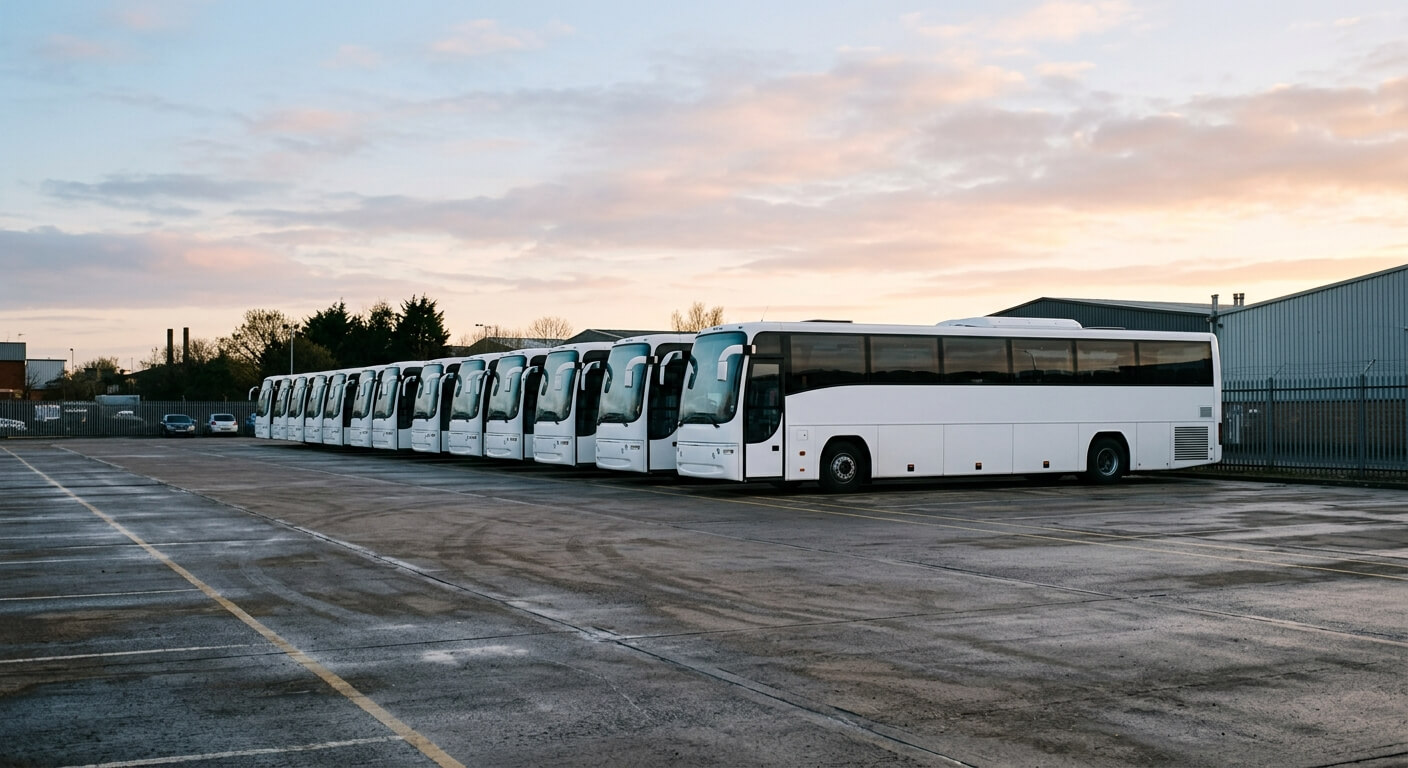
    how-to-add-extra-buses-for-holiday-travel-fleet-lot

    How to Add Extra Buses for Holiday Travel: Read Your Own Sales First

    The best signal for how to add extra buses for holiday travel is your own history. Pull last year’s sales for the same holiday week and look at them by departure, not by day. A route can look healthy on average while one Wednesday evening departure sold out two weeks early.

    Write down three things for each busy route: the day the departure filled, how many riders asked for another time afterwards, and how many seats were left on the departures just before and after it. Those three notes tell you whether demand is truly beyond your capacity or just badly spread.

    If you do not have clean records, say so and do not invent a forecast. Plan around the worst day you remember and keep a simple note this year so next year’s decision rests on facts.

    6 Practical Steps to Add Extra Buses for Holiday Travel

    These steps on how to add extra buses for holiday travel run in the order most operators can act on them. Start with the first two, which cost nothing and shape every later choice.

    • Set a trigger that tells you when to add a bus
    • Check that you have a driver and a vehicle before you sell a single seat
    • Create the new departure and confirm it appears on every channel
    • Tell riders who were turned away or waitlisted
    • Watch sales of the added departure daily
    • Review the result after the holiday and keep notes

    We go through each one below, with the questions to ask in your own operation. Each answers a part of how to add extra buses for holiday travel without guesswork.

    Step 1: Set a Trigger Before the Rush

    The first rule in how to add extra buses for holiday travel is the trigger.

    A trigger is a rule you agree in advance, such as “when a departure reaches a set share of seats sold by a set date, we consider adding another.” The exact share and date are yours to choose, based on your history and your fleet.

    Without a trigger, the decision gets made in a panic and by whoever shouts loudest. With one, the dispatcher, the sales manager and the owner all know what the next step is, and who has authority to approve it.

    Review the trigger once a week as the holiday approaches. Demand rarely arrives evenly, and a rule that looked right in October may need a small change by mid-November.

    Step 2: Confirm the Driver and Vehicle First

    Any plan for how to add extra buses for holiday travel must start with people and vehicles. Selling seats on a bus you cannot staff is worse than saying no. Before you open the new departure, confirm a vehicle that has passed its checks and a driver who has the hours available to drive it.

    Check your standby list early. Holiday weeks are when drivers ask for time off and when vehicles are most likely to be booked elsewhere. A short call to confirm availability can save you a cancelled trip later.

    If you rent a vehicle for the peak, agree the terms before you advertise the departure. Keep the cost per seat in mind so you know how full the added bus must be to make sense.

    how-to-add-extra-buses-for-holiday-travel-dispatch-office

    Step 3: Make the New Departure Visible Everywhere at Once

    How to add extra buses for holiday travel without overselling comes down to one idea. The moment the added bus is created, every sales channel should show the same seat count.

    If your counter, website and any third-party sellers update at different times, you can sell the same seat twice just when demand is highest.

    UBT describes shared APIs that sync instantaneously across all sales channels, including third-party websites. Whatever system you use, ask how long a change takes to appear everywhere, and test it with a single departure before the rush begins.

    Our guide on how to stop overselling bus seats lists the checks worth running. For a wider look at what to run and when, read about bus holiday schedule planning.

    Step 4: Reach the Riders You Turned Away

    In how to add extra buses for holiday travel, the riders who asked for a sold-out departure are your best first buyers for the added one. If you kept a list or a waitlist, contact those people first and give them a short window before you open the seats to everyone.

    Keep the message plain. Say the new departure time, the route and how to book. Do not promise a seat will remain, because it will not if the bus fills quickly.

    UBT lists automated SMS boarding reminders among its passenger features. Check whether you can use text messages for these notices as well, and keep each one short enough to read at a glance. Our bus ticket waitlist guide shows how to set one up.

    Step 5: Watch the Added Departure Every Day

    Once the bus is on sale, look at it daily, because how to add extra buses for holiday travel is not a one-time choice. If it sells quickly, you have learned that demand was real and you may want a second addition.

    If it moves slowly, you can still decide to merge it with another departure and tell riders early.

    UBT lists point of sale, ticket validation, inventory control and real-time reporting together. Real-time sales figures matter most in this stage, because a number that is a day old can send you the wrong way. Our guide to seat inventory control explains what to look at.

    Set a cut-off. Decide the last day you will cancel a poorly selling added bus, and tell riders about it in the booking terms so no one is surprised.

    Step 6: Keep Notes and Review the Result

    Good habits in how to add extra buses for holiday travel end with a review. Within a week of the holiday, sit down with your team for thirty minutes. Which departures filled first? Which added bus earned its place? Where did riders call with problems?

    Write down three things to repeat and three to fix, then file the note where next year’s manager will find it. That note will serve you better than any outside forecast, because it comes from your own routes and riders.

    What UBT Can and Cannot Do for You Here

    We want to be clear about scope on how to add extra buses for holiday travel. UBT notes that if you need to cancel a busline, or move it an hour later due to mechanical issues, you can move your schedule around. That covers changes to departures you already run.

    We do not claim an automatic feature that adds a bus for you. The decision to add one stays with your team, and the steps above are about making that decision faster and safer.

    If you are comparing systems, ask each vendor to show you exactly how a new departure is created and how quickly every channel reflects it.

    Also ask how a sold-out departure, a waitlist and a message to riders work together on the same screen. Those three actions happen within minutes of each other in a peak week.

    A Short Checklist for the Weeks Before the Holiday

    • Last year’s sales by departure, saved where the team can see them
    • A written trigger for adding a bus and a named person who approves it
    • A standby driver and vehicle list confirmed
    • A test sale on one departure to check every channel
    • Short rider messages written in advance
    • A date to review what happened

    None of this advice on how to add extra buses for holiday travel needs a large budget. It needs a few decisions made early, which is what turns a stressful week into a manageable one.

    Talk Through Your Holiday Plan With UBT

    If you would like a second pair of eyes on how your sales channels, schedule changes and reporting will cope with holiday demand, we are glad to talk. Request a conversation with the United Bus Tech team and tell us what your busiest week looks like.


  • Bus Ticket Pricing for Holiday Peak: 6 Practical Rules for Operators

    Bus Ticket Pricing for Holiday Peak: 6 Practical Rules for Operators

    Bus ticket pricing for holiday peak is a set of decisions about rules, not a hunt for a magic number. Demand often rises in the weeks around Christmas and New Year.

    How you set prices and enforce them across every channel decides whether the rush helps or hurts.

    This guide is for the owner or revenue lead at a bus company. It gives you a framework for holiday fares and explains how to keep them consistent. It does not give you prices, because your fares depend on your routes, your costs and your riders.

    Every example below is conditional. If a route sells out three days early, for instance, here is what to consider. None of it is a claim about what other operators earn.

    bus-ticket-pricing-for-holiday-peak-planning-desk

    What Makes Holiday Peak Pricing Hard

    In a normal week, a fare mistake costs a little and is easy to fix. In a peak week, a mistake multiplies. A wrong price shown on one channel can be bought a hundred times before anyone notices.

    Riders also pay close attention in the holidays. They compare, they screenshot and they remember. A price that changes between your website and your counter will become a complaint on the phone.

    So the first rule of bus ticket pricing for holiday peak is simple. Decide the rules first, then the numbers, and make sure every sales channel follows them.

    6 Practical Rules for Bus Ticket Pricing for Holiday Peak

    • Set the rules before you set the prices
    • Show the same fare on every channel
    • Decide how far ahead each fare opens and closes
    • Keep promotions separate from peak fares
    • Cap what you sell so you cannot oversell
    • Write the change and refund rules in plain words

    We take each one in turn below. They work for a single route or a whole network.

    Rule 1: Set the Rules Before the Prices

    A pricing rule says when a fare changes and why. For example, a fare may rise on the busiest days, or it may step up as a departure fills. Write down the trigger and who may change it.

    You do not need a complex model. Many operators use a small number of fare levels per departure and move between them on clear conditions. The fewer the levels, the easier it is to explain to staff and riders.

    Our guide to a bus fare matrix shows one simple way to organize fares by route and rider type.

    Rule 2: Show the Same Fare on Every Channel

    This is where most holiday pricing goes wrong. A fare change entered in one place does not always reach the others, and riders find the gap fast.

    United Bus Tech describes shared APIs that sync instantly across all sales channels, including third-party websites. That is the kind of mechanism you want when a price or a seat count changes in the middle of a rush.

    Before December, test it. Change a fare on a test departure and check the counter, the website and any partner channel. If they do not all update, fix that first.

    Our article on third-party bus ticket sales explains how to keep partner channels in line.

    bus-ticket-pricing-for-holiday-peak-station

    Rule 3: Decide When Fares Open and Close

    Peak fares need dates. Decide when holiday departures go on sale, when a fare level ends and what happens on the last days before departure. Put these dates in one shared document.

    Consider a simple condition. If a route has sold out on the same days in past years, you might start those departures at a higher level. If a route never fills, a higher fare may only push riders away. Your sales history will show you which case you are in.

    Do not guess when the history is missing. Record this year’s sales carefully so next year’s choice rests on data.

    Rule 4: Keep Promotions Apart From Peak Fares

    A promotion and a peak fare answer different questions. A promotion fills empty seats. A peak fare protects seats that will sell anyway. Mixing them leads to discounts on departures that did not need one.

    Decide which departures are excluded from promotions during the holiday window, and tell your team. Our piece on a bus ticket flash sale covers how to run short offers without hurting regular fares.

    Whenever you advertise a discount, state its conditions. A rider who finds an unexpected condition at checkout will not forget it.

    Rule 5: Cap What You Sell

    A fare is only as good as the seat behind it. If more tickets are sold than seats exist, no price rule will save the day. The refund and the apology cost more than the fare.

    Real-time inventory is what prevents this. UBT lists inventory control and real-time reporting alongside its point of sale. Ask any system how it holds the count when counter and online sales happen at once.

    You can read more in our guide on how to stop overselling bus seats. Keep a waitlist for departures that fill, and tell riders what to expect.

    Rule 6: Write Change and Refund Rules in Plain Words

    Holiday plans change, and riders will ask what happens if they do. Decide your change window, any fee and how refunds are paid. Then show the same words on every channel and train staff to say them the same way.

    Our bus ticket rebooking policy guide has a template for the questions to settle. Make the rules easy to find before the rider buys, not after.

    If you change a trip because of weather or a vehicle problem, be ready to move or cancel it quickly. UBT describes moving a schedule around when a mechanical issue comes up. Speed matters more at peak than in any other week.

    A Simple Holiday Pricing Checklist

    Use this list in early December. It takes an hour and catches most of the common mistakes.

    • Confirm fare levels and the dates they apply
    • Test one fare change on every channel
    • Check which departures are excluded from promotions
    • Confirm seat counts match at the counter and online
    • Review change and refund wording on every channel
    • Brief staff on the rules and who can override them

    After the holiday, spend an hour reviewing. Which fares sold quickly, which sat empty and which complaints repeated? Save the notes, because this plan repeats every year.

    What to Avoid

    Avoid changing the pricing method in the middle of the peak. Avoid showing a fare you cannot honor. Avoid giving staff the power to change fares without a record of who did it and why.

    Also avoid copying another company’s prices. You do not know their costs, their vehicles or their riders, and a fare that works for them may not work for you.

    Next Steps

    Bus ticket pricing for holiday peak is mostly about control. Set the rules, keep every channel in line, cap what you sell and explain the terms in plain words. With the rush only weeks away, an hour of testing now saves a week of complaints later.

    To see how United Bus Tech keeps inventory and sales channels in sync, request a free trial and test a fare change on a real departure before the season starts.

  • Questions to Ask Ticketing Vendors at a Bus Industry Trade Show: 10 Quick Picks

    Questions to Ask Ticketing Vendors at a Bus Industry Trade Show: 10 Quick Picks

    The questions to ask ticketing vendors at a bus industry trade show are different from the ones you would ask in a long demo. At a booth you have about five minutes and a crowd behind you, so every question has to earn its place. This guide gives you a short list you can carry on your phone.

    It is written for the owner or operations lead of a bus or motorcoach company who is walking the floor to compare ticketing systems. It names no vendors and ranks none. It only helps you ask better questions and judge the answers.

    Two shows fall close together this winter. UMA Motorcoach EXPO runs January 17 to 20, 2027, in San Antonio, Texas. The ABA Marketplace runs February 6 to 9, 2027, at the BMO Centre in Calgary, Alberta, which is in Canada, not the United States.

    questions-to-ask-ticketing-vendors-at-a-bus-industry-trade-show-booth-notes

    Before You Go: Know What You Need to Fix

    The best questions come from your own problems. Before the show, write down the three things that cost you the most time or money today. For many operators that is overselling, schedule changes, refunds or end-of-day reconciliation.

    Then write down how you sell today. Counter only, online only, or both, and whether partners or third-party sites sell your seats too. This tells you which answers matter and which ones you can skip.

    If you have already read our guide to what to expect at UMA Motorcoach EXPO or the one for bus operators at ABA Marketplace, you have the logistics. This article covers the conversation at the booth.

    10 Quick Questions to Ask Ticketing Vendors at a Bus Industry Trade Show

    Use these in order. If time runs out, the first four will tell you most of what you need to know. Ask each one in plain words and notice whether the answer is specific or vague.

    • How do you keep seat counts the same across counter, online and partner sales?
    • What happens when I need to move or cancel a trip at the last minute?
    • Which validation options do riders use at boarding?
    • What does the point of sale cover at the counter?
    • What reports can I see live, and what waits for the end of the day?
    • How do refunds and changes work, and who controls the rules?
    • How can I connect my other sales channels?
    • What can I try before I commit?
    • Who helps me during setup, and how long does it usually take?
    • What does the contract require if I decide to leave?

    The sections below explain why each question matters and what a useful answer sounds like.

    Questions About Inventory and Overselling

    The first question to ask ticketing vendors is how they keep inventory in sync. Overselling is the most visible failure a rider can see, and it often starts when two channels show different seat counts.

    A strong answer explains the mechanism, such as shared APIs that sync across all sales channels instantly. A weak answer says the system is fast and stops there. Ask them to show it on a screen if they can.

    Ask what happens at the edge cases too. What if two people try to buy the last seat at the same moment? You want to hear that the system handles it, not that the problem is rare.

    For a deeper look at the topic, see our article on seat inventory control.

    Questions About Schedule Changes

    Ask what a vendor does when a vehicle breaks down and a departure has to move by an hour. Your team will face this, and it will not be on a quiet day.

    Look for a simple answer. United Bus Tech describes a way to cancel a bus line or move a schedule when a mechanical issue comes up. Whatever the vendor, ask how many steps it takes and what the riders see.

    Then ask how affected riders are told. A schedule change that nobody hears about is still a problem.

    questions-to-ask-ticketing-vendors-at-a-bus-industry-trade-show-meeting-room

    Questions About Boarding and the Point of Sale

    Ask which ticket validation methods are supported. UBT’s site lists flexible validation options, and operators differ in what they need. Some scan at the door, others check a list. What matters is that the option fits how your drivers actually work.

    Then turn to the counter. UBT describes point of sale, ticket validation, inventory control and real-time reporting as one set. Ask any vendor whether the counter and the online store share one inventory or two.

    Our guide to a bus ticketing scorecard gives you a simple way to record these answers side by side after the show.

    Questions About Reports and Integrations

    Ask what you can see in real time. Live reports let you spot a slow departure while there is still time to act. End-of-day reports tell you what happened after the chance to fix it has passed.

    Ask about connections to other sales channels as well. If you sell through partner sites, find out how a vendor links to them and who does the work. Never assume an integration exists because it sounds likely.

    This is also the moment to be careful with claims. If a vendor says they connect with a particular system, ask to see it. If your needs are not on the feature list, treat the feature as not there.

    Questions About Trials, Setup and Exit

    Ask what you can try before you commit. UBT’s site says: “Free and no obligations at all! We provide Technology as a Service. If you do not like it, there will be no cost and obligations to you.” That is the kind of answer worth looking for.

    The site does not give a trial length, so ask. For any vendor, find out how long a trial runs and what data you can bring into it. Our bus ticketing trial checklist shows what to test.

    Finally, ask about leaving. What happens to your data and your riders’ accounts if you stop? A vendor that answers calmly is usually one you can work with.

    How to Run the Five-Minute Conversation

    Walk up with your three problems written down. Open with the one that costs you the most. Ask the matching question and listen for a specific answer.

    Take a photo of the booth name and write one line about the answer. Do it right away, because by the third day every booth blends together. Skip the giveaways and focus on what you learned.

    Do not sign anything on the floor. A good vendor will still be there next week, and you can compare notes with a clear head.

    After the Show: Turn Notes Into a Shortlist

    Within a week, sort your notes. Score each vendor on the questions that matter to you, drop the ones that gave vague answers, and keep two or three for a real trial.

    Run the trial on a real route with real staff. The trial will show you things a booth cannot, such as how the system feels on a Friday evening.

    Our questions to ask a ticketing platform vendor guide covers the longer list for that second round.

    Next Steps

    Good questions to ask ticketing vendors at a bus industry trade show are short, tied to your own problems and easy to compare. Ask about inventory, schedule changes, boarding, reports, trials and exit, and write down what you hear.

    If United Bus Tech is on your list, you do not have to wait for a booth visit. Request a free trial and ask your own questions on a real route.

  • Chinese New Year Bus Demand Planning: 7 Essential Steps for Operators

    Chinese New Year Bus Demand Planning: 7 Essential Steps for Operators

    Chinese New Year bus demand planning is easier when you start early and write your rules down. In 2027 the holiday falls on Saturday, February 6, and the Lantern Festival follows on Saturday, February 20. For operators on Chinese-American routes, that stretch is one of the busiest of the year.

    This guide is for the owner or operations lead who sells seats. It covers what to decide, what to check in your ticketing setup, and what to do when a departure fills. It does not promise a forecast, because the right numbers come from your own sales history.

    Everything here is written for operators. If you run fixed routes, charters or a mix, the same planning logic applies. Only the amount of detail changes.

    chinese-new-year-bus-demand-planning-sales-dashboard

    Why Chinese New Year Bus Demand Is Different

    Most holiday travel is spread over a few days around a fixed date. The Lunar New Year does not work that way. The date moves every year because it follows the lunar calendar, so last year’s calendar is a weak guide to this year’s rush.

    The pattern also differs from a normal weekend. Many riders travel to see family, and they often book for groups. One booking can mean three or four seats, and a family that cannot get seats together may not book at all.

    Sources disagree on how many days off people get around the holiday, and employers set their own schedules. For that reason, do not build your plan on a specific number of days. Build it on what your own booking data shows as the weeks get closer.

    One more difference matters for sales. Riders return after the holiday as well, so a plan that only covers outbound trips leaves half the demand unplanned.

    7 Essential Steps for Chinese New Year Bus Demand Planning

    These steps are in the order most operators can act on them. If you only have time for a few, start with the first three.

    • Pull last year’s sales by departure and by day
    • Decide when to open sales for the holiday window
    • Check that every sales channel shows the same seat count
    • Set group booking and change rules in writing
    • Decide what happens when a departure fills
    • Prepare a fast way to move or cancel a trip
    • Plan staff for the counter and the phones

    The sections below walk through each one in plain terms.

    Step 1: Start With Your Own Sales History

    Your best forecast is last year’s sales, read carefully. Look at which departures sold out, which sold slowly, and on which days. Note the date of the holiday last year so you can line up the same relative days this year.

    Do not invent a growth number. If your data is thin or messy, say so and plan around the busiest departure you remember. An honest range is more useful than a tidy figure that nobody can support.

    If you have no clean history, treat the first season as a learning season. Record every sell-out and every turned-away request, because that record becomes your forecast next year.

    Step 2: Decide When to Open Sales

    Riders who plan family trips tend to look early. If your holiday departures are not on sale yet, they will look somewhere else. Decide the date you will open the holiday window and tell your counter staff and phone team before it happens.

    Opening sales early also gives you time to see where demand is heading. A departure that fills in the first days tells you to think about another one. A slow one tells you to leave it alone.

    Remember that adding a trip is a decision about drivers, vehicles and cost. The ticketing system shows you the demand. Your dispatch team decides what to run.

    chinese-new-year-bus-demand-planning-calendar-board

    Step 3: Keep One Seat Count Across Every Channel

    Overselling is the most expensive mistake in a rush. When seats are sold at the counter, online and through partner sites, each channel needs the same live count. Otherwise two people hold the same seat.

    United Bus Tech describes shared APIs that sync instantly across all sales channels, including third-party websites. In a holiday week that is not a nice extra. It is what keeps a Friday evening departure from being sold twice.

    For a closer look at the problem, read our guide on how to stop overselling bus seats. It explains where double sales usually come from.

    Check this before the season starts, not during it. Ask your team to buy the last seat on a test departure through two channels and see what happens.

    Step 4: Write Down Group and Change Rules

    Families travel together, so group bookings matter more here than in a normal week. Decide how many seats one booking can hold, whether seats can be kept for a short time, and what happens when a group changes its mind.

    Our article on how to handle bus group bookings covers the questions to settle. Write the answers on one page that every agent can see.

    Change and refund rules need the same care. Decide your cut-off times and your fees before the rush, and make sure the rules shown online match what your staff say on the phone.

    Step 5: Decide What Happens When a Departure Fills

    A sold-out departure is a good problem if you have a plan. Decide in advance whether you will add a second coach, open a waitlist, or point riders to the next day. Do not make that call while a line forms.

    A waitlist is one clear option. Our guide to a bus ticket waitlist shows how operators use one to keep demand they cannot serve today.

    Whatever you choose, tell riders plainly. A short, honest message about what to expect is better than silence.

    Step 6: Be Ready to Move or Cancel a Trip

    Winter weather and mechanical problems do not wait for holidays. Your team needs to be able to shift a departure quickly and tell the people on it.

    UBT’s site describes a one-click way to cancel or restore a bus line, and to move a schedule when a vehicle has a problem. In a rush week, the ability to change a trip in minutes is worth more than a long feature list.

    See how to change a bus schedule at the last minute for the steps that keep riders informed when a trip moves.

    Step 7: Plan Staffing and Communication

    Demand shows up as phone calls. Most calls ask the same few things, such as whether a seat is left, how to change a booking, and where to board. Write short answers and give every agent the same ones.

    Automated messages can take some of that load. UBT describes automated SMS boarding reminders and ETA tracking, so riders can get answers without calling.

    Decide who is on the counter and who is on the phones for each peak day, and give people time off after the rush. Tired staff make the mistakes that cost you riders.

    A Simple Planning Timeline

    You do not need a complicated chart. A short timeline with a few dates is enough, and it keeps everyone aligned.

    • Now: review last year’s data and write your rules
    • Several weeks out: open sales for the holiday window
    • Two weeks out: test every channel for seat sync
    • The week before: brief staff and prepare messages
    • After the holiday: hold a short review and save the notes

    Keep the review honest. Which departures sold out, which did not, and which complaints repeated? Those notes are the start of next year’s plan, which is the real value of a recurring holiday.

    How to Test a System Before the Rush

    If you are thinking about changing your ticketing system, February is a poor time to do it mid-season.

    A quieter month is better, and a trial helps. UBT’s site says: “Free and no obligations at all! We provide Technology as a Service. If you do not like it, there will be no cost and obligations to you.”

    The site does not state a trial length, so ask when you talk to the team. Use the trial to run a small test, not to move your whole operation in one night.

    Our bus ticketing trial checklist lists what to test, including seat sync, changes and reports.

    What Not to Do

    • Do not rely on a single number for how many days off riders get
    • Do not plan only for outbound trips
    • Do not leave group rules unwritten
    • Do not change systems in the middle of the peak
    • Do not promise extra trips you have not confirmed

    That last point deserves care. A promise of an added bus that you cannot staff will cost you more trust than a clear sell-out message.

    Next Steps

    Chinese New Year bus demand planning comes down to three habits. Read your own history, keep one seat count everywhere, and write the rules before the rush. The 2027 holiday is on Saturday, February 6, so the work you do this autumn decides how smooth that week feels.

    If you want to see how United Bus Tech handles live inventory, schedule changes and reporting for operators, request a free trial and test it on a real route before the holiday window opens.

  • Thanksgiving Demand: 7 Practical Steps for Bus Companies

    Thanksgiving Demand: 7 Practical Steps for Bus Companies

    Thanksgiving demand hits bus companies harder than any other week, and the work that decides how it goes happens before the holiday. This guide is for operators who want a clear plan for the sales side: inventory, sell-outs, changes and the phone calls that follow.

    The holiday in 2026 falls on Thursday, November 26. If you are reading this in the weeks before, you still have time to tighten a few things that will matter when the rush begins.

    thanksgiving-demand-waiting-hall

    How Bus Companies Handle Thanksgiving Demand

    The simplest way to describe it is this: companies that handle Thanksgiving demand well decide their rules early, share one seat count across every channel and keep staff free to solve problems rather than repeat answers.

    Our article on bus holiday schedule planning covers the scheduling side, meaning which departures to run. This article picks up where that one ends. It is about selling, changing and communicating during the peak week.

    The key point is that Thanksgiving demand is not just more of a normal week. It is concentrated, it is emotional and people have little room to move. A rider who misses a bus on Wednesday evening has no easy way to fix it.

    What the Numbers Tell Operators

    AAA publishes a holiday travel forecast every year. For Thanksgiving 2025, it projected roughly 81.8 million people travelling between November 25 and December 1. That figure covers every mode and AAA does not break out buses, so treat it as a sign of scale.

    The AAA forecast for 2026 is expected in mid-November, so check the new figure when it appears. Whatever it shows, your own history is the better guide. Look at last year’s sales by day and by departure.

    Do not invent a forecast you cannot support. If you do not have clean data, say so, and plan around the worst day you remember instead. A plan built on honest limits holds up better than one built on a neat number.

    7 Practical Steps for Thanksgiving Demand

    These steps are arranged in the order most operators can act on them. Pick the ones that fit your size and start with the first two.

    • Agree your cut-off and cancellation rules and write them down
    • Make sure every sales channel shows the same seat count
    • Decide what happens when a departure fills
    • Keep a way to move or cancel a trip quickly
    • Prepare messages for riders in advance
    • Plan staffing for the counter and the phones
    • Hold a short review the week after

    We go through each one below. None of them needs a large budget, but all of them need a decision before the rush.

    One Seat Count for Every Channel

    The first danger is overselling. When the last seats on a popular departure sell, a delay of even a few minutes between channels can mean two people hold the same seat.

    UBT describes shared APIs that sync instantaneously across all sales channels, including third-party websites. If your own setup cannot do that, find out how long a sale takes to show up everywhere, and consider closing weaker channels early on your busiest departures.

    Our guide on how to stop overselling bus seats walks through the checks.

    What Happens When a Departure Sells Out

    Sold-out departures are good news, but they bring a wave of questions. Riders ask for another time, another day or a place on a waitlist.

    Decide in advance how you will answer. If you can add a departure, say when you will announce it. If you cannot, say that plainly and point to nearby times. Never promise a seat you cannot give.

    If you run a waitlist, make clear how it works and when riders will hear back. For an outline, read our bus ticket waitlist guide.

    thanksgiving-demand-dispatch-screen

    Changing or Cancelling a Trip Fast

    On a normal day, a mechanical problem is an annoyance. During Thanksgiving week, it can strand a full bus of people trying to get home.

    UBT notes that if you need to cancel a busline, or move it an hour later due to mechanical issues, you can move your schedule around. Ask yourself how long that takes in your current setup, and who is allowed to do it when the manager is away.

    Then think about the message. Riders need to know early, in plain words, with the new time and what to do next. UBT lists automated SMS boarding reminders among its passenger features, which can help you reach riders without a call for every trip.

    Messages to Prepare in Advance

    Write your rider messages before the week begins. When a trip is late or moved, nobody has time to draft careful wording, and rushed messages cause more calls than they save.

    Prepare short versions for four cases: a departure is delayed, a departure is moved, a trip is cancelled and a departure is full. Each message should say what happened, what the rider should do and when they will hear more.

    Keep the tone calm and direct. Riders heading home for the holiday are already anxious, and clear facts help more than apologies. Store the messages where every shift can find them, and agree who has authority to send each one.

    Staffing the Counter and the Phones

    A large share of Thanksgiving week work is answering the same questions. Where do I board, is my bus on time, can I change my ticket, what if I miss it?

    Write short answers to the top ten questions and give them to everyone on shift. Put the most common ones on your website and in your confirmation messages so fewer people need to call.

    Plan shifts for the busiest days, not an average day. If you do not have enough people, decide which tasks can wait and which cannot. For more help, read about how to manage staffing during ticket spikes.

    Refunds and Rebooking in the Rush

    Plans change fast around the holiday. Some riders will ask for a refund, and some will want a different day. Your rules should be clear before the first call arrives.

    State the cut-off, who can approve exceptions and how a refund is paid. Keep the policy short enough to read aloud. If a trip is cancelled by you, riders should hear quickly and know what you will do.

    Our guide on how to refund passengers when a trip is cancelled covers the steps. Keep it near the counter during the peak week.

    After the Holiday: Review What Happened

    Within a week of the holiday, sit down for thirty minutes with your team. Look at which departures sold out first, which channel sold the most and where riders called with problems.

    Write down three things to repeat and three things to fix, then file the note where next year’s manager will find it. That note is worth more than any forecast, because it comes from your own operation.

    Real-time reporting helps here. UBT lists point of sale, ticket validation, inventory control and real-time reporting together, so you can see sales as they happen and not only afterwards. Compare what you saw in the week with what you expected.

    Prepare Your Ticketing Setup With UBT

    If you want a second pair of eyes on how your sales channels, changes and reporting will cope with the rush, we are glad to talk. Request a conversation with the United Bus Tech team and tell us what your busiest week looks like.

  • ABA Marketplace: 7 Key Things Bus Operators Should See

    ABA Marketplace: 7 Key Things Bus Operators Should See

    ABA Marketplace is the American Bus Association’s annual meeting for bus operators and group travel buyers. This guide covers what to see, who to meet and which questions to carry so the trip supports your sales side too.

    We do not reproduce the official agenda. The ABA publishes it and it changes. What we offer is an operator’s checklist you can fill in before you go and use when you are back.

    aba-marketplace-conference-hall

    ABA Marketplace Dates and Location: Check the Country

    The next ABA Marketplace is scheduled for February 6 to 9, 2027, at the BMO Centre in Calgary, Alberta. That is in Canada, not in the United States, so plan for it as an international trip.

    The host city changes from year to year. Confirm the dates and location with the ABA before you book, and check what documents your staff need to cross the border.

    Because it is a cross-border trip, build in extra time. Travel days, border checks and winter weather in Alberta can all eat into your schedule, so decide early who is going and what you need from each person.

    What to See at ABA Marketplace as a Bus Operator

    The short answer is that you should see the people who affect how you sell seats. ABA Marketplace is built around meetings between operators and the buyers and partners who send groups your way, so plan around conversations rather than a walk through the hall.

    That makes it different from a vehicle show. Your goal is to leave with working relationships and clear notes on what each partner needs from you: seats, schedules, confirmations and a fast answer when plans change.

    Group buyers and partners care about reliability. They want to know that a seat promised is a seat delivered, and that you will tell them quickly if a trip changes. Your ticketing setup is what makes those promises possible.

    7 Key Stops for an Operator at ABA Marketplace

    Use this list to shape your calendar. You will not get to everything, so rank the stops by what your business needs most this year.

    • Group travel buyers who want reserved blocks of seats
    • Tour operators that sell your trips under their own brand
    • Destination and attraction partners that need arrival times
    • Other operators open to sharing ideas on handling peak days
    • Technology vendors who can show how a sale reaches every channel
    • Payment and refund contacts who explain how money moves
    • Your own team, for a daily debrief over dinner

    The fifth stop is where a ticketing question belongs. The rest of the list is the relationship side of your trip, and the two sides depend on each other.

    Prepare Before You Go to ABA Marketplace

    Preparation separates a useful ABA Marketplace from a tiring one. Two weeks before you leave, write a one-page summary of your operation: the regions you serve, the kinds of groups you carry and how a buyer reaches you.

    Then list the three things you want from the trip. It might be two new group partners, a clearer view of how to sell through partner channels, or a comparison of ticketing tools. A short list keeps you from saying yes to every invitation.

    Share the plan with your team so each person knows which meetings they own. Agree who writes the follow-up emails, because nobody wants to find out three weeks later that every person assumed someone else would send them.

    Questions About Seat Counts and Partner Sales

    Partners sell your seats through their own systems and websites. That is good for volume and risky for accuracy, because every extra channel is another place where a seat count can drift.

    UBT describes shared APIs that sync instantaneously across all sales channels, including third-party websites. Ask every vendor you meet the same thing: when a partner sells a seat, how soon does everyone else see it?

    Our article on third-party bus ticket sales explains how to set up partner selling without losing control of your inventory. It is a good read on the flight to Calgary.

    aba-marketplace-coach-fleet-lot

    Group Bookings and Blocks of Seats

    Group buyers rarely ask for a single seat. They ask for a block, a hold, a name list that arrives late and a change on the day. The question for your system is whether it can handle that without a spreadsheet on the side.

    Ask how a hold is created, how long it stays open and what happens when the group changes size. The answers tell you whether the tool was designed for how bus companies actually work.

    For more on this topic, see our guide to handling bus group bookings. It lists the points to settle with a buyer before you confirm.

    Changes, Refunds and What Partners Will Ask

    Partners will ask what happens when a trip is cancelled or moved. Have your answer ready before you sit down, because a clear policy builds trust faster than any brochure.

    UBT lets you cancel a busline or move it an hour later when there is a mechanical issue. When you visit a technology booth, ask to see how a change reaches riders and partners, and how long it takes.

    Our guide to changing a bus schedule at the last minute shows the steps worth checking on your side. If a refund is needed, make sure you know who approves it and where the money goes.

    How to Take Notes at ABA Marketplace

    You will meet many people in a short time, and notes made at night are never as good as notes made on the spot. Use one page per meeting with the same headings every time.

    • Who they are and what they sell or buy
    • What they need from your operation
    • What you promised and by when
    • What question about systems or data came up
    • One next step with a named owner

    Be realistic about what one meeting can achieve. Most first meetings end with a promise to talk again, and that is fine. Your job is to make the second conversation easy by leaving a clear picture of what you offer and how a buyer can reserve seats with you.

    After each day, spend twenty minutes with your team and pick the three follow-ups that matter most. Send those first, while the conversation is still fresh in the other person’s mind.

    After ABA Marketplace: Turn Contacts Into Bookings

    The weeks after the event decide whether the trip pays off. Reply to every contact within a few days, and do what you said you would do.

    If the event raised ticketing questions, run a hands-on test. UBT says its service is free with no obligations: if you do not like it, there is no cost and no obligation to you. Ask any other vendor for terms in writing, and check what the trial covers.

    A simple test does the job. Load a few real departures, sell through two channels, hold a block for a group and cancel one trip. If the system copes with all four, you have the answer you flew to Calgary to find.

    Plan Your Ticketing Questions With UBT

    If you would like to bring a real operation to the conversation, we can look at your setup together. Request a conversation with the United Bus Tech team and tell us how you sell seats and groups today.

  • UMA Motorcoach Expo: 7 Essential Ticketing Questions to Bring

    UMA Motorcoach Expo: 7 Essential Ticketing Questions to Bring

    The UMA Motorcoach Expo is a yearly gathering of the private bus and coach industry. If you run a motorcoach company, a charter operation or a scheduled service, this guide shows what to bring so the trip pays off on the ticketing side.

    We do not list the official programme here. The organizer publishes that, and it changes each year. What we cover is the part nobody publishes for you: the questions an operator should carry in a notebook.

    uma-motorcoach-expo-conference-entrance

    Dates and Place for the UMA Motorcoach Expo

    The 2027 edition of the UMA Motorcoach Expo runs from January 17 to 20, 2027, at the Henry B. Gonzalez Convention Center in San Antonio, Texas. The host city changes from year to year, so check the official event site for the current dates and location before you book travel.

    Put those four days in your calendar early. Hotels near a large convention centre fill up, and a late booking can leave you fewer choices.

    Decide before you arrive who from your company is going. A good split is one person from operations, one who handles sales and customer service, and an owner or general manager who can make a decision on the spot.

    Why the UMA Motorcoach Expo Is a Ticketing Event Too

    Most operators think of the UMA Motorcoach Expo as a place to look at vehicles, parts and services. That is fair. But every bus you sell a seat on depends on the same chain: how a seat is sold, how it is counted, how a rider is checked on, and how you learn what happened afterward.

    That chain is software, and a trade show is one of the few places where you can compare several approaches in a single afternoon. You can ask direct questions face to face and watch how people answer.

    The risk is wandering the hall without a plan. Operators who walk in with a short list tend to leave with comparable notes. Operators who browse leave with a bag of brochures and no way to tell them apart.

    7 Essential Questions to Bring to the UMA Motorcoach Expo

    Treat the list below as a starting point and cut it down to what matters in your business. Write the answers down in the same order for every vendor you speak with, so you can compare later.

    • Where does my seat count live, and how does every channel see it at the same moment?
    • What happens when I need to move or cancel a departure, and how do riders find out?
    • How do riders get checked on, and what happens when a phone has no signal?
    • What reports can I see while sales are open, not only after?
    • How are refunds and rebookings handled, and who can approve them?
    • What does it take to start, and what do I owe if it does not suit us?
    • Who will I speak to when something breaks on a busy day?

    Each question maps to a real operating problem. None of them is about a feature name. They are about what your desk does at seven in the morning when a bus is late.

    Seat Counts Across Every Sales Channel

    Overselling is the problem that sends most operators looking for new software. It happens when your website, your counter and a partner each hold their own idea of how many seats are left.

    Ask every vendor how a sale on one channel reaches the others. UBT describes shared APIs that sync instantaneously across all sales channels, including third-party websites. Use that sentence as a benchmark and ask others to be as specific.

    If you want the background on this issue, read our guide on how to stop overselling bus seats. It explains the failure pattern in plain terms, and you can take the questions straight to the booth.

    Changing a Departure Without Chaos

    Buses break down, drivers run out of hours and roads close. When that happens, you need to move or cancel a departure quickly and tell the right people.

    UBT states the case plainly: if you need to cancel a busline or move it an hour later due to mechanical issues, you can move your schedule around. When you visit a booth, ask to see that exact task done, step by step, and count the clicks.

    Our article on how to change a bus schedule at the last minute lists what to check on your side of the process too.

    uma-motorcoach-expo-coach-fleet-depot

    Point of Sale, Validation and Reporting

    A show floor is a good place to ask about the counter. UBT lists four things together: point of sale, ticket validation, inventory control and real-time reporting. When you compare tools, look for all four in one system rather than four tools stitched together.

    Validation deserves its own question. Flexible validation options matter when your riders board at a curb, a terminal or a rented lot. Ask what the driver or agent actually sees on the device when a ticket is scanned.

    Reporting is the part owners care about most. If a report only shows yesterday, you cannot act on today. Real-time reporting means you see sales and boarding while the day is still open, which is when you can still change something.

    How to Run the Conversation at the Booth

    Keep each conversation short, around ten minutes. Start by describing your operation in two sentences: how many routes, which channels you sell on, and what hurts most today. Then ask your list.

    Do not ask for a price in the first minute. Ask first how the product works for a company like yours, and what the process looks like from signing to the first sale. Then ask about cost.

    Our questions to ask a ticketing platform vendor article goes deeper on this and works well as a printout. A simple table with the same rows for every vendor is enough to rate the answers after each stop.

    After the UMA Motorcoach Expo: Turn Notes Into a Decision

    The week after the show matters as much as the show. Within five days, sit down with your team and go through the notes while the conversations are still fresh. Cut the list to two or three options.

    Then ask each remaining vendor for a hands-on trial. UBT says its service is free with no obligations: if you do not like it, there is no cost and no obligation to you. Whatever vendor you choose, ask for the same terms in writing and check what the trial includes.

    Use a short, real test: load a few real departures, sell through two channels and cancel one trip. If the system handles that without help, you have learned more than any demo could show.

    Our bus ticketing trial checklist gives you a step-by-step plan for running that test with your staff.

    A Short Checklist Before You Fly to San Antonio

    Pack for conversations, not only for the hall. A few small things make the difference between a useful trip and an expensive one.

    • A one-page description of your operation to share quickly
    • Your seven questions printed, with space for answers
    • A shortlist of the two or three problems that cost you the most today
    • A plan for who attends which session or meeting
    • A fixed time for a team debrief when you are back

    If you cannot attend, you can still run the same process by video call. The questions work in any setting, and a vendor who answers them clearly on a call is a good sign.

    The UMA Motorcoach Expo comes around every year, and the habit of walking in with questions will serve you every time. Each year you can compare notes against last year and see who has improved.

    Talk to UBT About Your Ticketing Setup

    If you want to bring a real operation to the conversation, we are happy to look at yours. Request a conversation with the United Bus Tech team and tell us how you sell seats today.

  • Seat Inventory Control: 6 Essential Rules for Bus Operators

    Seat Inventory Control: 6 Essential Rules for Bus Operators

    Seat inventory control is the discipline of making sure every seat on every departure is sold once, and only once. This guide is for bus company owners who sell through more than one channel and want clear rules for how their seat count behaves.

    We set out six rules you can apply today, whether you use a spreadsheet, an older system or a shared platform. They are about decisions, not code, so you can discuss them with your team before changing any tool.

    seat-inventory-control-channel-dashboard

    Why Seat Inventory Control Matters to a Bus Operator

    A bus has a fixed number of seats, and every seat that leaves empty is revenue you cannot get back. On the other side, a seat sold twice creates a rider with a ticket and nowhere to sit. Both mistakes cost you money and trust.

    Seat inventory control sits between those two risks. Done well, it keeps your buses full without overselling. Done badly, it forces your staff to fix problems at the door of the bus, in front of the rider.

    The challenge grows with every new way of selling. A counter, a website and a partner site can each be correct on their own and still disagree about how many seats are left.

    Rule 1: Keep One Seat Count Per Departure

    The first rule of seat inventory control is simple: each departure has one count of available seats, and every channel reads from it. Separate counts for each channel are the main reason operators oversell.

    If you must split seats between channels, treat the split as a business choice that you review often, not as a technical default. Locked blocks sit unsold on one channel while another turns riders away.

    A system built around shared APIs that sync across all sales channels, including third-party websites, is designed to keep this single count. Our guide to multi-channel bus ticket sales goes deeper on the setup.

    Rule 2: Decide How Long a Held Seat Stays Held

    When a rider starts to pay, the seat must be held so nobody else can take it. But a hold with no end date quietly drains your inventory. Seats that nobody pays for stay locked and look sold.

    Pick a hold time that fits how your riders pay, and make sure it releases without a person having to remember. A shorter hold suits busy departures, and a longer one suits routes where riders take time to decide.

    Write the rule down in plain words so your counter staff can explain it. Ask your system what it does, rather than assuming.

    Rule 3: Make Every Sale Update the Count Immediately

    Delays are where overselling hides. If a counter sale takes several minutes to show online, two riders can buy the last seat in that gap. The faster the update, the smaller the window for error.

    Test this directly. Sell a seat in one channel and watch how long it takes to show up in the others. Do it for every channel you use, including partners.

    If a partner receives your inventory on a schedule instead of live, you need a plan for the last few seats. Our article on third-party bus ticket sales explains how to handle that.

    seat-inventory-control-network-sync

    Rule 4: Treat Changes and Cancellations as Inventory Events

    Seat inventory control does not stop when the ticket is sold. A refund, a rebooking or a cancelled departure all change the count, and each one must put seats back correctly or take them away.

    Take the example of a bus that must leave an hour later. The departure moves, the sold seats move with it, and the count stays right. If your process requires editing each ticket by hand, mistakes will creep in.

    For the refund side, see how to refund passengers when a bus trip is cancelled.

    Rule 5: Reconcile Seats Against Boarding

    Even with good rules, you need a way to check them. Compare the seats sold on each departure with the riders who boarded. The gap shows you where the count and reality part ways.

    A short daily review is enough. Look for departures where more people showed up than seats, and for those where the count says full but the bus left with empty seats. Each case points at a rule that needs fixing.

    Our guide to bus ticket reconciliation shows a simple way to run this check without extra software.

    Rule 6: Give Staff a Clear Rule for the Last Seats

    The final seats on a departure cause most of the trouble. Two agents, or an agent and the website, may reach for the same seat at the same moment.

    Decide who has priority and what staff say when a seat has just gone. A friendly script and a quick alternative departure turn a problem into a small delay.

    If you assign seats to riders, review your bus seat selection rules too. Assigned seats add one more layer to seat inventory control, because each seat is now a separate item to protect.

    How to Check Your Current Seat Inventory Control

    You can audit your own setup in an afternoon. Pick one busy departure and walk it through every channel you use.

    • Look at the seat count in each channel at the same moment.
    • Sell one seat in a channel and time how long the others take to change.
    • Start a booking and leave it, then see when the seat is released.
    • Move or cancel the departure and check that the count follows.

    Write down every mismatch. Those are the places where your next oversell will come from, and they make a useful list for any vendor you talk to. Our bus ticketing scorecard can help you compare the answers.

    Common Seat Inventory Control Mistakes

    Most problems come from a handful of habits, and almost all of them are fixable without buying anything new. Check your own operation against this list.

    • Keeping a spreadsheet for the counter and a separate list for online sales.
    • Letting held seats stay locked because nobody owns the release rule.
    • Editing a moved departure ticket by ticket instead of as one change.
    • Skipping the daily check between seats sold and riders boarded.

    Notice that none of these is a software failure. They are process gaps, and a better tool only helps when the rule behind it is clear. That is why we put the rules first and the tools second.

    If you still manage sales in a sheet today, our piece on bus ticketing spreadsheets explains where they hold up and where they start to cost you seats.

    What to Look for in a Tool That Supports These Rules

    When you compare systems, map each rule to a question. Does the tool keep one count? Does it show how a held seat is released? Does a sale in one channel update the others at once?

    Ask to see a departure move and a cancellation in a live demo, and ask what happens to the count in each case. Do not accept a general promise. A clear demonstration will tell you more than any feature list.

    For a wider view of the features worth comparing, read our guide to bus ticketing software features.

    Put Seat Inventory Control Into Practice

    Good seat inventory control comes down to one count, clear holds, instant updates and a habit of checking. Start with the audit above and fix the largest gap first.

    UBT is offered as Technology as a Service, and if you do not like it, there will be no cost and no obligations to you. Request a free trial of UBT’s bus ticketing platform and test these rules on one of your own routes.

  • Staffing During Ticket Spikes: 7 Practical Moves for Bus Operators

    Staffing During Ticket Spikes: 7 Practical Moves for Bus Operators

    Staffing during ticket spikes is one of the hardest problems a bus company faces. A holiday weekend, a flash sale or a big event can triple the number of people who want a seat within a few hours. This guide is for owners and operations managers who want a plan before the rush, not during it.

    We cover seven practical moves, from reading your own history to reviewing the peak afterwards. We do not give headcount formulas, because the right numbers depend on your routes, your counters and your sales channels.

    staffing-during-ticket-spikes-calendar-board

    Why Staffing During Ticket Spikes Goes Wrong

    Most operators staff for an average day. When a spike arrives, the counter queue grows, the phone rings without stopping and dispatch is pulled into sales. Every one of those problems has the same root: demand arrived faster than people could handle it.

    The cost is not only the extra overtime. Riders who wait too long leave, agents make mistakes when they hurry, and the next departure starts late because staff are still busy with the last one.

    Good staffing during ticket spikes is not about hiring more people for a few days. It is about deciding which work needs a person and which work can move to a channel that scales by itself.

    Move 1: Know When Your Spikes Happen

    You already own the best forecast, which is your own sales history. Look at the last two or three years of busy periods and mark the dates. Most spikes repeat, whether they follow holidays, school breaks or local events.

    Then note when within each spike the pressure came. Some routes sell out weeks ahead, while others see a wave of last-minute buyers on the day before travel. Staffing during ticket spikes only works if you know which kind you have.

    Our article on bus holiday schedule planning shows how to turn those dates into a calendar your whole team can follow.

    Move 2: Move Routine Sales Away From the Counter

    Every ticket sold on a website is a ticket your counter staff do not have to sell. Before a spike, make sure riders can find the online booking easily, and tell regular customers about it in advance.

    Keep the counter for the cases that truly need a person, such as cash payments, groups and riders who need help. If you want ideas for lowering counter load day to day, read how to reduce ticket counter staffing costs.

    This is also where a shared system matters. When online and counter sales draw from one seat count, you can push riders online without worrying that the two channels will disagree.

    Move 3: Give Counter Staff a Faster Tool

    When a queue is long, every extra tap costs you riders. A point-of-sale screen that handles ticket sale, validation, inventory control and reporting in one place keeps each transaction short and keeps the numbers consistent.

    Practise on the tool before the rush. A new agent who has sold twenty tickets in a quiet week will be calmer than one who learns the screen with fifty people behind them.

    For a longer look at what to check, see our bus POS checklist.

    staffing-during-ticket-spikes-dashboard-tablet

    Move 4: Split Roles Before the Rush

    During a spike, a few people end up doing every job. Decide the roles beforehand, so nobody has to improvise.

    • One or two agents on sales only, with no phone duty.
    • One person on phones and messages, working from a short list of standard answers.
    • One lead who watches live numbers and decides when to add a departure.
    • One dispatcher who is not pulled into sales at all.

    Write the roles on a single page and share it a few days ahead. The point is simple: when everybody knows their lane, the queue moves faster with the same number of people.

    Move 5: Watch Live Numbers and Add Capacity Early

    Staffing during ticket spikes is easier when you see the spike building. If a route is selling quickly, you can add a departure or bring in another agent before the line forms. If you only read the report the next morning, that chance is gone.

    Live reporting is the tool for this. Our guide to real-time bus reporting lists the few figures that matter on a busy day, such as seats sold per departure and seats left.

    Decide in advance what level of sales triggers an extra departure. A rule written on a calm day is far better than a decision made in the middle of the rush.

    Move 6: Keep Boarding Fast

    A spike does not end when the ticket is sold. Hundreds of riders still need to be checked and seated. If boarding is slow, the delay spreads to every later departure and your staff spend the day apologising.

    Use validation that suits your stops, and remind riders before departure so fewer of them arrive late or confused. Automated SMS boarding reminders can help with the second part. Our article on how to reduce bus boarding delays covers the details.

    If a bus does need to leave later, a system that lets you move the departure in one step keeps your staff from handling each ticket by hand.

    Move 7: Review the Peak Once It Is Over

    When the spike ends, the learning begins. Sit down within a week and compare plan against reality. Where did the queue form, which hour was worst, and which departures sold out earlier than expected?

    Write down two or three changes for next time and put them into your calendar. Over a few seasons, your staffing during ticket spikes becomes a routine rather than a scramble. A short list of bus company KPIs to track helps you measure whether the changes worked.

    Keep the notes somewhere your successor can find them. A plan that lives in one manager’s head disappears when that person is away.

    Common Mistakes When Staffing During Ticket Spikes

    A few errors show up again and again. Knowing them in advance saves you from learning each one the hard way.

    • Adding extra agents but not extra tools, so the queue stays slow.
    • Leaving dispatch to cover sales and then missing a departure.
    • Promising riders a fix on the phone that the counter cannot deliver.
    • Skipping the review because everyone is tired after the peak.

    Each of these comes back to planning. The spike itself is rarely a surprise, and the date is on your calendar. What costs you is the lack of a written plan, so write a one-page version this week and update it after every peak.

    A Simple Checklist for the Week Before

    Use this as a final pass. It takes about an hour and prevents most of the avoidable trouble.

    • Spike dates and expected busy hours are on the shared calendar.
    • Every agent has practised on the sales tool this week.
    • Roles for sales, phones, lead and dispatch are written down.
    • Staff know who decides on an extra departure, and what triggers it.
    • Riders have been told that online booking is available.

    Plan Your Next Spike With a Shared System

    Staffing during ticket spikes gets much easier when sales, validation and reports live in one place. UBT is offered as Technology as a Service, and if you do not like it, there will be no cost and no obligations to you.

    Request a free trial of UBT’s bus ticketing platform and test it on your busiest route before your next peak.

  • Questions to Ask a Ticketing Platform Vendor: 12 Essential Checks Before You Sign

    Questions to Ask a Ticketing Platform Vendor: 12 Essential Checks Before You Sign

    The questions to ask a ticketing platform vendor matter more than the demo itself. A demo shows you the best day of the product, while good questions show you what happens on a bad day. This guide is for bus company owners who are about to choose or replace a ticketing system.

    We list twelve checks, grouped by the part of your business they protect. Use them in a call, in an RFP or in a trial. None of them needs a technical background, and each one has a plain reason behind it.

    questions-ask-ticketing-platform-vendor-meeting-table

    Why the Questions to Ask a Ticketing Platform Vendor Come First

    Most operators begin with a feature list. That is natural, but features are easy to promise and hard to compare. Two vendors can both say “yes” to every line and still behave very differently once your first busy weekend arrives.

    The better approach is to ask how the system behaves under your real conditions. That means your routes, your sales channels, your counter staff and your habit of changing a departure at the last minute. These are the questions to ask a ticketing platform vendor before anything is signed.

    If you want a scoring sheet to go with the answers, our bus ticketing scorecard turns the replies into numbers you can compare side by side.

    Questions to Ask a Ticketing Platform Vendor About Sales and Inventory

    Inventory is where money is lost fastest, so start here. A seat sold twice means an angry rider and a free replacement trip, and it usually happens when channels do not agree with each other.

    • How do online, counter and third-party sales share one seat count, and how quickly does a sale in one place appear in the others?
    • What happens to a seat while a rider is still paying, and when is it released?
    • Can we sell through partner websites without handing over a separate block of seats?

    Ask the vendor to show the answer on screen, not describe it. A system built around shared APIs that sync across every sales channel should be able to demonstrate a sale in one channel and its effect in another within the same call.

    For the operator side of this topic, our article on how to stop overselling bus seats explains the common failure points in detail.

    Questions About Schedule Changes and Daily Operations

    Buses break down, roads close and drivers call in sick. Your ticketing platform should make a bad morning shorter, not longer. So ask what the system does when a departure has to move or disappear.

    • If a bus needs to leave an hour later, how many steps does it take to move the departure?
    • What happens to tickets already sold on a departure that is cancelled?
    • Can a dispatcher make the change, or does it need a call to the vendor?

    A good answer is concrete. You want to hear that one person can move a departure and that sold tickets follow it. If the answer starts with “it depends,” ask for an example from another operator, and ask what the slowest part of the process is.

    Questions About Boarding, Validation and Reporting

    The ticket is only useful if it is checked at the door and counted afterwards. These questions cover the moments when a bus is loading and the hours when your accountant is checking the day.

    • What validation options exist at boarding, and which of them work when the connection is poor?
    • Can riders receive automated reminders before departure?
    • Which reports are live during the day, and which only appear after close?

    Reporting deserves extra attention. Real-time numbers let you add capacity while a route sells well, while end-of-day numbers show only what you missed. Our guide to real-time bus reporting shows which figures are worth watching.

    questions-ask-ticketing-platform-vendor-dashboard

    Questions About Price, Contract and Leaving

    This part is the least pleasant and the most valuable. The honest answers here separate a partner from a salesperson, and a good vendor will not mind you asking.

    • What do we pay before we go live, and is there any fee we have not discussed?
    • Can we try the system with our own routes before we commit?
    • If we leave, how do we get our customer and sales records out?
    • How long is the contract, and what ends it?

    Put the answers in writing. If you want a longer list for the legal side, use our bus ticketing contract checklist alongside this one.

    Questions About Support and Rollout

    Software does not run itself, and your team will have questions in the first week. Find out who answers them, in which hours and through which channel.

    • Who trains our counter staff and dispatchers, and how long does it usually take?
    • What does the first week after launch look like?
    • Where do we report a problem on a Sunday evening?

    Rollout planning is its own subject. If you are replacing an older system, read our notes on bus ticketing system onboarding before you set a date.

    Questions About Your Data and Security

    Your sales history is one of your most valuable records, and you should know exactly where it lives. Ask these questions even if your last system never raised them.

    • Who owns the sales, rider and route data, and in what format can we export it?
    • How are staff accounts set up, and can we limit what a counter agent can see?
    • What is the plan if the system is unavailable during a busy morning?

    Do not accept a general promise on the last point. Ask for the steps your counter staff would follow, then compare them with your own bus ticketing downtime plan.

    If the vendor cannot tell you something, write “not answered” in your notes. That is better than assuming a feature or a certification exists when nobody has confirmed it.

    Red Flags to Watch for in the Answers

    Some answers should slow you down. They do not always mean a bad product, but they do mean you need more proof before you sign.

    • Every answer is “yes” with no example or screen to back it up.
    • Pricing is vague, or changes from one call to the next.
    • You cannot try the system with your own routes first.
    • Nobody can explain how you would leave and take your records with you.

    Also watch how the vendor handles a question it cannot answer well. A straight “we do not do that” is far more useful than a long answer that circles the point. It tells you what to plan around.

    How to Use These Questions in a Trial

    A list of questions is only half the job, because answers on a call are still words. The stronger move is to test a few of them with real work. Put one route in the system, sell a few tickets through different channels and move a departure on purpose.

    Write down what you see, not what you were told. Our bus ticketing trial checklist gives a simple order for doing this in a few days without disrupting your current sales.

    If a vendor is unwilling to let you test, treat that as an answer too. A confident vendor lets the product speak for itself.

    Ask Us the Same Questions

    We would rather you ask us these questions than skip them. UBT is offered as Technology as a Service, and if you do not like it, there will be no cost and no obligations to you.

    Request a free trial of UBT’s bus ticketing platform and bring your list. We will walk through it with your own routes and sales channels in front of us.