
A bus terminal ticketing system has a harder job than the one on a single bus. It serves a counter, a waiting hall, several departures an hour and a dozen questions from people who are late. Choosing one deserves a clear list of what the station actually needs.
This guide is written for bus company owners and station managers. It describes six things a bus terminal ticketing system should handle, with questions to ask a vendor. We quote no prices, volumes or savings, because they depend on your terminal.
Where we mention United Bus Tech (UBT), we use only what its site states: point-of-sale, ticket validation, inventory control, real-time reporting, shared APIs across sales channels, one-click schedule changes, SMS boarding reminders and fleet tracking. Ask a vendor to prove anything else.
Why a Bus Terminal Ticketing System Is Not Just a Bigger Counter
A single-stop operator can often manage with a simple sales tool. A terminal is different, because many things happen at once. Several departures leave in a short window, passengers arrive at different times and staff change between shifts.
That means a bus terminal ticketing system must keep one clear picture of every departure. If the window, the website and the boarding gate each hold a different version, the hall fills with confusion within minutes.
It also means the system has to be easy to use under pressure. A tool that works well in a quiet demo may slow everyone down at six in the morning. Judge it by how it behaves in your busiest hour.
For background on the basics, see our guide to how bus ticketing software works.

Six Essential Things a Bus Terminal Ticketing System Should Handle
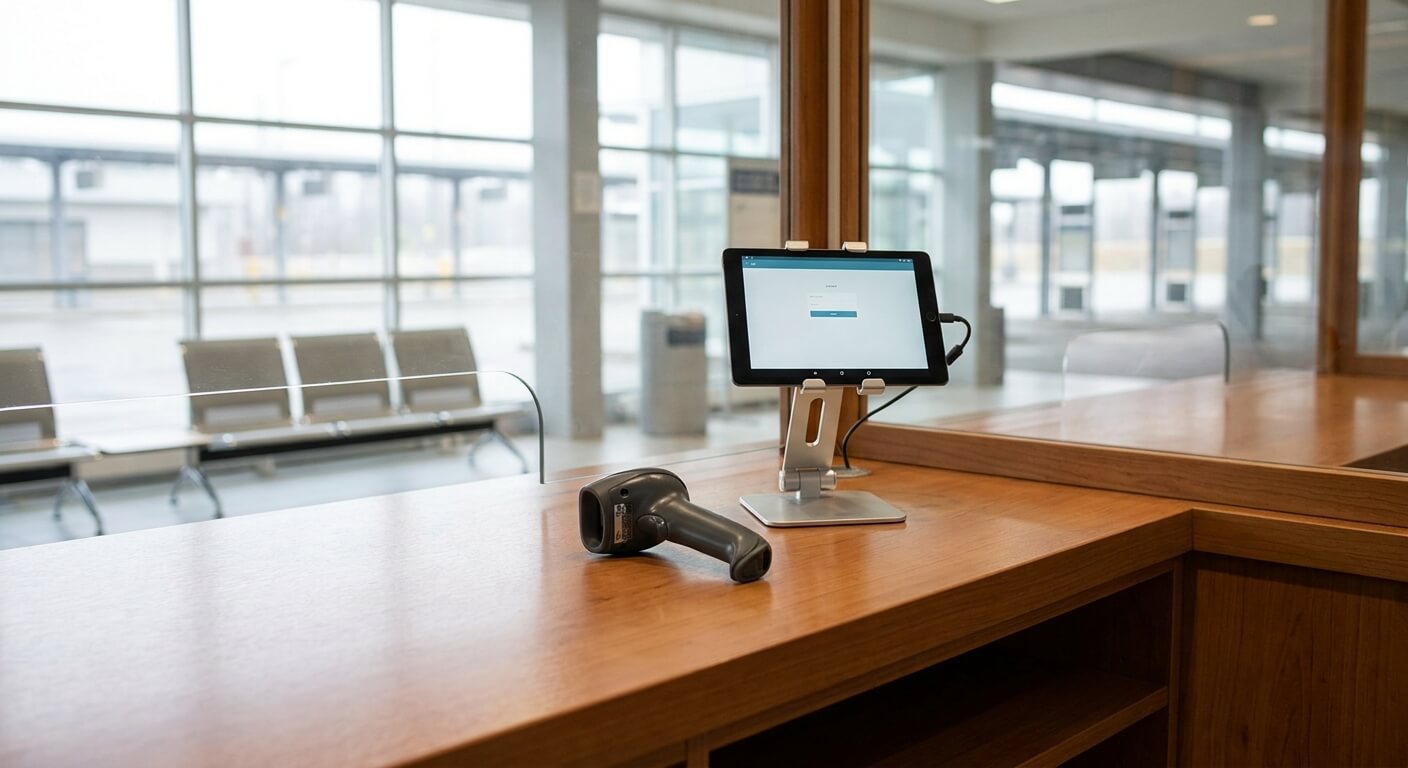
The first is selling at the window. UBT lists point-of-sale first among its capabilities. For a terminal, ask how quickly a trained agent can sell a ticket, change one and handle a payment, since the line behind the passenger will not wait.
The second is one shared seat record. Seats sold at the terminal, online and through partners must come from the same inventory. UBT states that its shared APIs sync instantaneously across all sales channels, including third-party websites. See our guide on how to stop overselling bus seats.
The third is boarding checks. UBT describes flexible ticketing validation options to meet your needs. At a terminal, check how tickets are validated at the gate, what happens if a scanner fails, and how a driver can tell a valid ticket from an invalid one.
The fourth is schedule changes. Buses are late, vehicles are swapped and sometimes trips are cancelled. UBT states you can cancel a busline or move it an hour later because of mechanical issues. Ask how fast a change reaches the windows, the website and the gate.
The fifth is passenger information. UBT lists automated SMS boarding reminders and ETA tracking among its offers. In a terminal, clear and timely information reduces the number of questions your counter staff must answer, which leaves them free to sell.
The sixth is reporting. UBT lists real-time reporting beside its point-of-sale. A station manager needs to see sales by departure, by window and by shift, so that staffing and schedules can be adjusted using facts rather than guesses.
How to Judge a Bus Terminal Ticketing System in Your Own Station
Start by walking the passenger path. Follow a ticket from the moment someone walks in to the moment they board. Write down every step and every person involved. A good bus terminal ticketing system should remove steps, not add them.
Next, list your peak times. Look at the departures that bring the longest lines, and ask the vendor to show how their system performs in that situation. Ask what happens when two agents try to sell the last seat at nearly the same moment.
Then consider your staff. Terminal teams include experienced agents and short-term helpers. The system should be learnable in a short training session, with a clear owner who can answer questions. Our guide to bus ticketing system onboarding describes how to plan that.
Finally, think about failure. Power cuts, weak internet and device faults all happen. Ask what the window can still do, how the gate keeps checking tickets and how records catch up afterward. Our article on a bus ticketing downtime plan can help you prepare.
Questions to Ask a Vendor About a Bus Terminal Ticketing System
Ask to see a sale, a change, a cancellation and a refund on a live screen. Ask how a departure is closed and how the list of passengers is produced for the driver. Ask who sees the data and how access is controlled.
Ask how the terminal’s sales connect to your other channels, and whether a seat sold at one is blocked at the others. Ask about reporting: what can you see during the day, and what can you export at the end of it?
Ask how you can try the system. UBT states on its site: “Free and no obligations at all! We provide Technology as a Service. If you do not like it, there will be no cost and obligations to you.” The site does not state a trial length, so confirm it.
Our list of questions to ask in a bus ticketing software demo gives a longer set you can bring to the meeting.
Getting Started With a Bus Terminal Ticketing System
Do not switch the whole station in one day. Begin with one window or one shift, keep the old method nearby for a short period, and compare results. A small start finds problems while they are still cheap to fix.
Name a single owner for the change. This person collects feedback from agents and drivers, decides when to move on and tells everyone the date the old method ends. Without an owner, the new tool and the old process will run side by side forever.
After a few weeks, review what improved: fewer queries at the window, fewer seat conflicts, quicker boarding. Write it down in plain language. That record helps you decide whether to extend the system to the rest of the terminal.
What a Bus Terminal Ticketing System Means for Different Roles
Counter agents want speed and clarity. They need a screen that shows departures, seats and fares without a search, and a simple way to handle a change or a refund. If the agent has to ask a supervisor for every unusual case, the line grows.
Dispatchers want an accurate picture of each departure. They need to see how many seats are sold, which trips are late and which have been changed. UBT lists real-time fleet tracking for passengers and management, which supports that picture.
Drivers want a simple boarding check and a reliable passenger list. They should not have to guess whether a ticket is valid. Gate staff want the same: one clear result when a ticket is scanned, and a plain process for exceptions.
Managers want reports they can trust. Sales by departure, by window and by shift show where to add staff and where to cut back. Our guide to real-time bus reporting describes what a useful report looks like.
Passengers want to know where to go and when. Clear messages and a short wait at the window matter more than any feature list. A bus terminal ticketing system serves them best by making the work of your staff easier.
A bus terminal ticketing system is judged by how it behaves on your busiest morning. Choose one that sells quickly, shares one seat record, checks tickets at the gate, handles changes and tells you what happened.
If you want to see how UBT could fit your station, request a conversation with United Bus Tech and bring your busiest departure hour as the scenario to walk through.